Vent Blog
Learn, stay informed & chill

Learn, stay informed & chill
Learn, stay informed & chill
Need a simple, safe and trusted crypto app for your everyday crypto transactions? The Vent app is the answer! With Vent, you can convert your cryptocurrencies to cash instantly or store them in dollars for later.
Vent Africa allows you to easily and quickly sell cryptocurrencies like Bitcoin (BTC), Tether (USDT), BNB, USDC or Solana (SOL) and receive Naira straight into your bank in seconds. With Vent’s EasyPay, you are in full control. There is no middleman like in P2P. So no risk of scams, no unnecessary delays, and no counterparty chats. It’s just you and your crypto-to-cash buddy, the Vent app.
Or do you want to save in dollars? You can store your crypto in SafeWallet, where it is converted into vUSD, Vent’s US dollar stablecoin. This means your coins are not only safe but also free from market swings. Since vUSD is pegged to the US dollar, your funds will not be affected by crypto dips or Naira devaluation. And you can easily cash out in Naira to your bank account or withdraw as USDT or USDC into an external wallet anytime.
In this post, we’ll walk you through setting up your Vent account to take your crypto transactions to the next level. Let’s go!
To set up a Vent account, the first thing you’ll need to do is sign up. Signing up on Vent is easy and takes less than sixty seconds! Follow these easy steps:
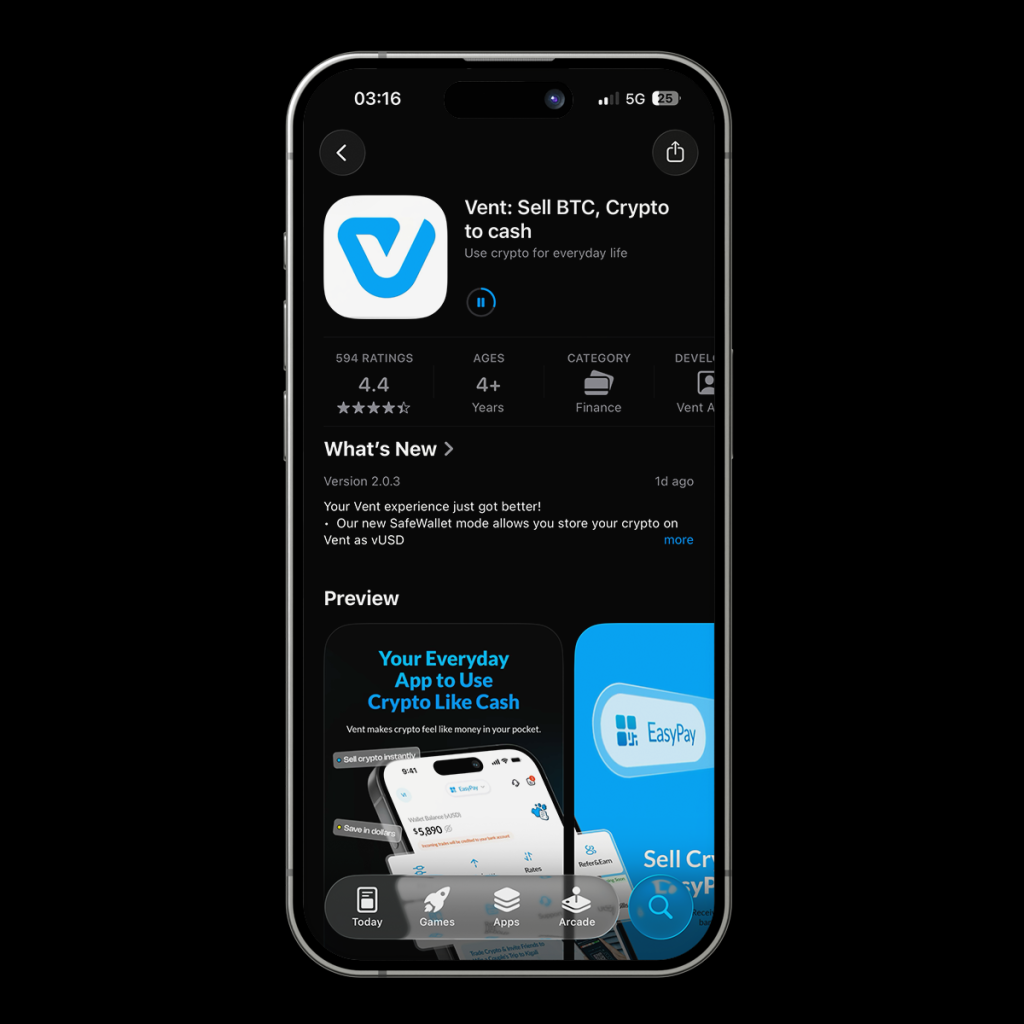
Download the Vent mobile app on the App Store (iOS) or Google Play Store (Android). Alternatively, you can use our progressive web app by visiting www.dashboard.vent.africa on your browser.
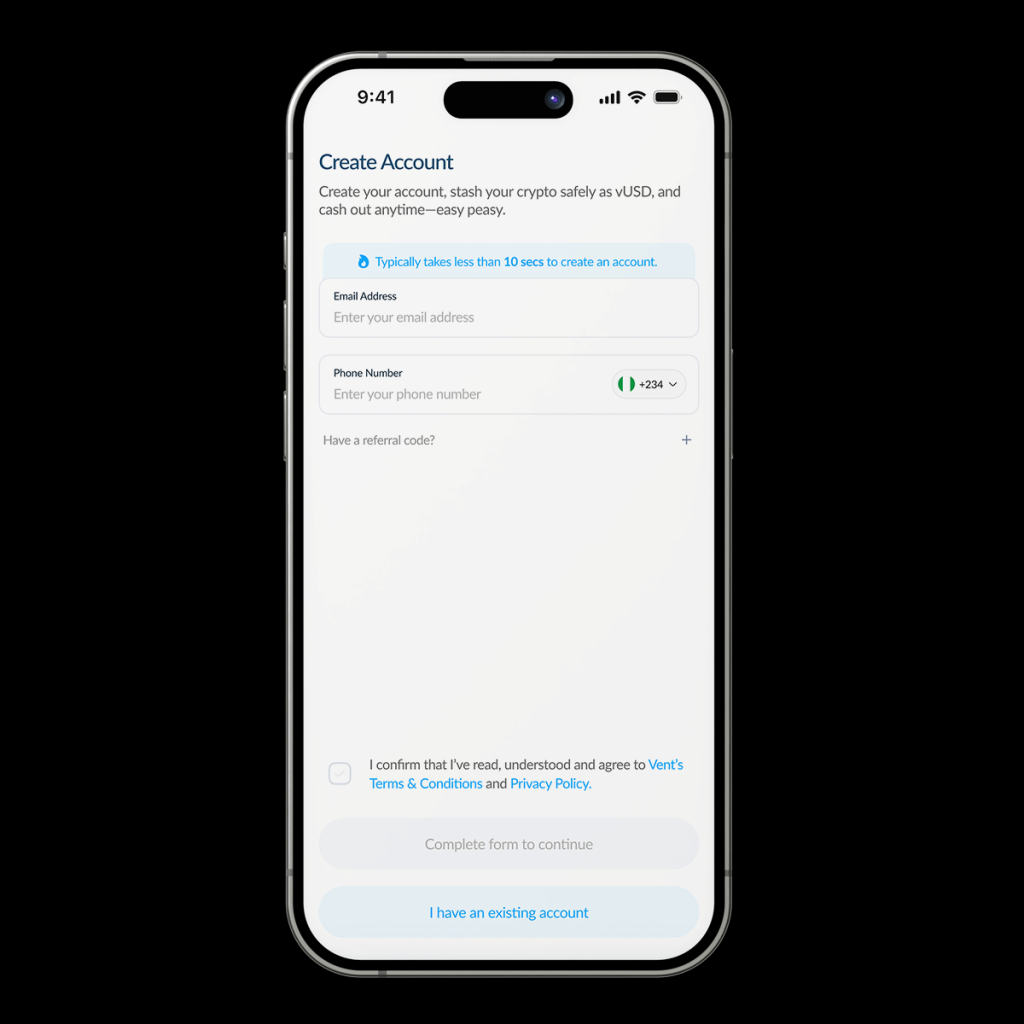
Enter your email address and phone number. Read the terms of use and check the box. Then, tap [Complete Form to Continue].
You’ll need to confirm your email address by providing a one-time password (OTP).
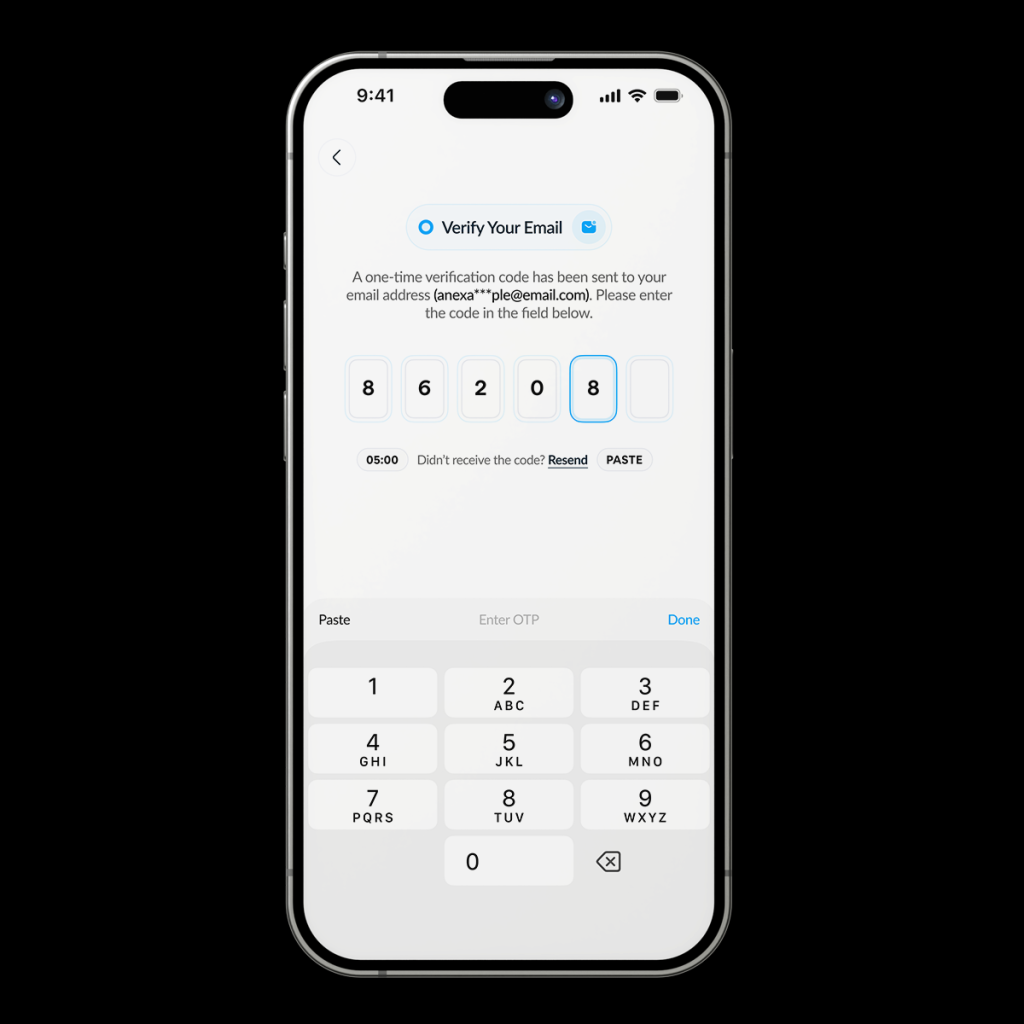
Congrats, you now have a Vent account!
To completely set up a Vent account, you’ll need to complete Know Your Customer (KYC) verification. Verify your account grants you access to our services. Our KYC is divided into three levels, each granting you greater access.
With a level 1 account, you’ll be able to do the following:
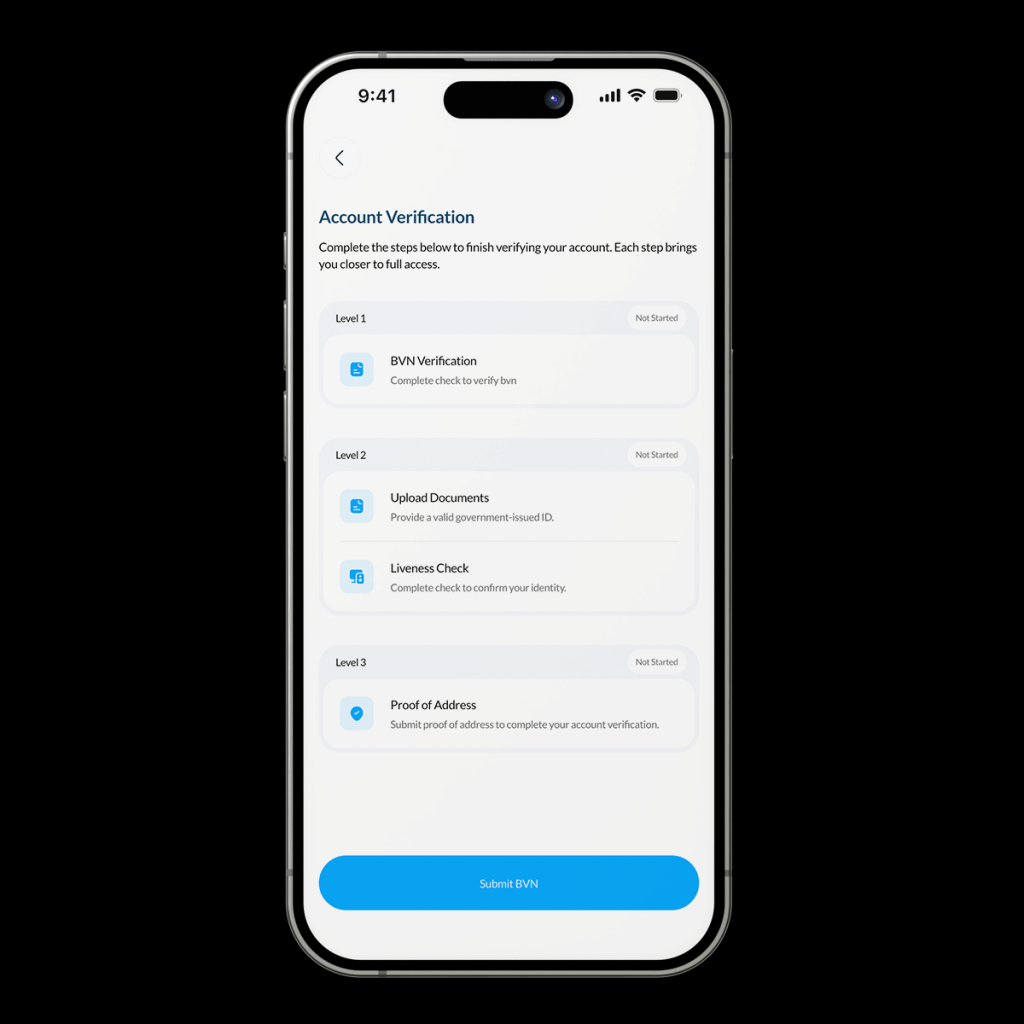
Follow these steps to complete your BVN verification
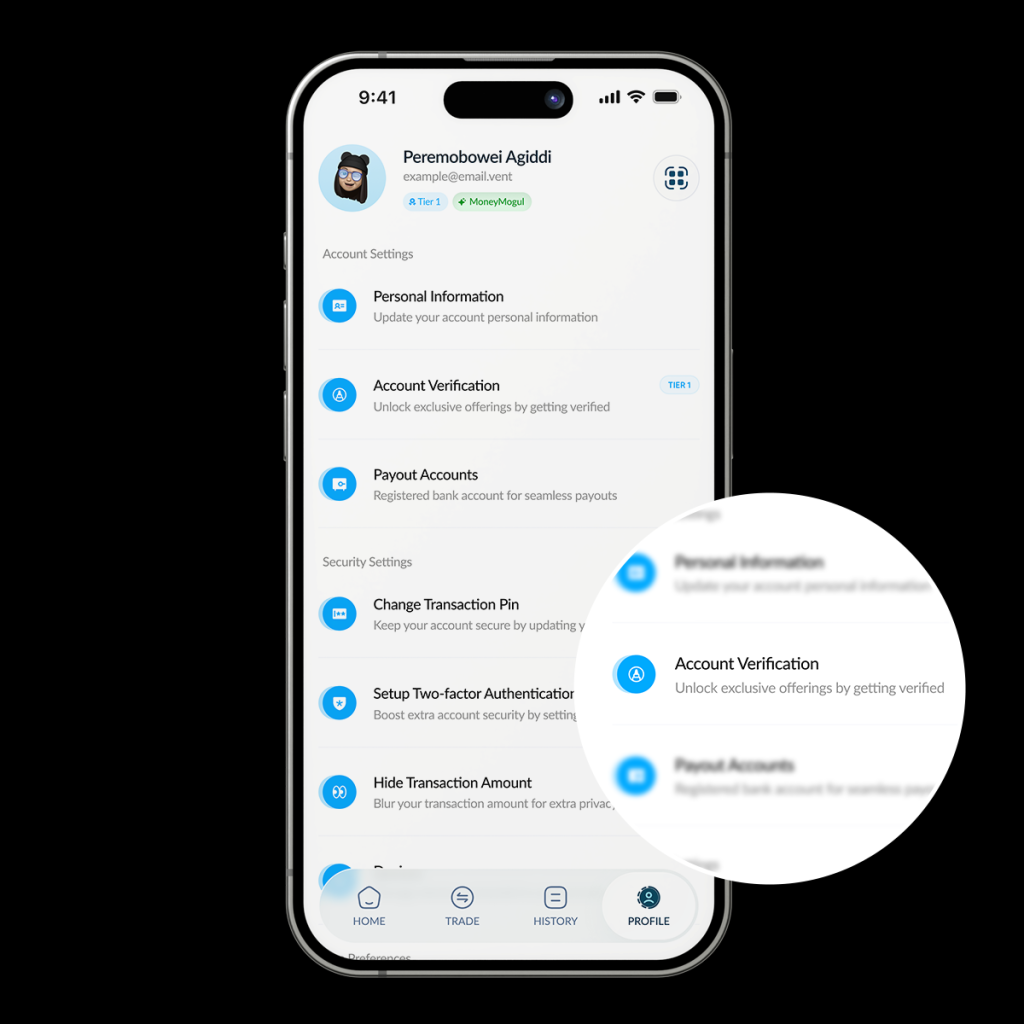
Head to the [Profile] tab at the bottom right of your screen.
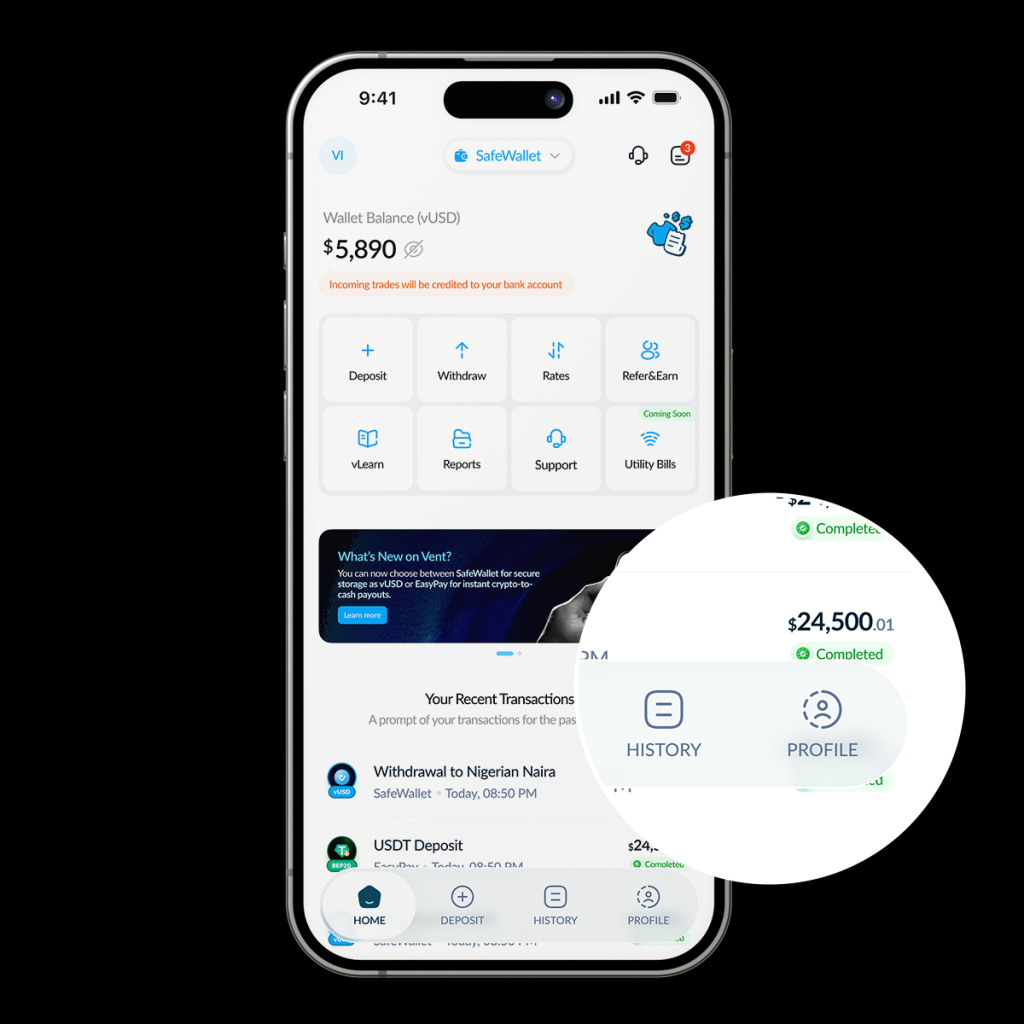
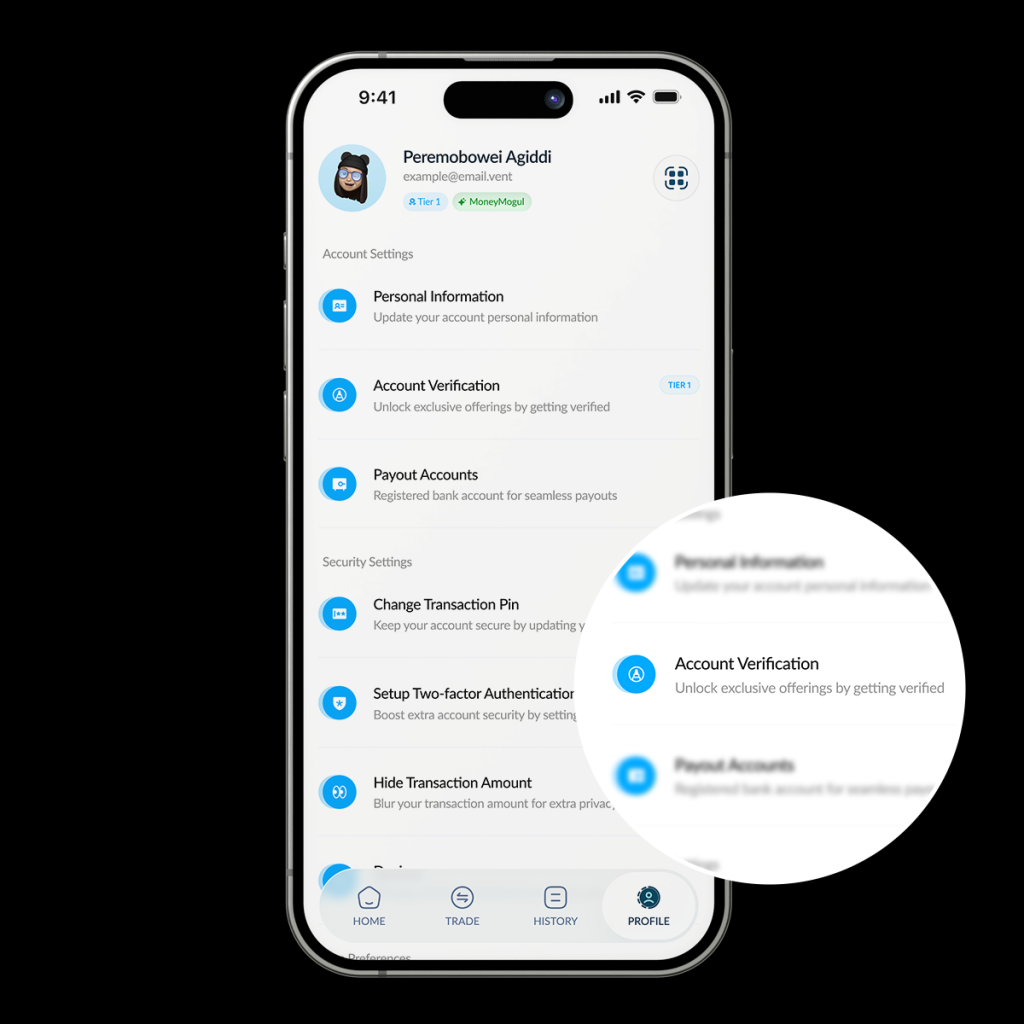
Tap [Account Verification]
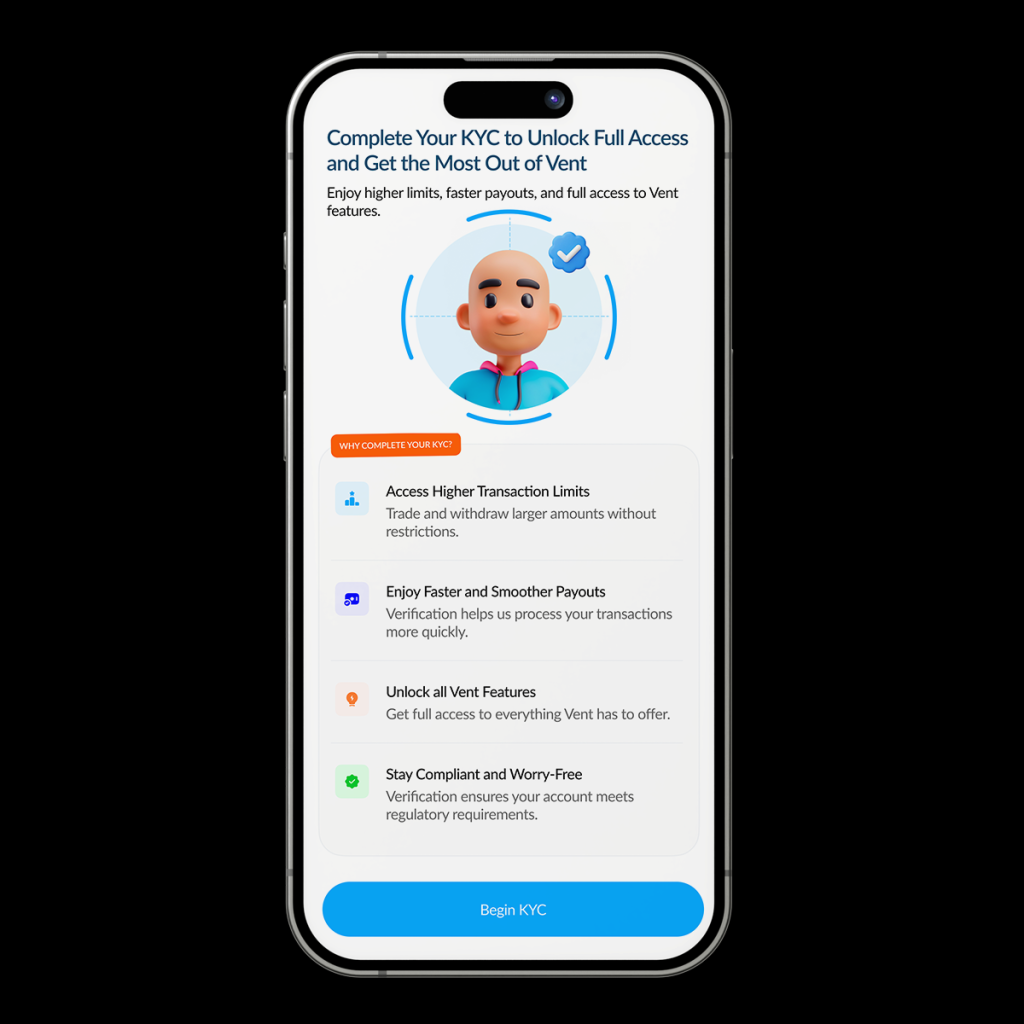
Tap [begin KYC]
Tap [Submit BVN]
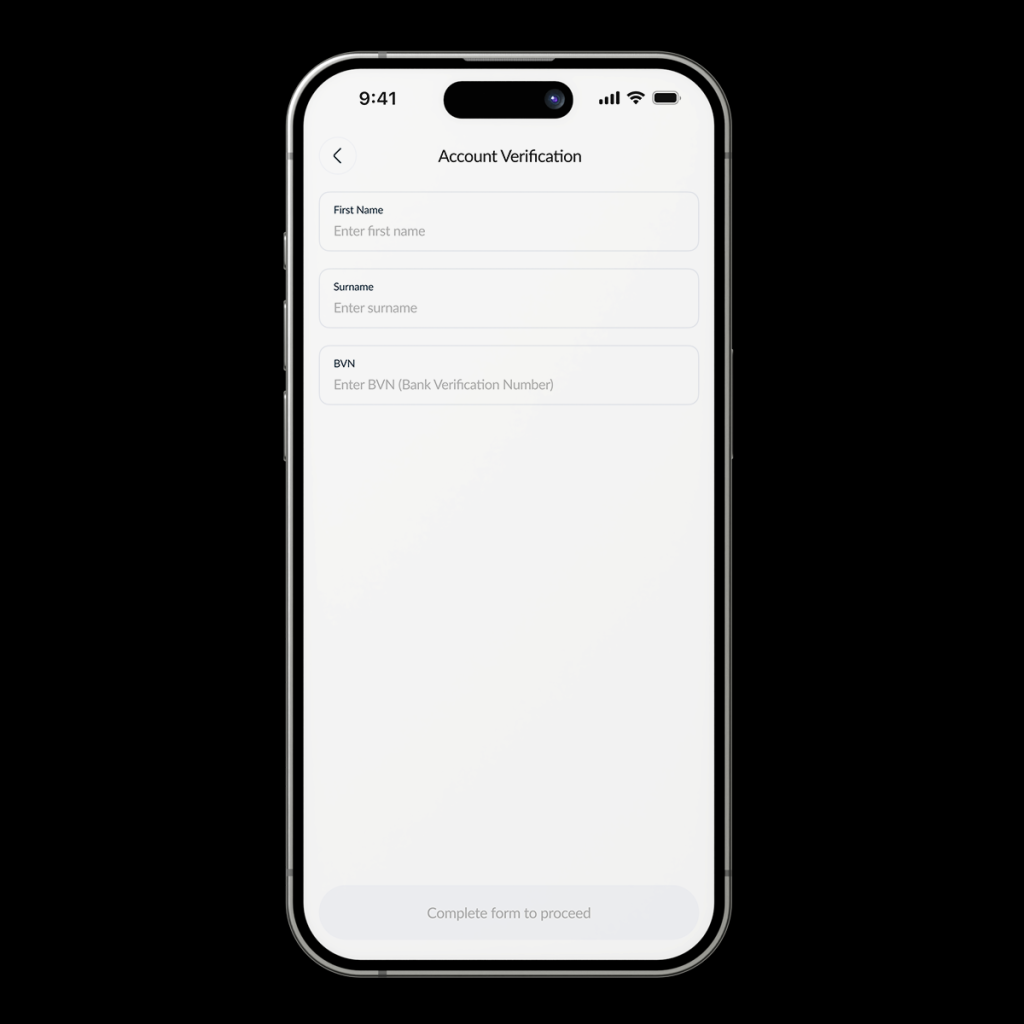
Input your First Name, surname, and BVN, then click [Complete form to proceed].
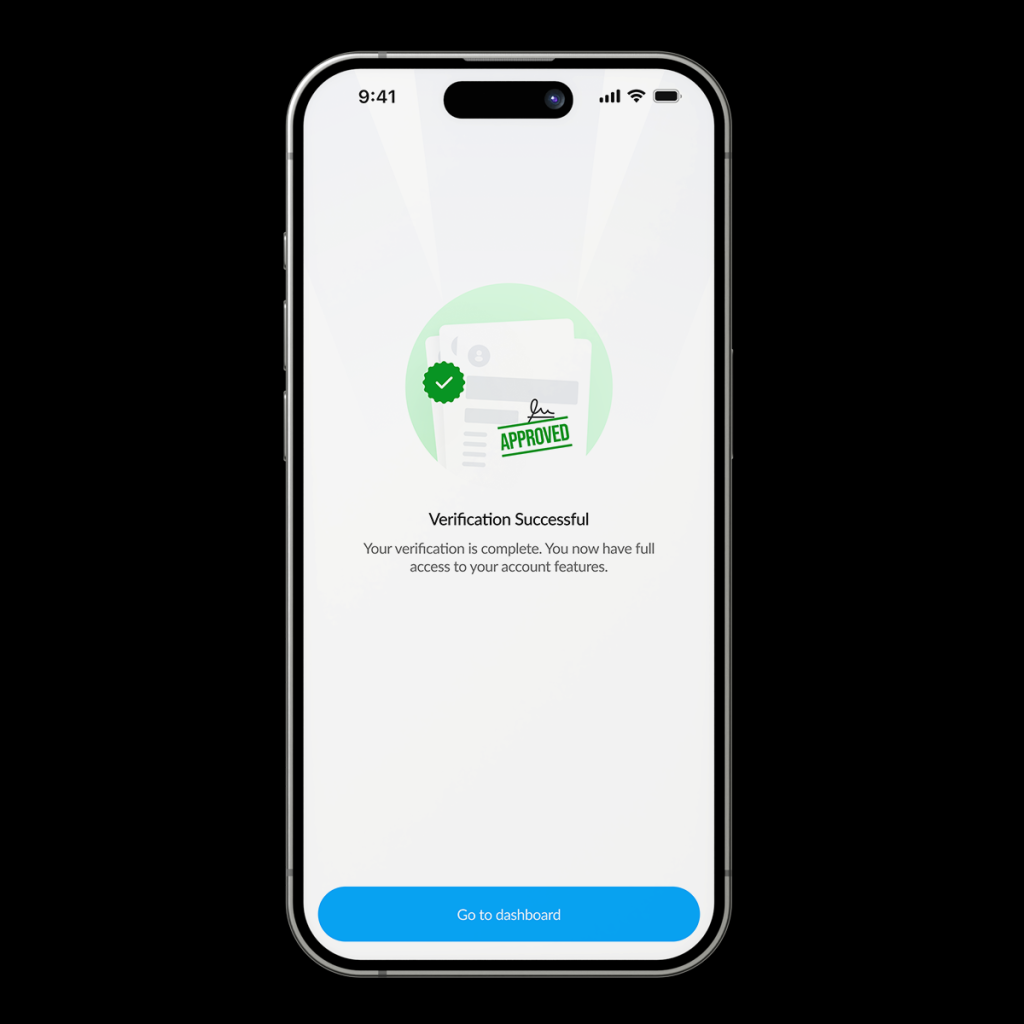
You’ll be notified once the verification is successful.
With a level 2 account, you’ll be able to withdraw your vUSD as stablecoins (USDT or USDC) into any external wallet on any of the supported blockchain networks.
Note that you must have completed level 1 before you proceed to level 2.
Follow these steps to complete your level 2 verification:
Head to the [Profile] tab at the bottom right of your screen.
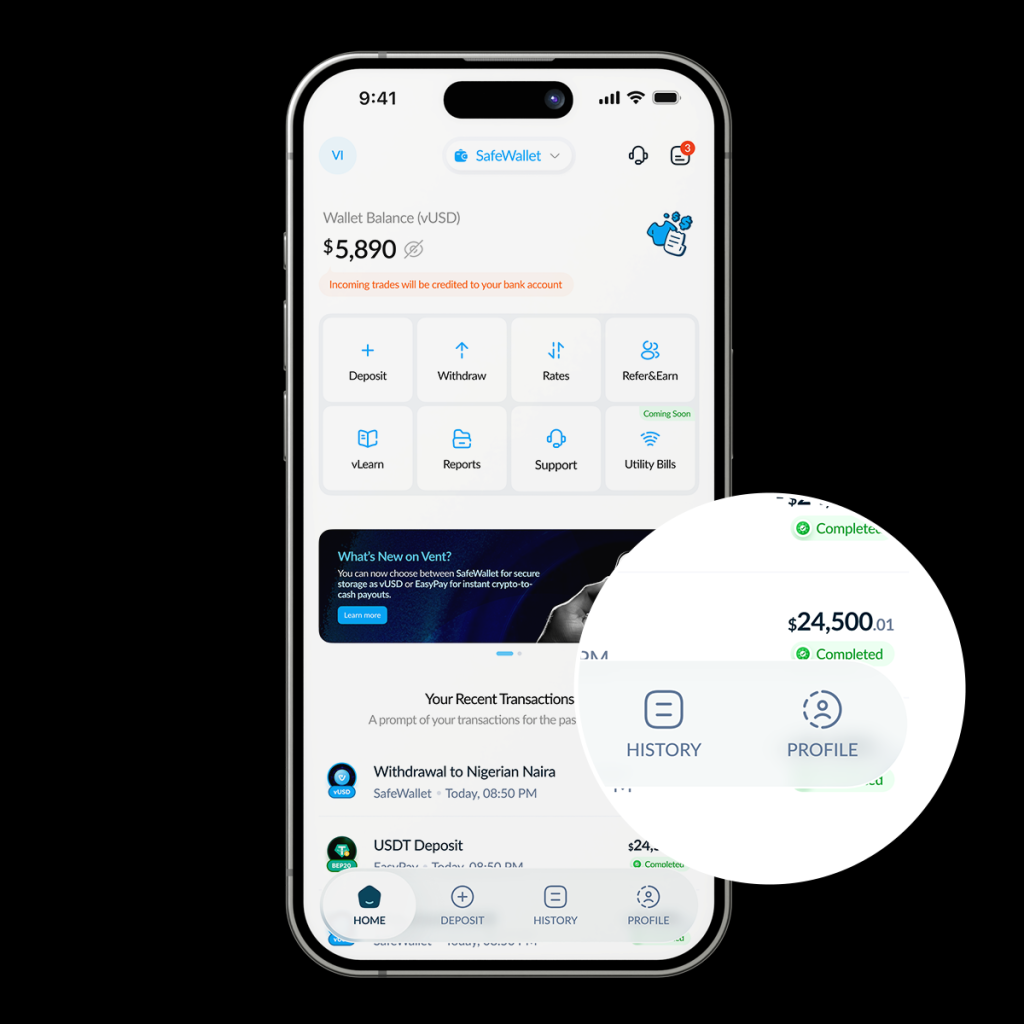
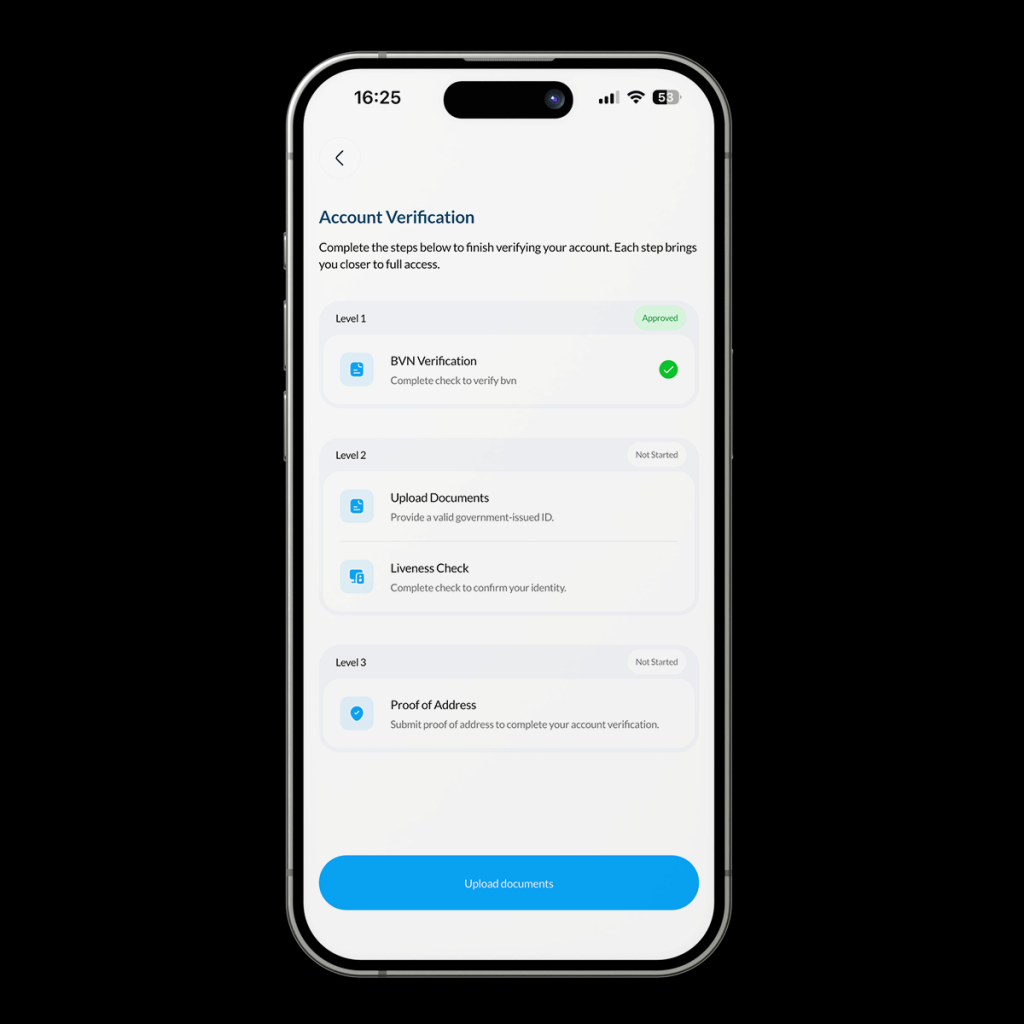
Tap [Account Verification]
Tap [Upload Document]
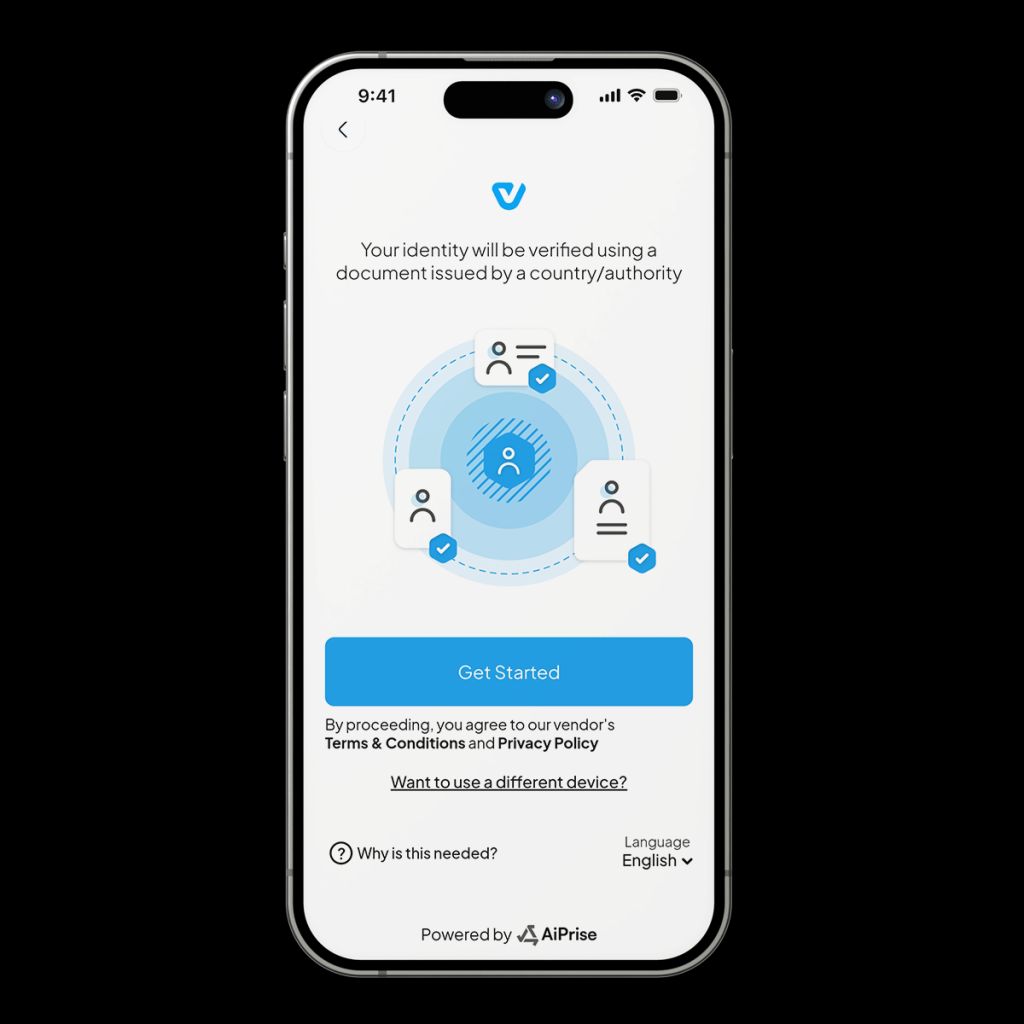
Tap [Get started]
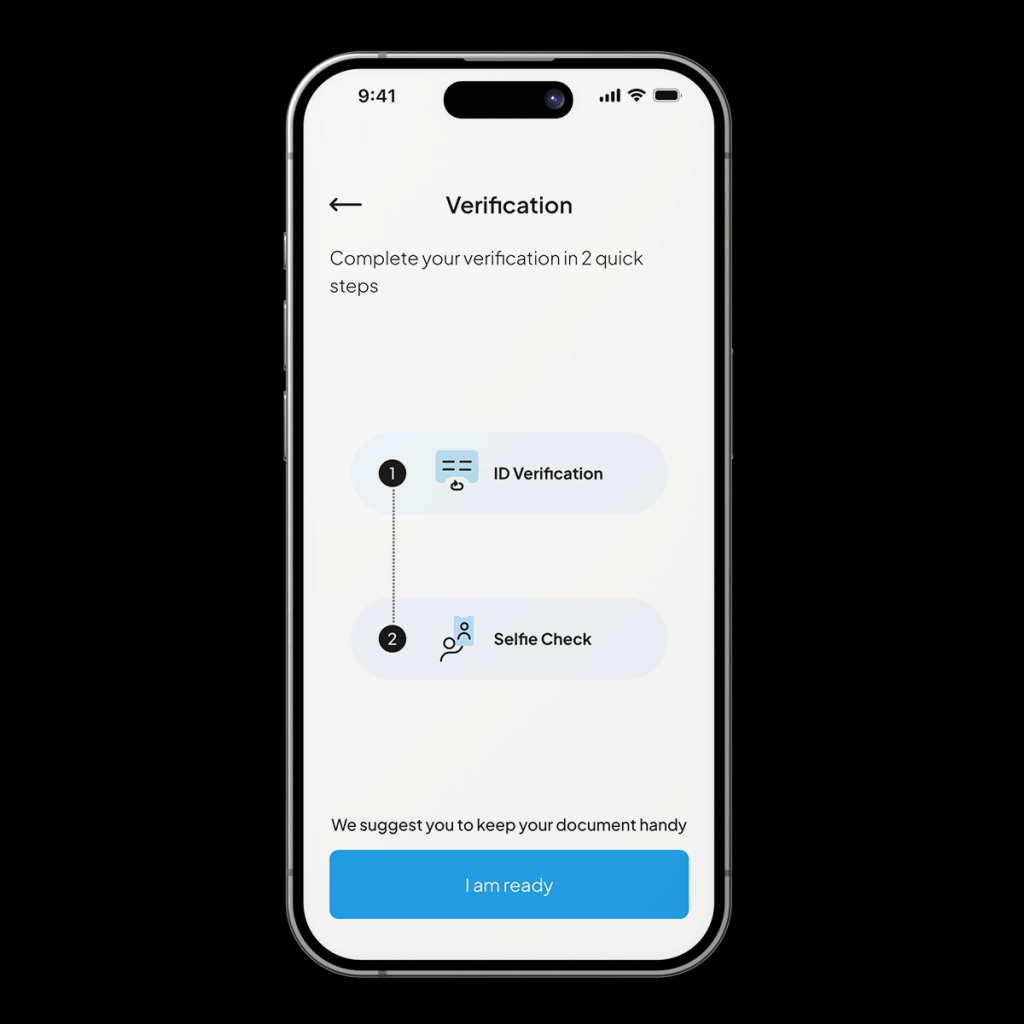
Get your document handy and tap [I am Ready]
Choose your country
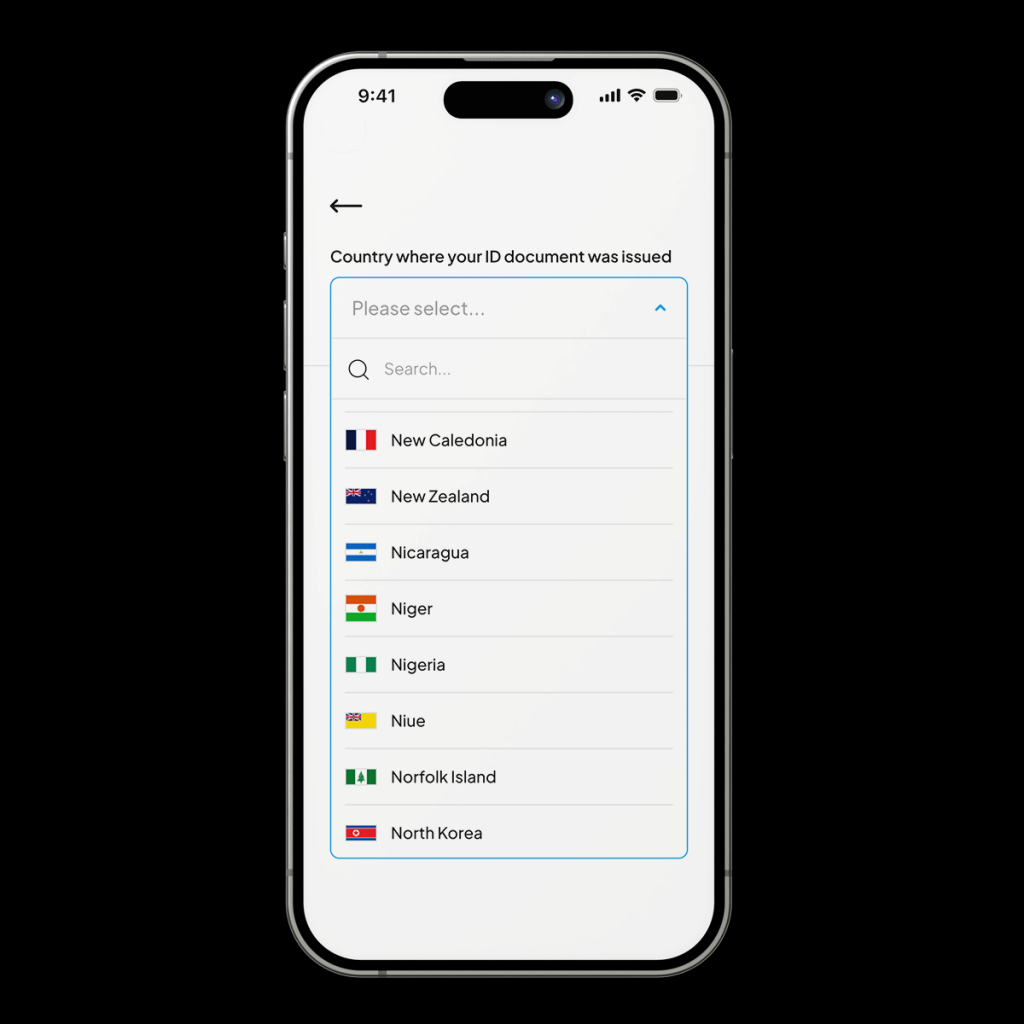
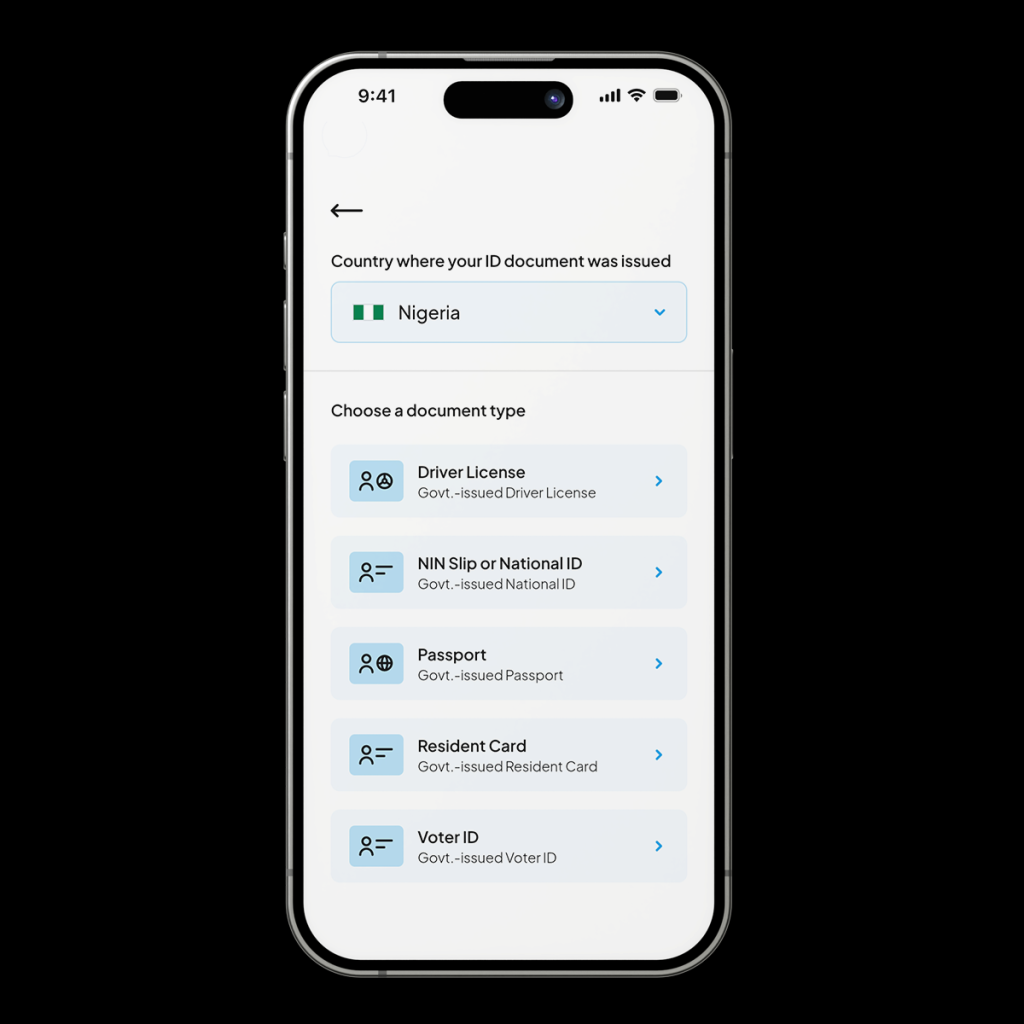
Choose a document type
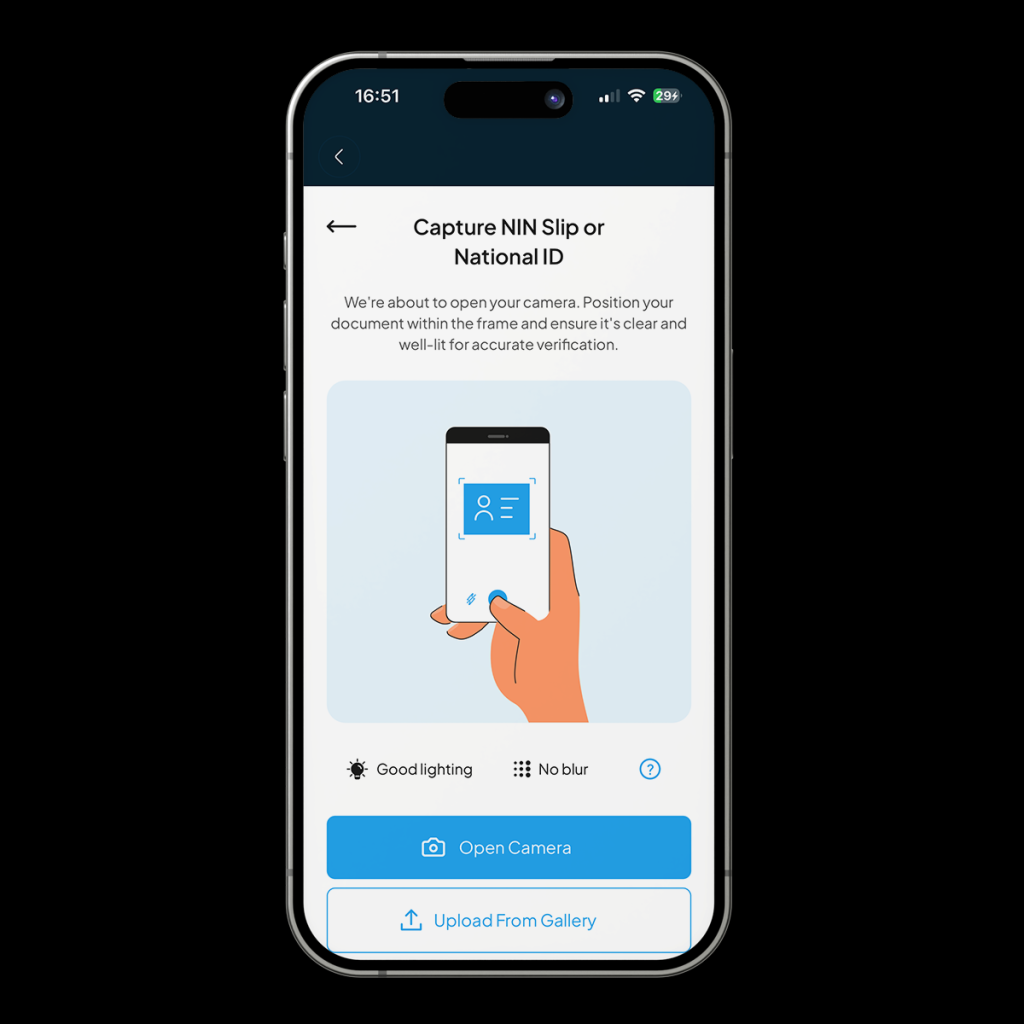
Capture your ID or upload it from your gallery
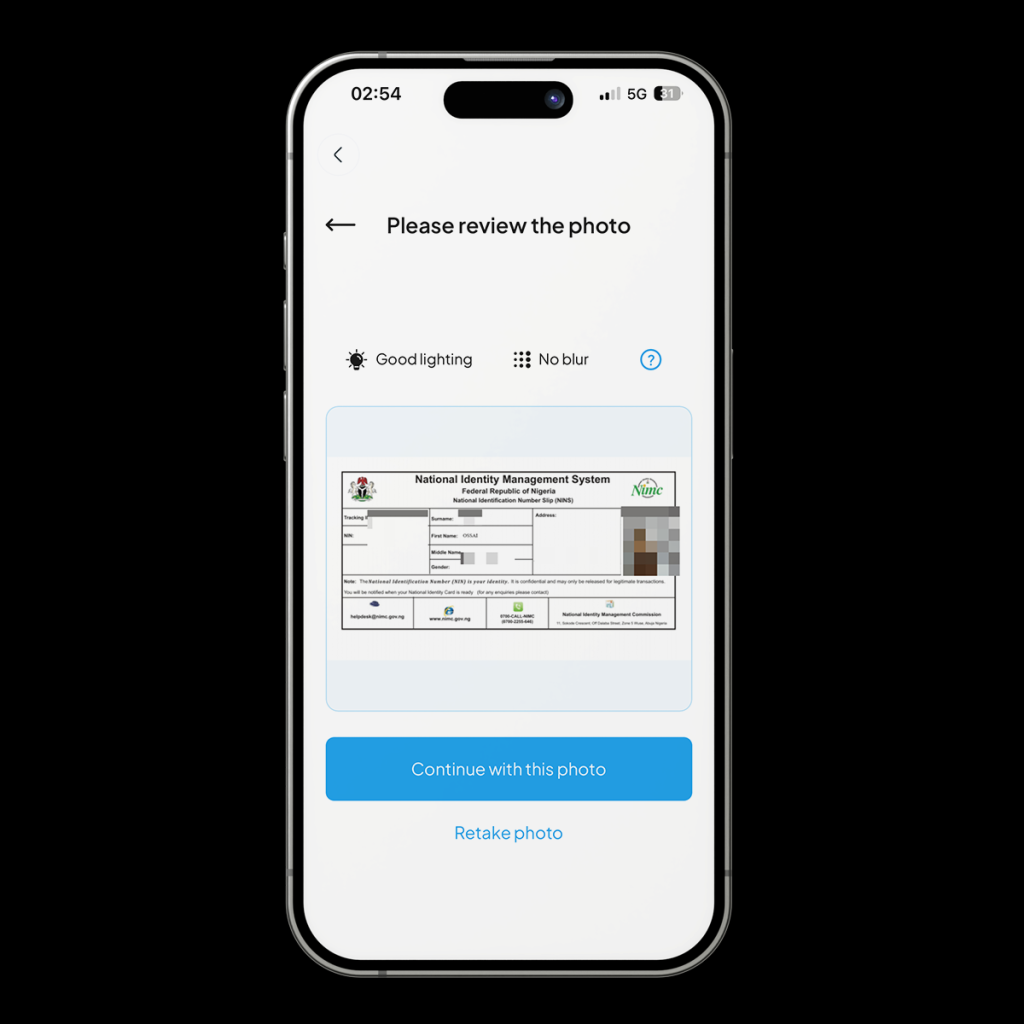
Review the photo and tap [Continue with this Photo]
You’ll need to grant camera permissions. Capture your selfie and submit it.
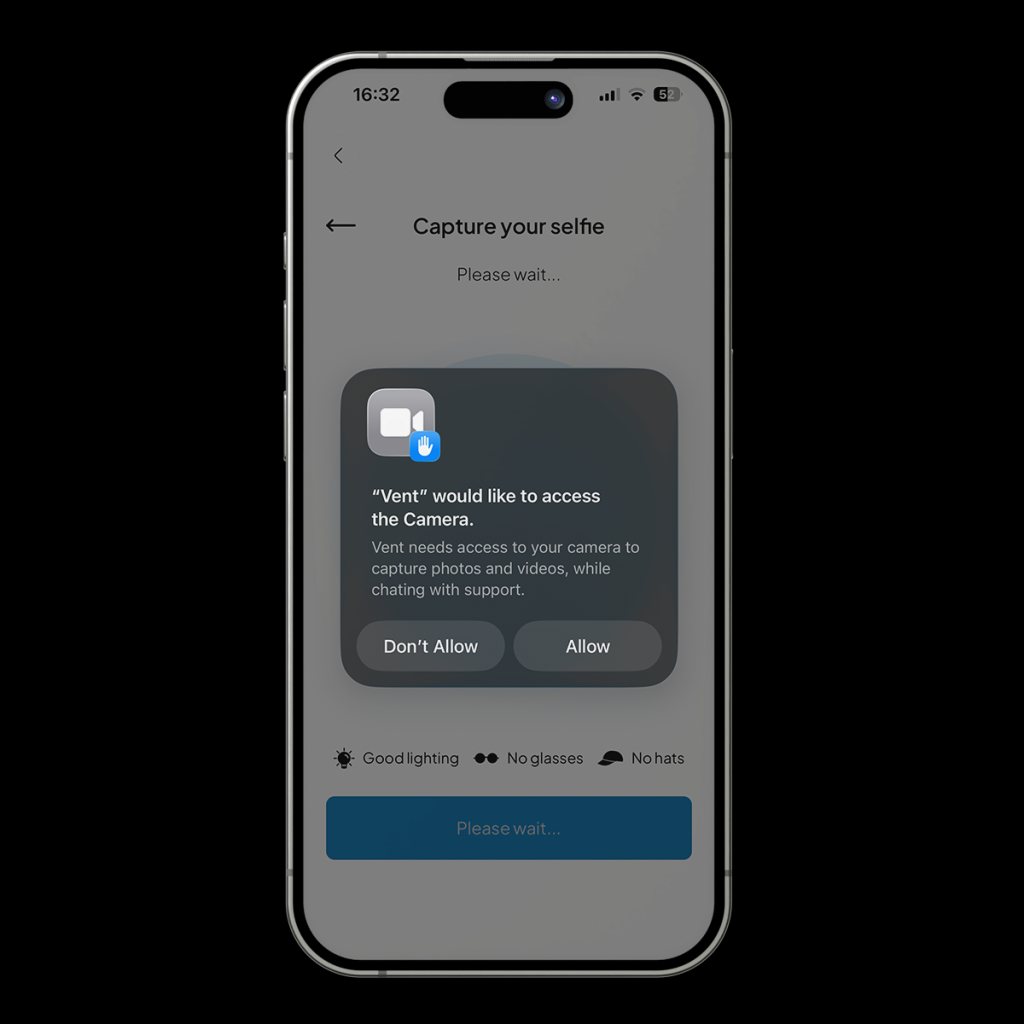
You’ll be notified that your submission has been received. Tap [continue]
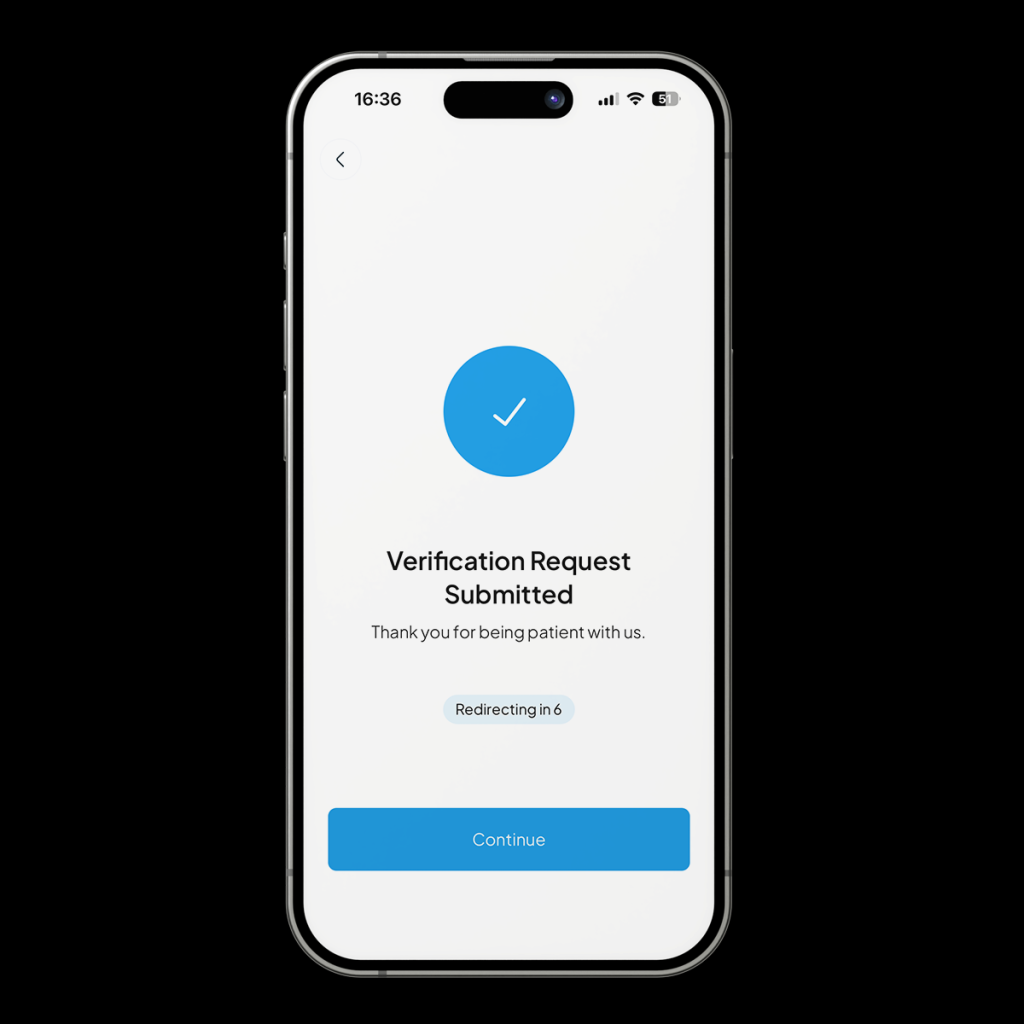
Once your submission has been reviewed, you’ll receive a notification.
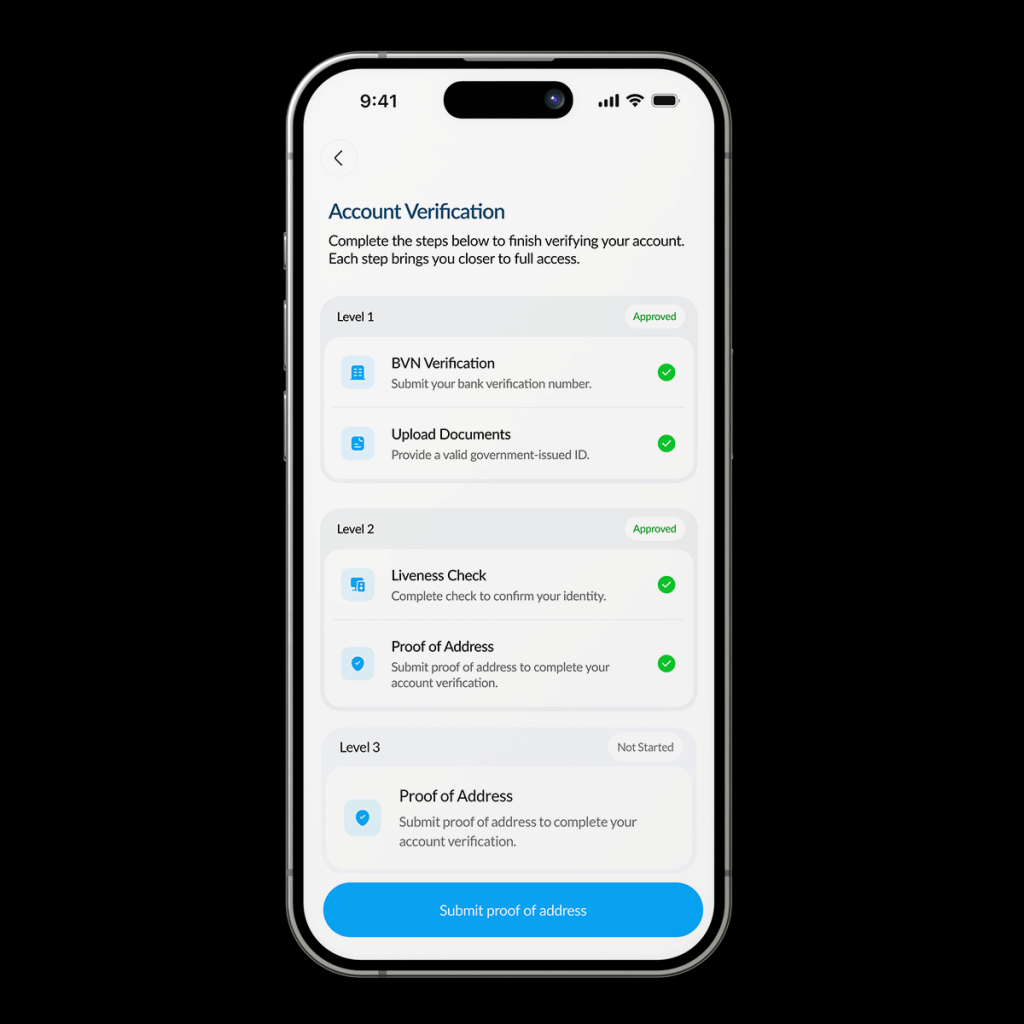
Level three unlocks higher deposit and transaction limits.
Head to the [Profile] tab at the bottom right of your screen.
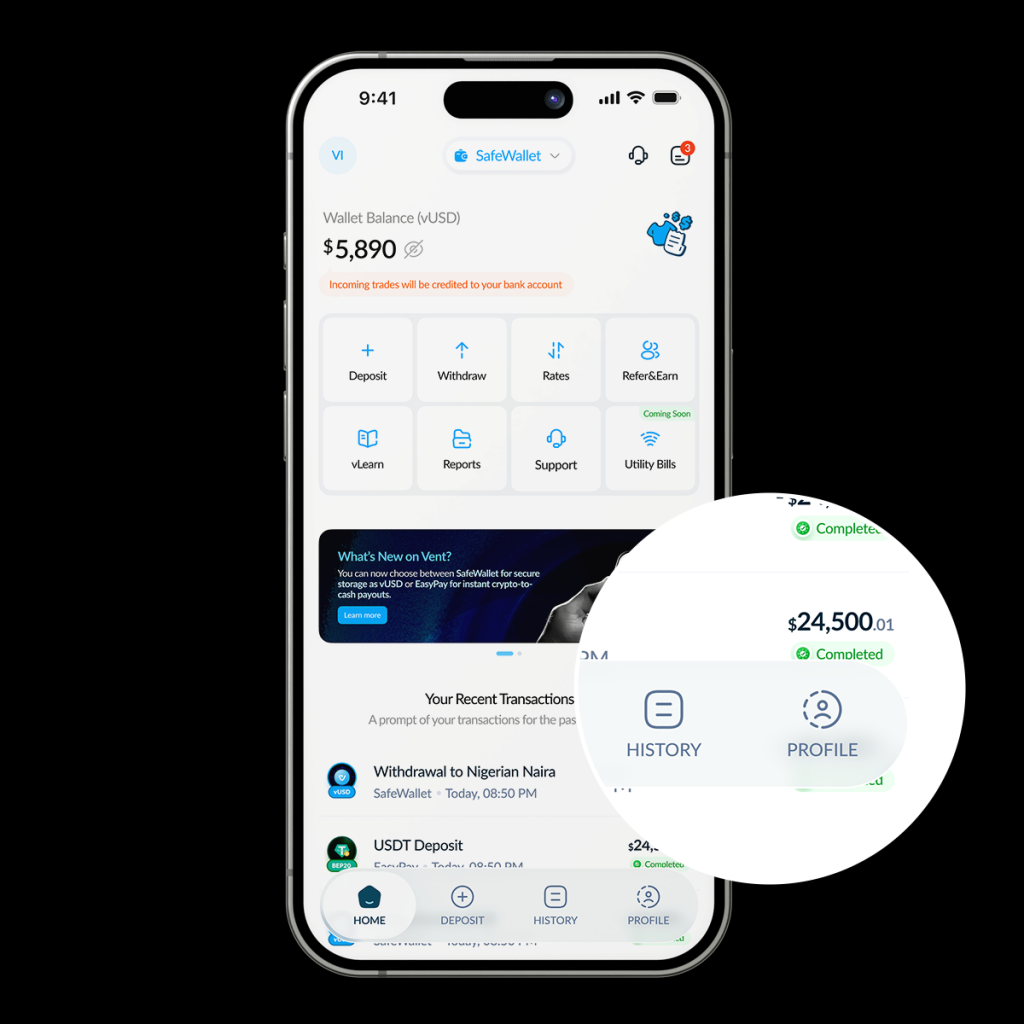
Tap [Account Verification]
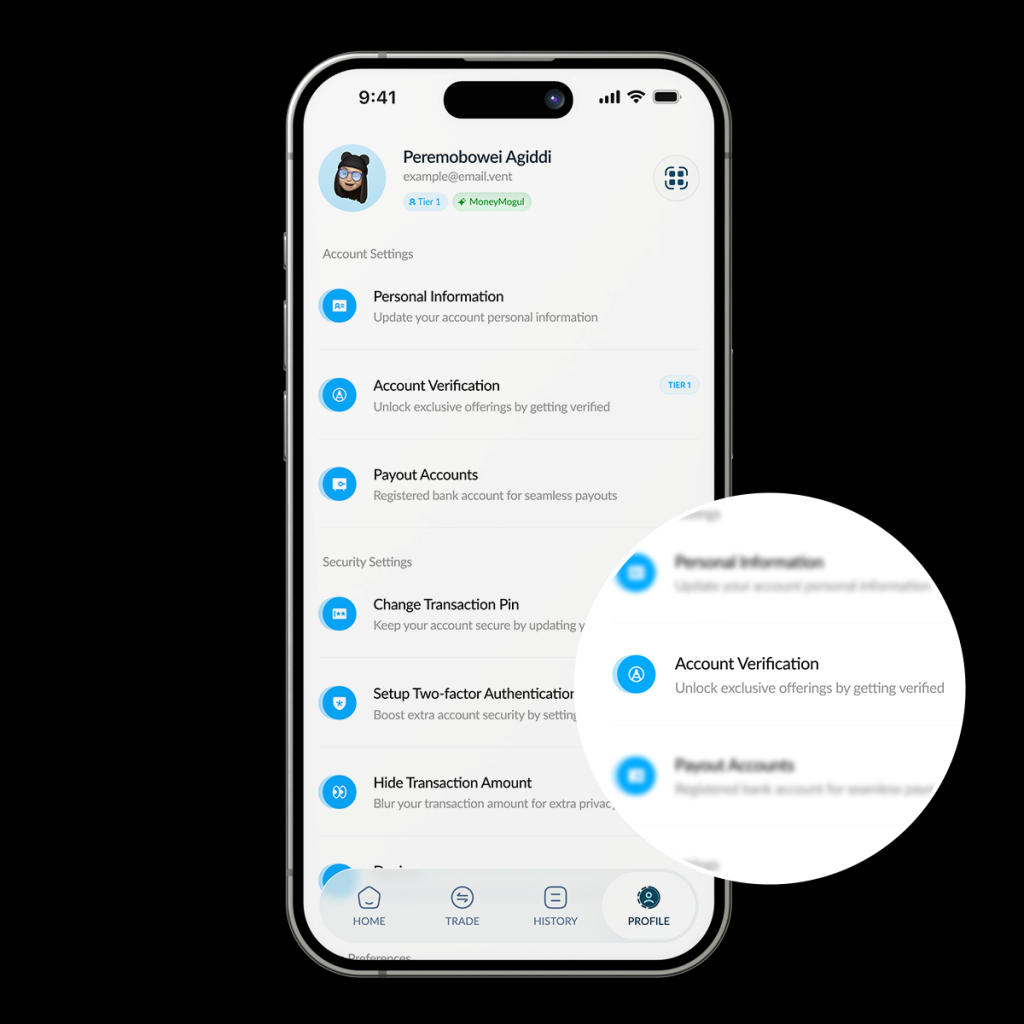
Tap [Submit Proof of Address]
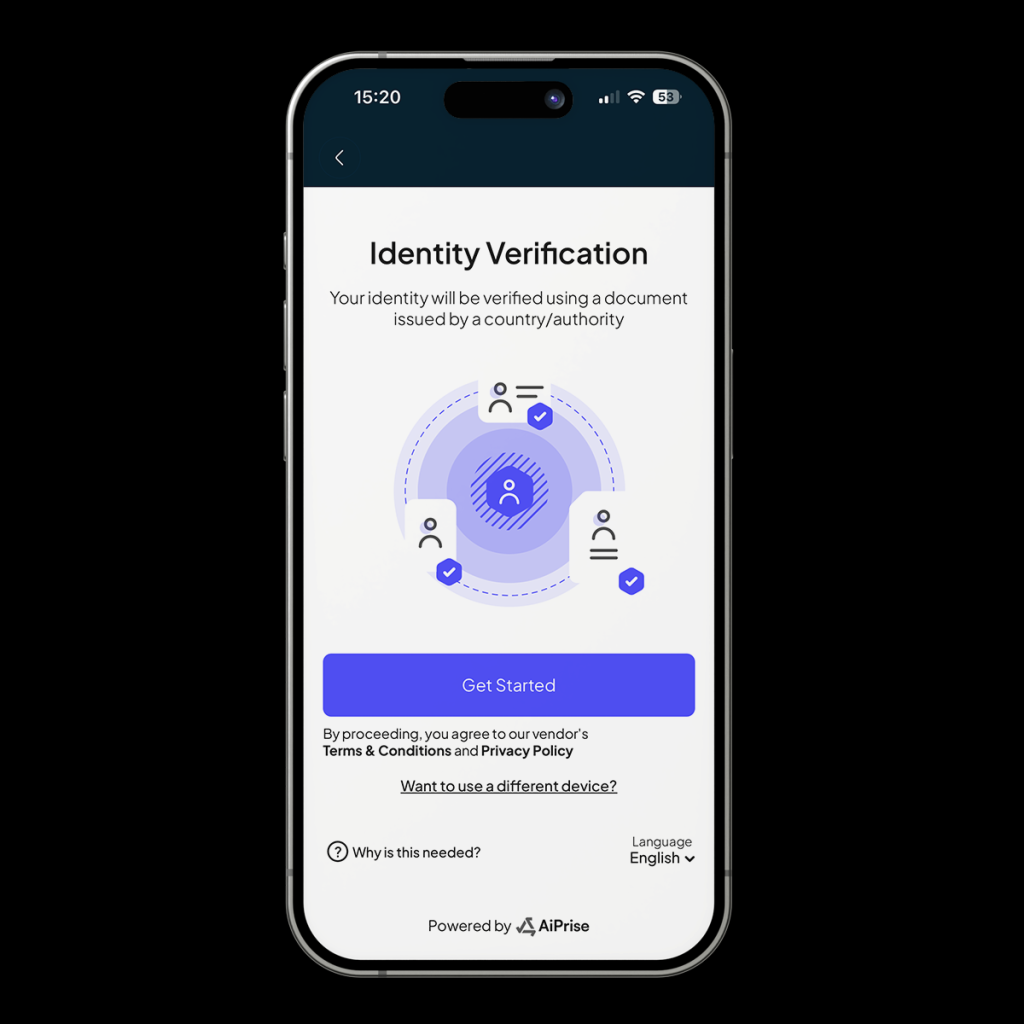
Tap [Get started]
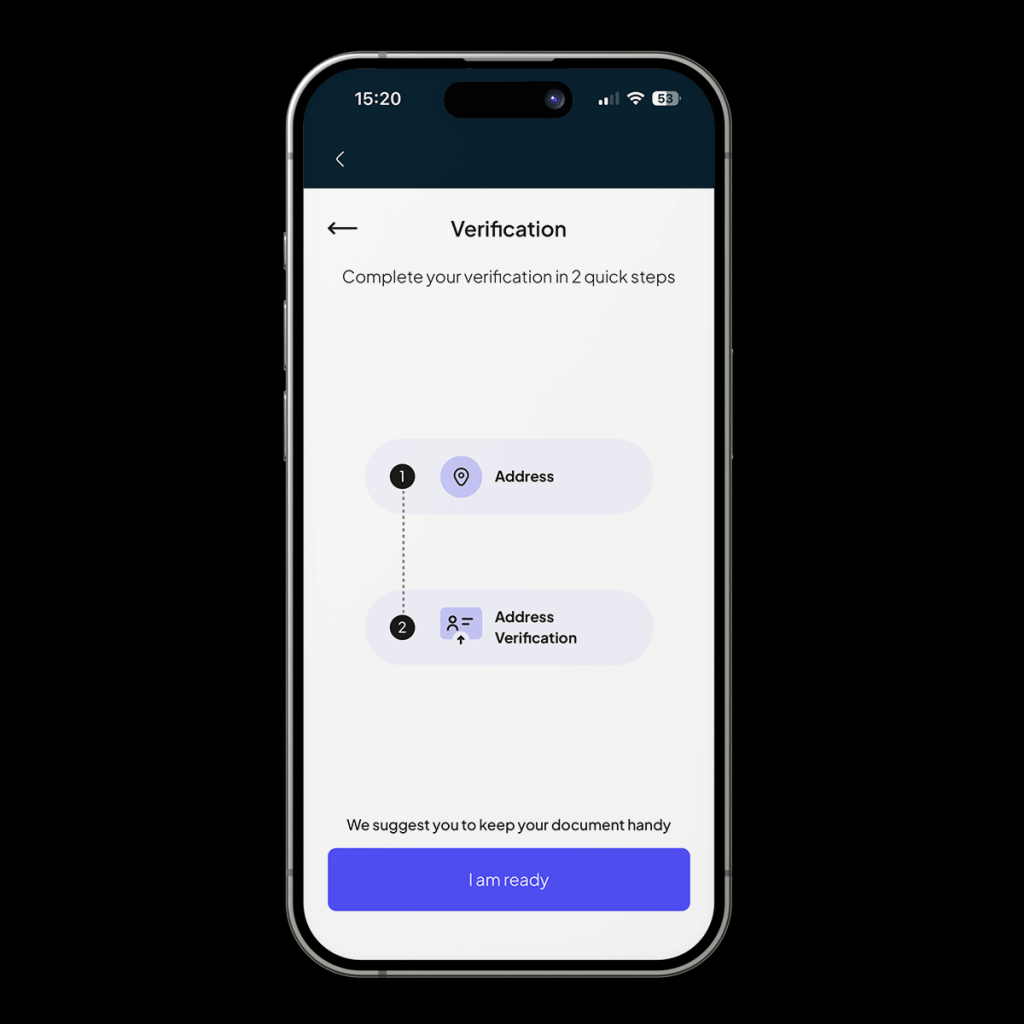
Get your document handy and tap [I am Ready]
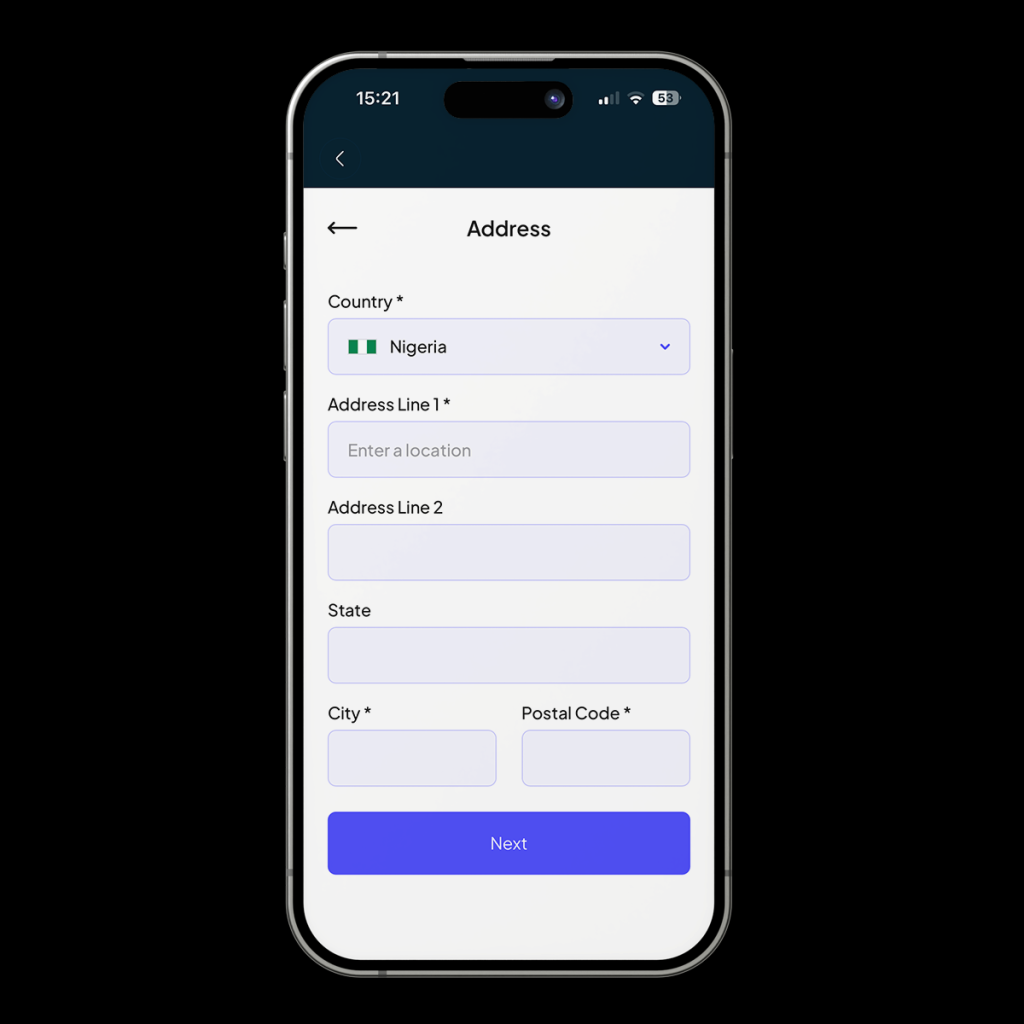
Choose your country. Enter the address as it appears on your document, then type in your state, city, and postcode.
Then tap [Next]
Select the document type, upload your document and tap [Submit].
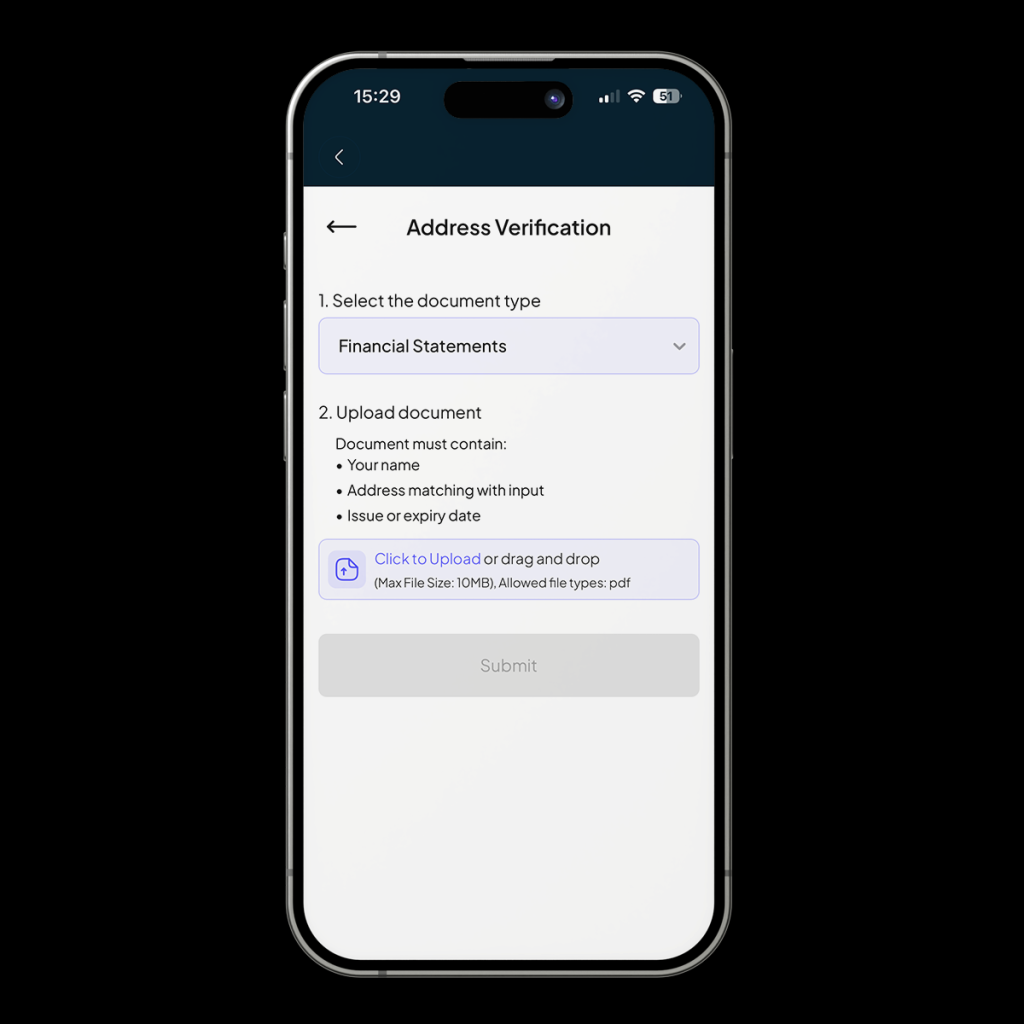
You’ll be notified that your submission has been received. Tap [continue]
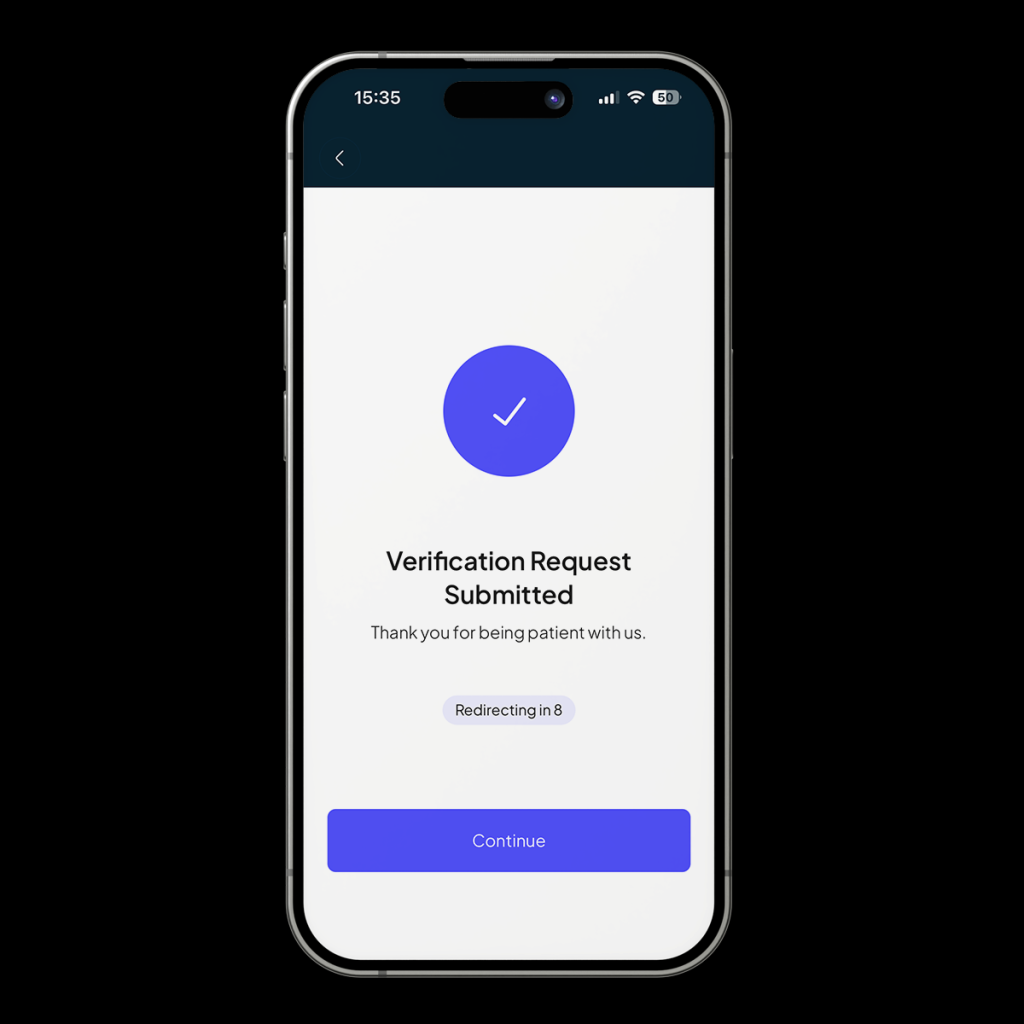
Once your submission has been reviewed, you’ll receive a notification.
Once your account is set up, you can start using Vent for your everyday crypto transactions. Want to convert crypto to cash? You can deposit it in EasyPay mode and instantly receive the Naira equivalent in your linked bank account. Or do you want to hold funds for later? Switch to SafeWallet mode, and your crypto deposit will be automatically converted into vUSD and stored on Vent.
Join thousands of Nigerians using Vent for their everyday crypto transactions