Vent Blog
Learn, stay informed & chill

Learn, stay informed & chill
Learn, stay informed & chill
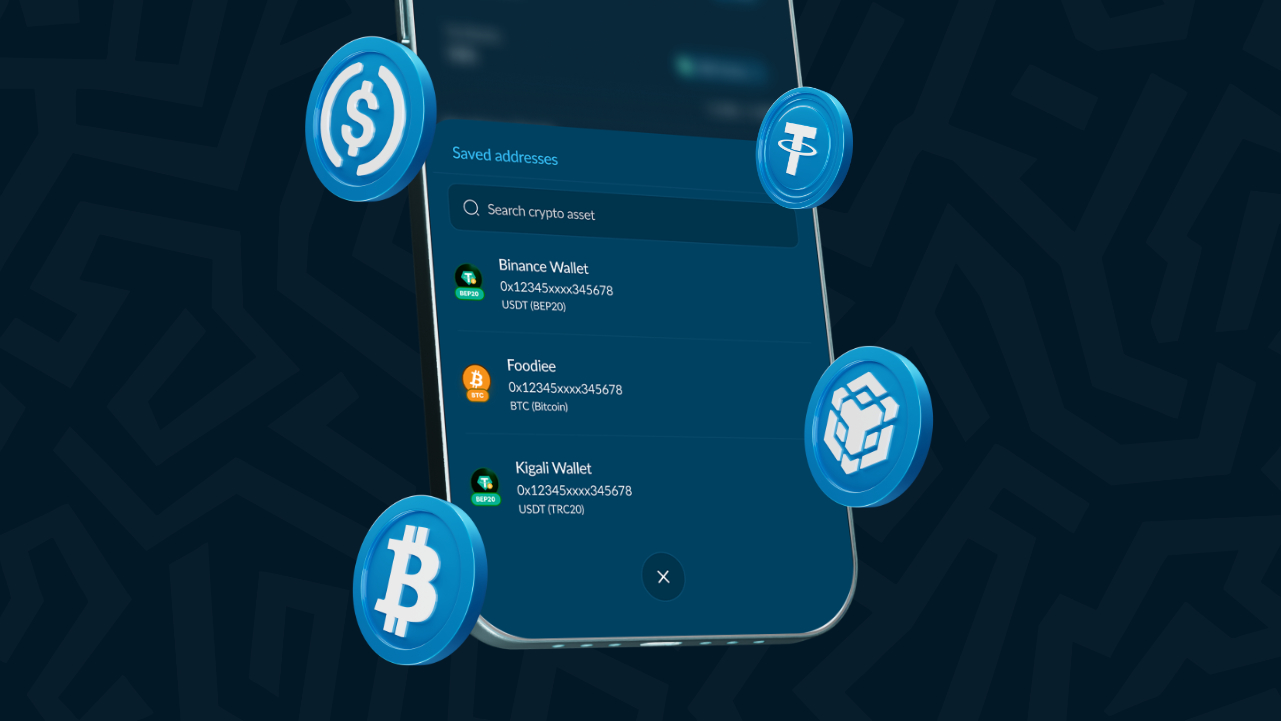
Sending crypto should be easy. But if you’ve ever copied and pasted a long wallet address while double-checking every character like your life depends on it… You know the stress is real.
One wrong character and otilor. That’s why we made the “Saved Addresses” feature. It helps you save wallet addresses you frequently send crypto to, so your withdrawals become faster, smoother, and safer every single time.
No more searching through old chats or copy-and-paste anxiety. Just select, send, and move on with your day. Let’s show you how it works.
Key Takeaways
Saved Addresses is a feature in Vent that lets you securely store wallet addresses for frequently used crypto withdrawals. Think of it like saving a beneficiary on your banking app. Instead of entering wallet addresses over and over, you save them once and reuse them whenever you want to make a withdrawal. The process is quick, the setup is minimal, and the benefit is something you’ll feel every single time you transact.
Whether it’s your personal wallet, a business wallet, a friend’s address, or your Binance or Trust Wallet account, Vent helps you keep them all organised and within reach. Because let’s be honest—nobody enjoys typing or verifying a 42-character wallet address every single time. And nobody should have to. With Saved Addresses, that tedious part of the process is handled once and forgotten.
Crypto transactions are fast, but they can also be unforgiving. Unlike bank transfers, where mistakes can sometimes be reversed or disputed, crypto withdrawals are usually final. Once funds leave your wallet to the wrong address, the chances of recovering them are extremely slim—and in most cases, zero. There’s no customer support line you can call to ask the blockchain to return your money.
Most mistakes happen because of small, avoidable human errors like:
It happens more often than people admit. Especially when you’re trying to cash out quickly after receiving payment from a client, selling crypto during a market move, or juggling multiple transactions at once. The pressure to speed up, combined with the complexity of long wallet strings, leads to costly mistakes.
The reality is that manual address entry creates unnecessary risk every single time you do it. And the more frequently you withdraw, the more that risk compounds.
Once a wallet is saved, there’s no more copying and pasting addresses every single time. You go straight to selecting and sending. If time is money, Saved Addresses is giving you some of it back.
If you manage multiple wallets across different platforms—a personal wallet, a trading account, a business account—Saved Addresses lets you label and track them all in one place. No more digging through Telegram messages or notes apps looking for an address you know you saved somewhere.
You don’t have to triple-check every character before sending funds. The address has already been verified and saved. You’re working from a trusted source, not a freshly pasted string you’re second-guessing.
Your crypto withdrawals feel quicker and more seamless from start to finish. There’s no friction, no panic, no “wait, let me check that again.” Just a clean transaction flow that respects your time.
Using Saved Addresses is simple and takes less than a minute to set up.
Here’s all you need to do:
Open your app and switch to SafeWallet from your dashboard.
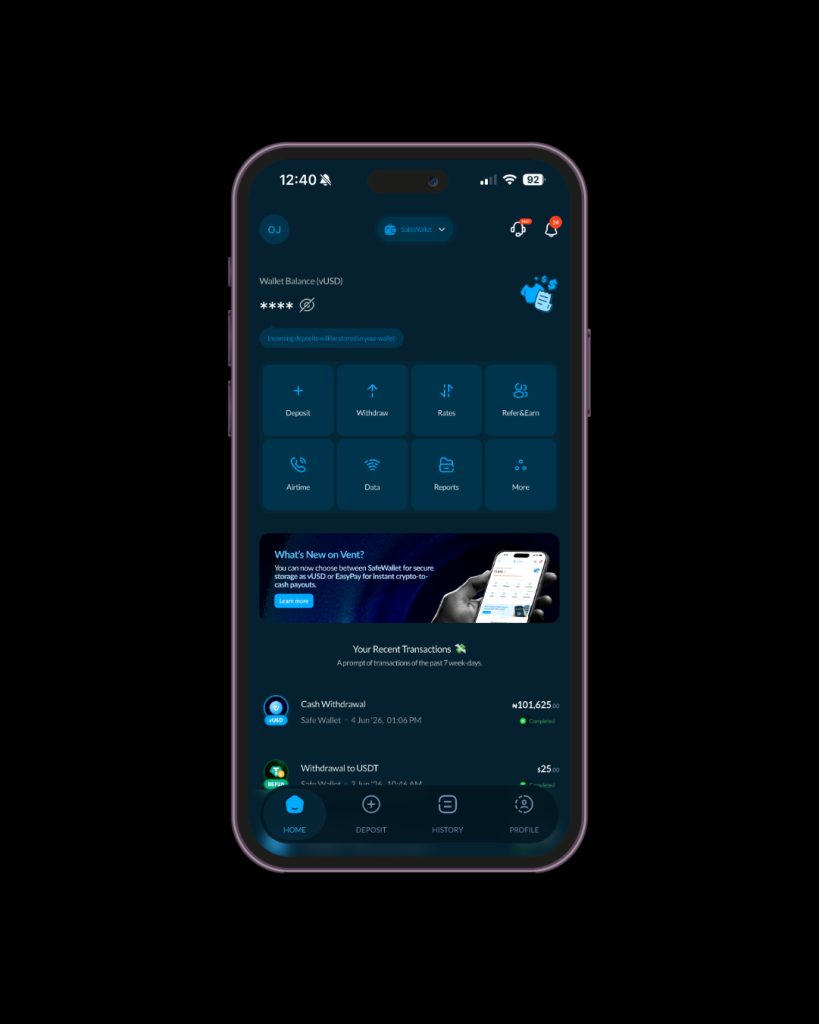
Under profile, click on “Payout Preferences”.
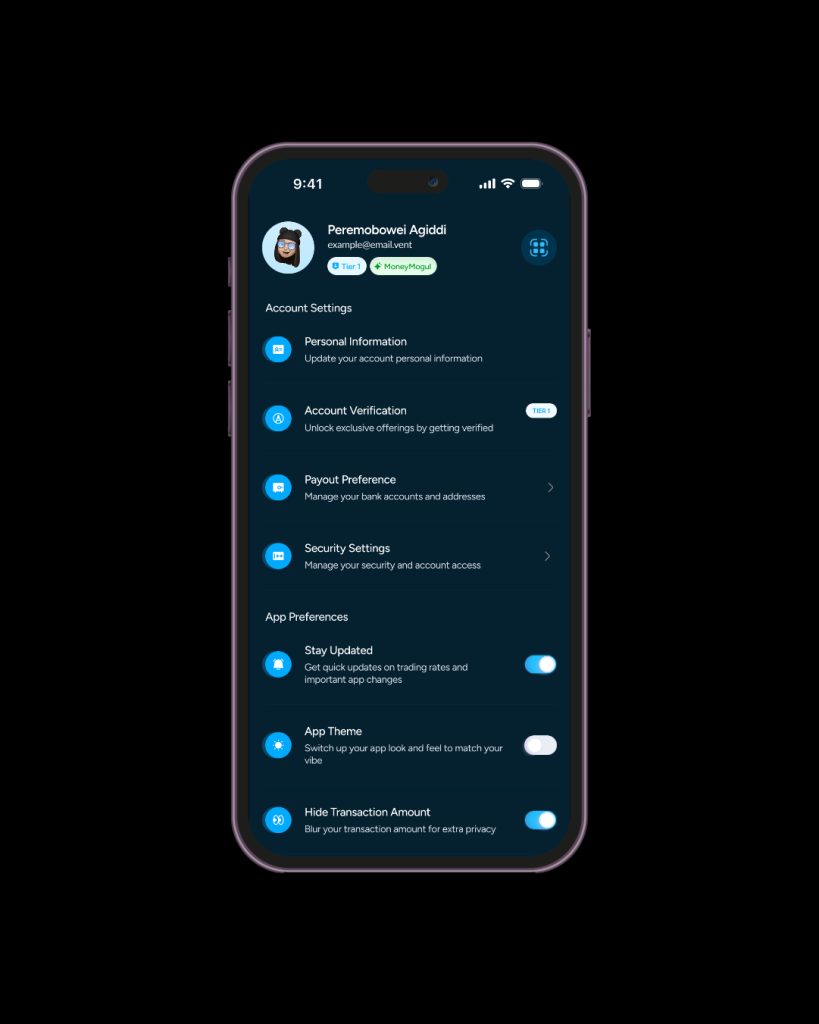
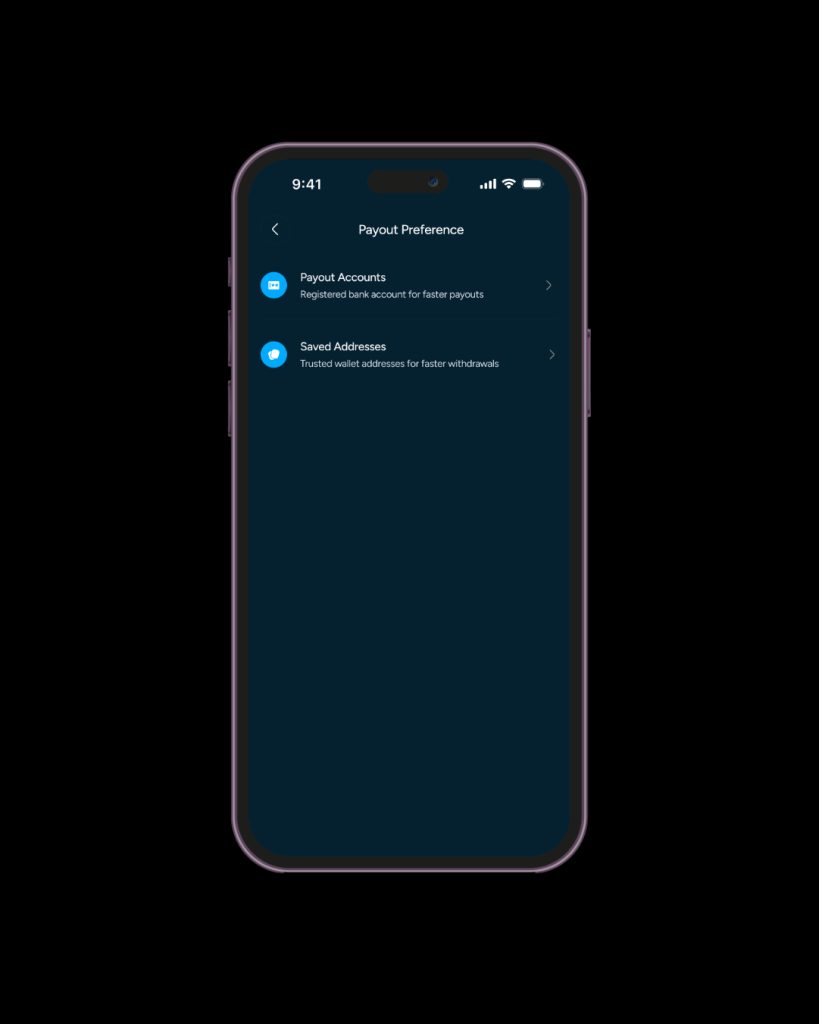
Click on “Saved Addresses” to proceed.
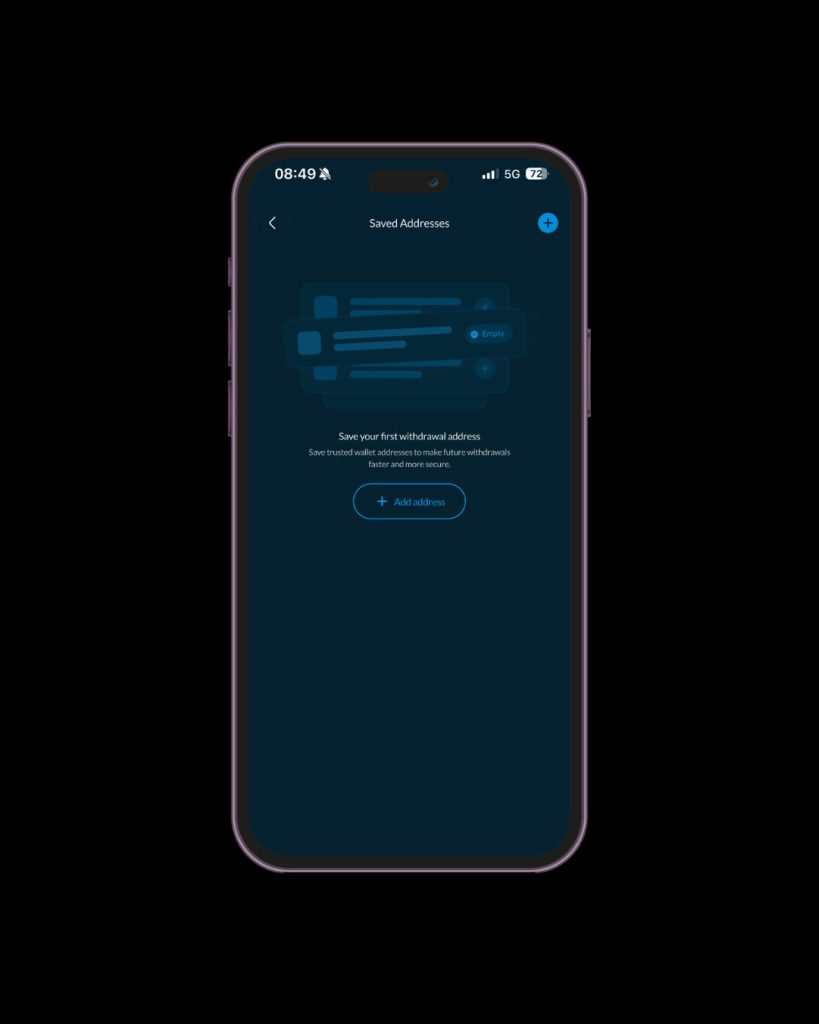
Tap “Add Address” to start saving a new wallet.
Click the dropdown to choose your preferred crypto asset (e.g., USDT, BTC, ETH).
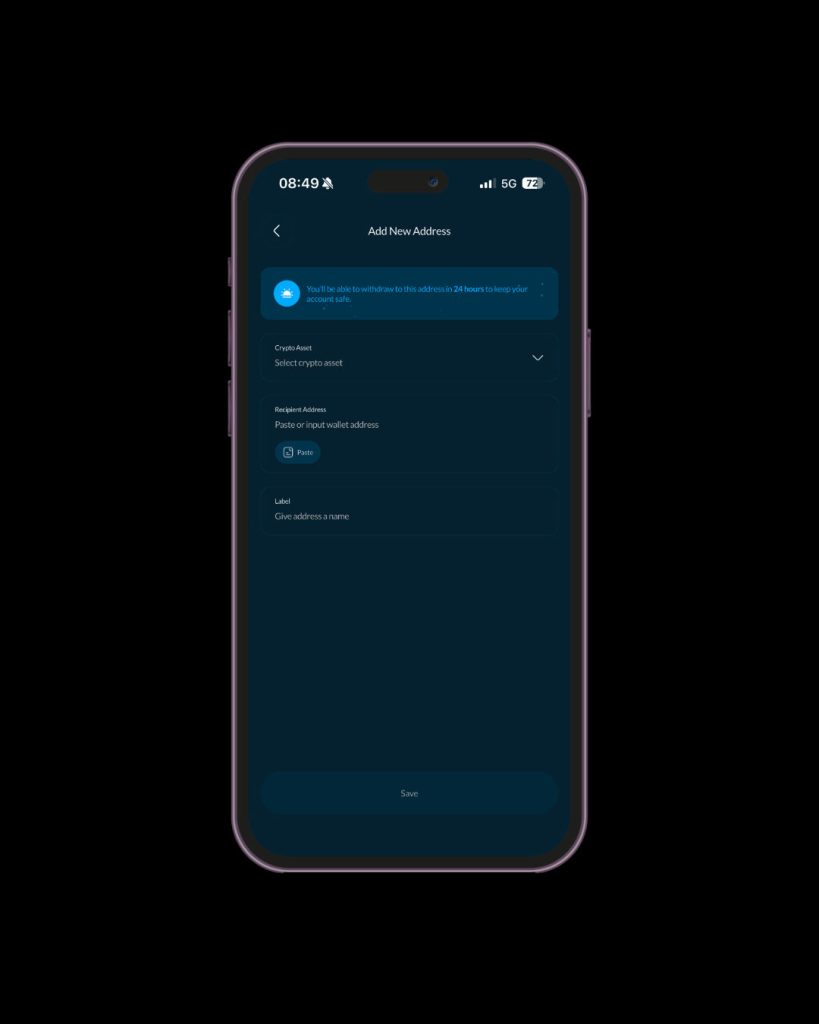
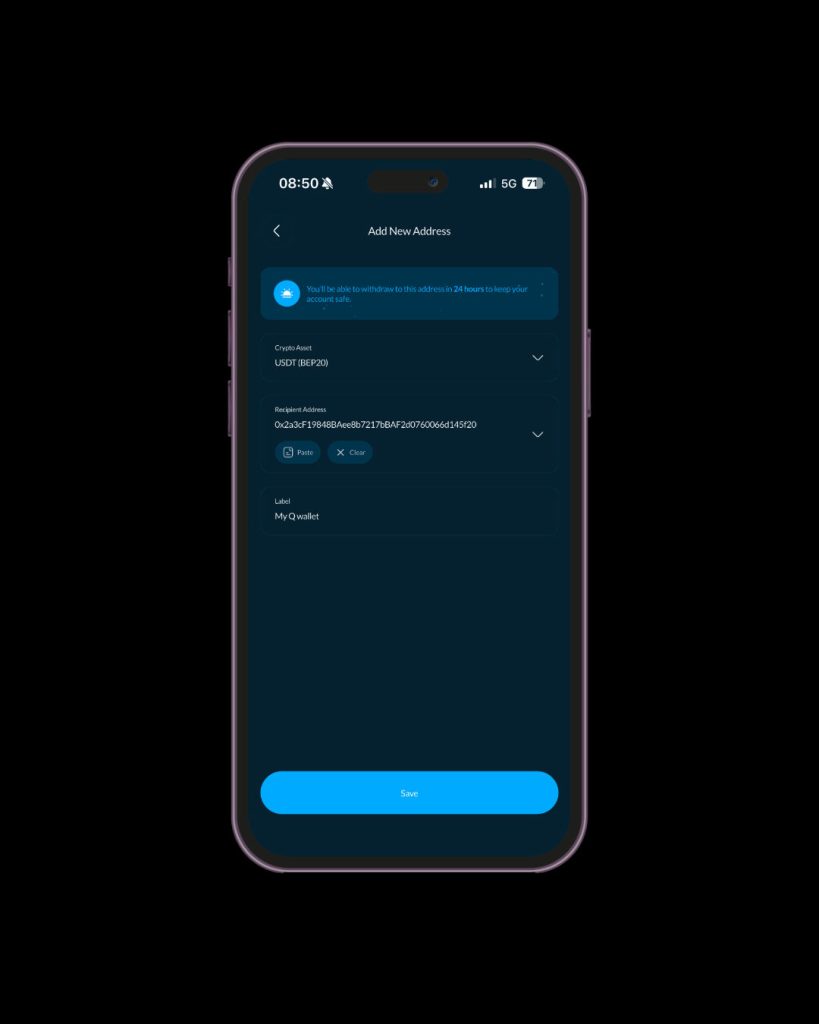
Input the recipient’s wallet address carefully and double-check it for accuracy. Give the wallet a clear name so you can easily recognise it later (e.g. Personal Wallet, Trading Wallet, Savings Wallet).
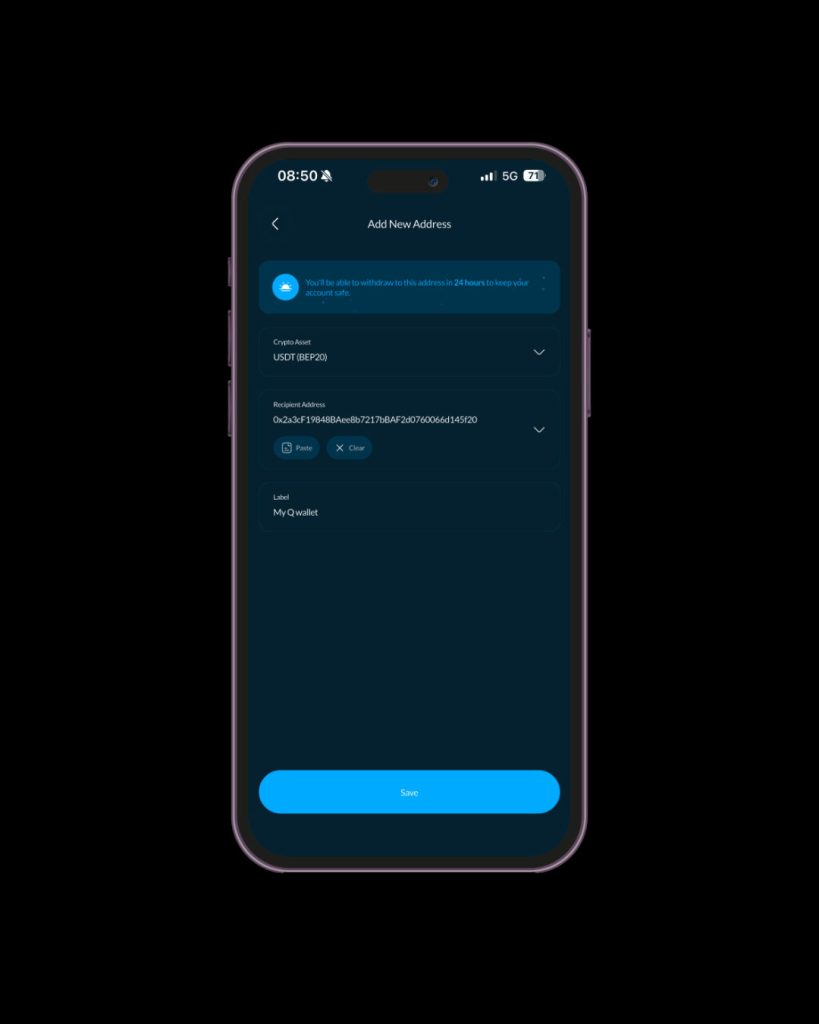
Click “Save” to store the address securely in your address book.
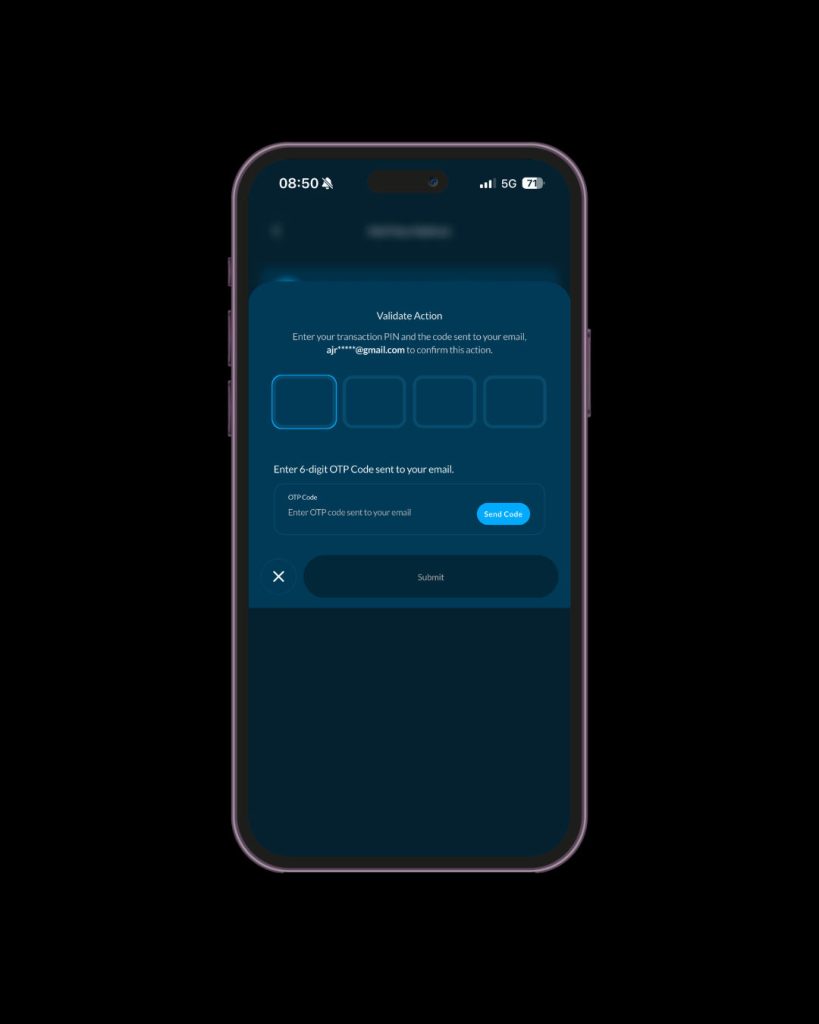
Enter your transaction pin and the code sent to your email to confirm the action.
After validation, the address will be added to your address book and you can start sending crypto the address after 24 hours.
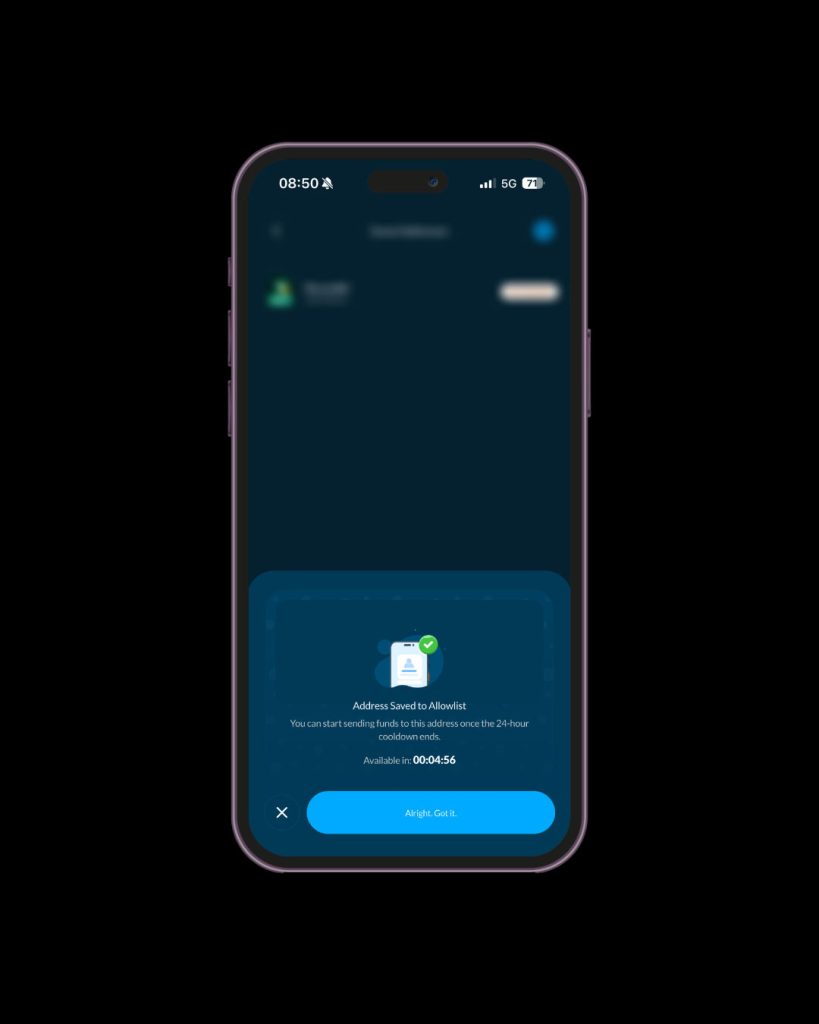
Once saved, you can easily select the address whenever you want to send crypto—no need to type it again.
Saved Addresses was built with flexibility in mind, so it works well across a wide range of users and use cases.
It’s especially useful if you:
Whether you’re a freelancer getting paid in crypto, a trader who moves between exchanges, a remote worker converting earnings, or just someone who uses crypto casually, Saved Addresses makes the experience noticeably smoother. It’s one of those features that quietly improves every transaction without you having to think about it.
Crypto is already stressful enough sometimes. Your withdrawals shouldn’t add to the pressure. Vent’s Saved Addresses feature helps you stay fast, organised, and safer every time you move your funds—whether you’re sending to yourself, a client, a friend, or a trading account. It eliminates one of the most avoidable sources of stress in the entire withdrawal process and replaces it with something that actually feels good to use.
Log in to Vent today and start saving your frequently used wallet addresses for faster, safer, and stress-free crypto withdrawals.