Vent Blog
Learn, stay informed & chill

Learn, stay informed & chill
Learn, stay informed & chill
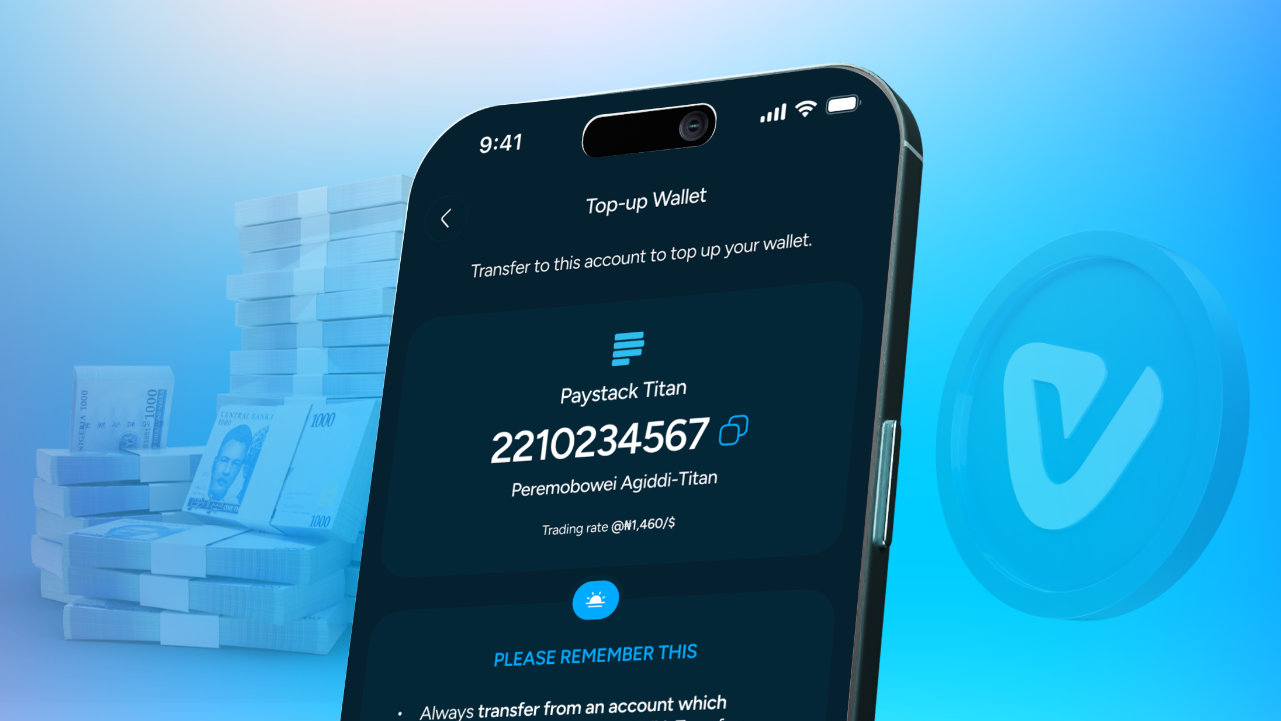
Rene has always loved the freedom that comes with working online. As a freelancer, she has clients who pay her in different ways. Some send payments in crypto, while others prefer sending Naira directly to her account.
When it’s payday, Rene already knows what to do. She opens Vent, converts some of her crypto to Naira when she needs cash, pays for airtime and data, and keeps some stored as vUSD for later. Vent has become her everyday crypto app for managing her money.
But the Naira payments were a different story. Somehow, every time Rene received Naira, it disappeared faster than she expected. A quick online order here. A few items added to cart there. A little “I deserve this” moment because, in her defence, she’s just a girl. But deep down, Rene knew she needed a better way to save. Because earning money is one thing, keeping it is another.
That’s why Vent is making it easier to save, whether your funds come in as crypto or Naira. With the latest Vent update, you can now top up your Vent wallet with Naira and receive vUSD. This means you can store your funds digitally, manage your balance, and keep your money ready for when you need it, all from one app. In this guide, we’ll show you how to top up your Vent wallet with Naira.
Previously, managing crypto funds often meant using different platforms for different needs. You might need one app to receive funds, another to store value, and another to track transactions. Vent is changing that experience.
With the new update, you can now deposit Naira into your Vent wallet and receive vUSD directly. Vent’s SafeWallet gives you a simpler way to store your funds, monitor transactions, and stay in control.
Crypto markets can change quickly. Prices can move up and down, making it difficult to know exactly what your funds are worth from one moment to another.
With vUSD, you get a more stable way to manage your balance inside Vent.
Here are some benefits:
Your funds are stored as vUSD, helping you avoid the stress of watching crypto price changes every day.
Your funds remain available in your Vent wallet, and you can choose to withdraw as crypto (USDT or USDC) or Naira whenever you need it.
You can easily track your balance, deposits, and transactions in one place.
Vent also offers great deals for airtime and data purchases across different network providers, and your vUSD balance can be used to top up airtime and data at any time.
Getting started is simple.
Follow these steps:
Log into your Vent account and click on login to go to your wallet homepage.
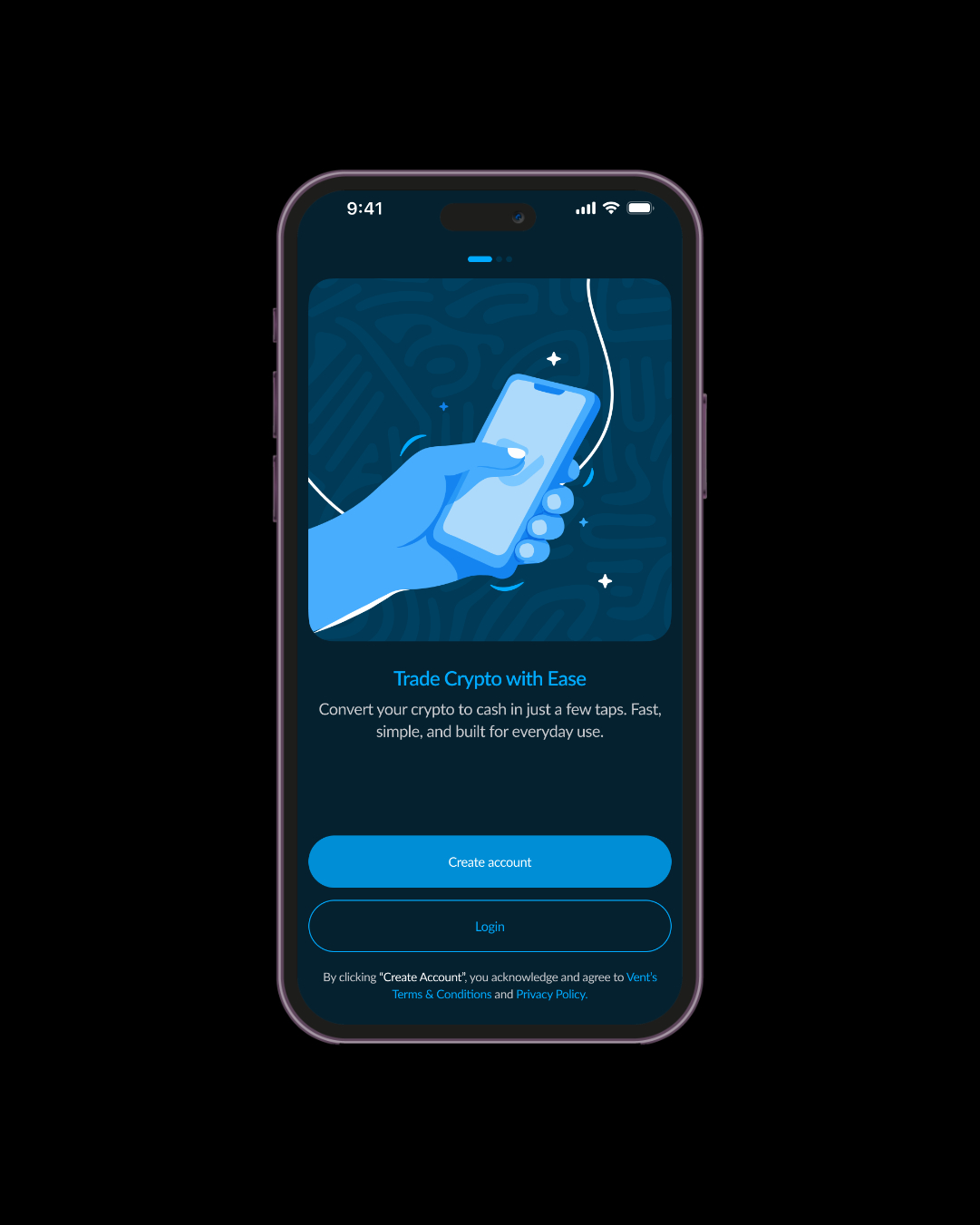
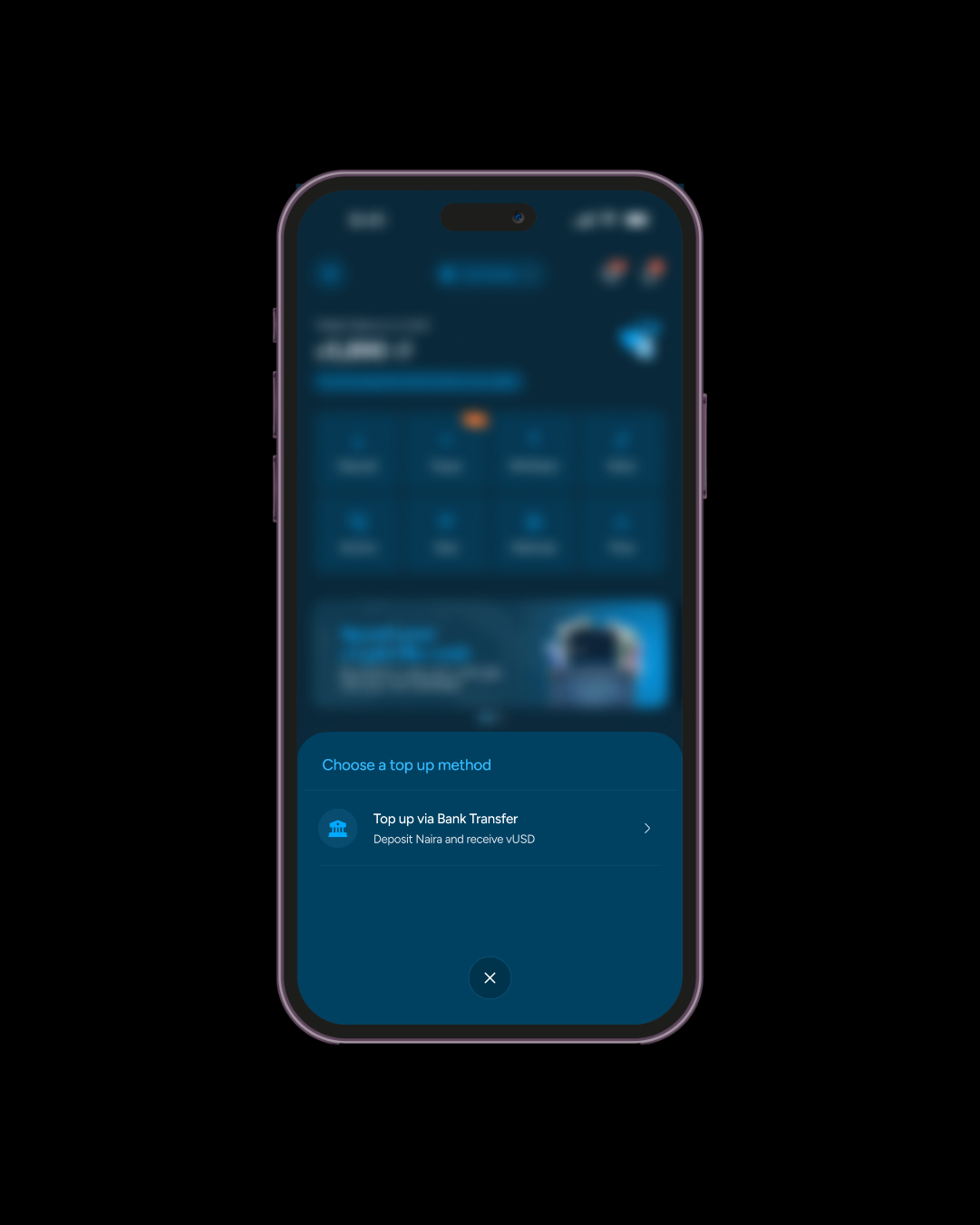
From your homepage, select the “Top Up” option.
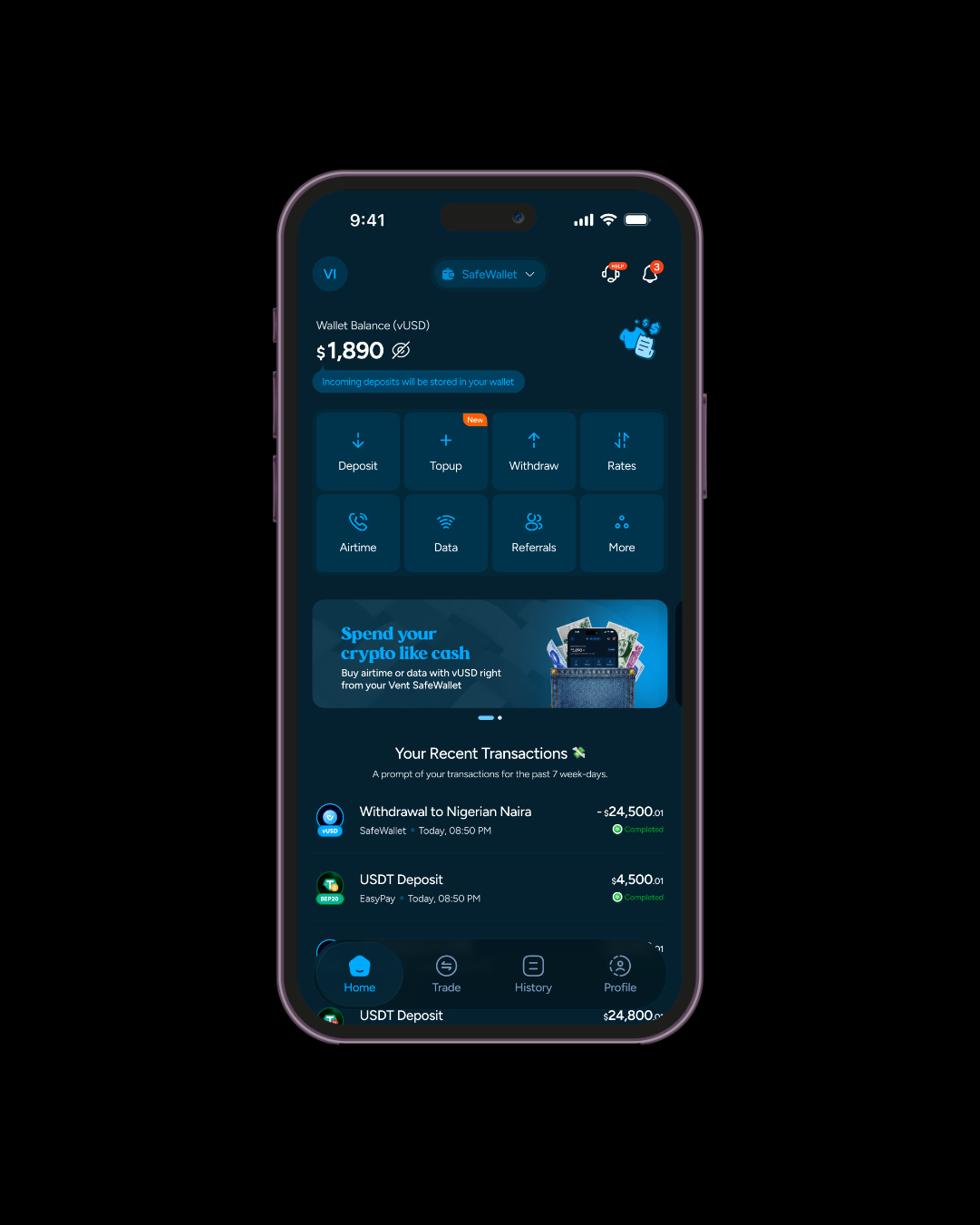
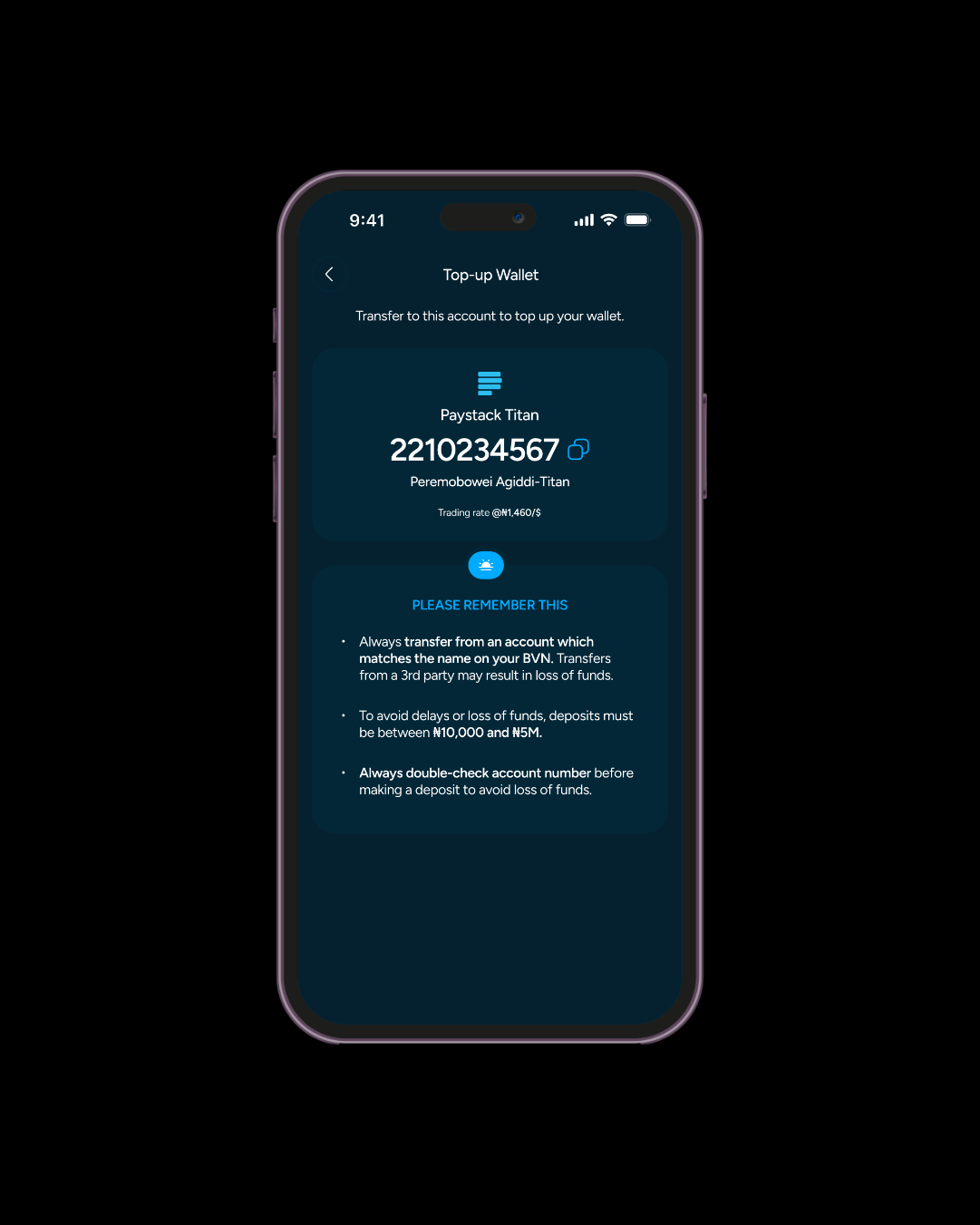
Select Top Up via Bank Transfer. Vent will provide you with your unique account details for depositing Naira.
Your unique account number will be created, allowing you to deposit Naira directly into your Vent wallet.
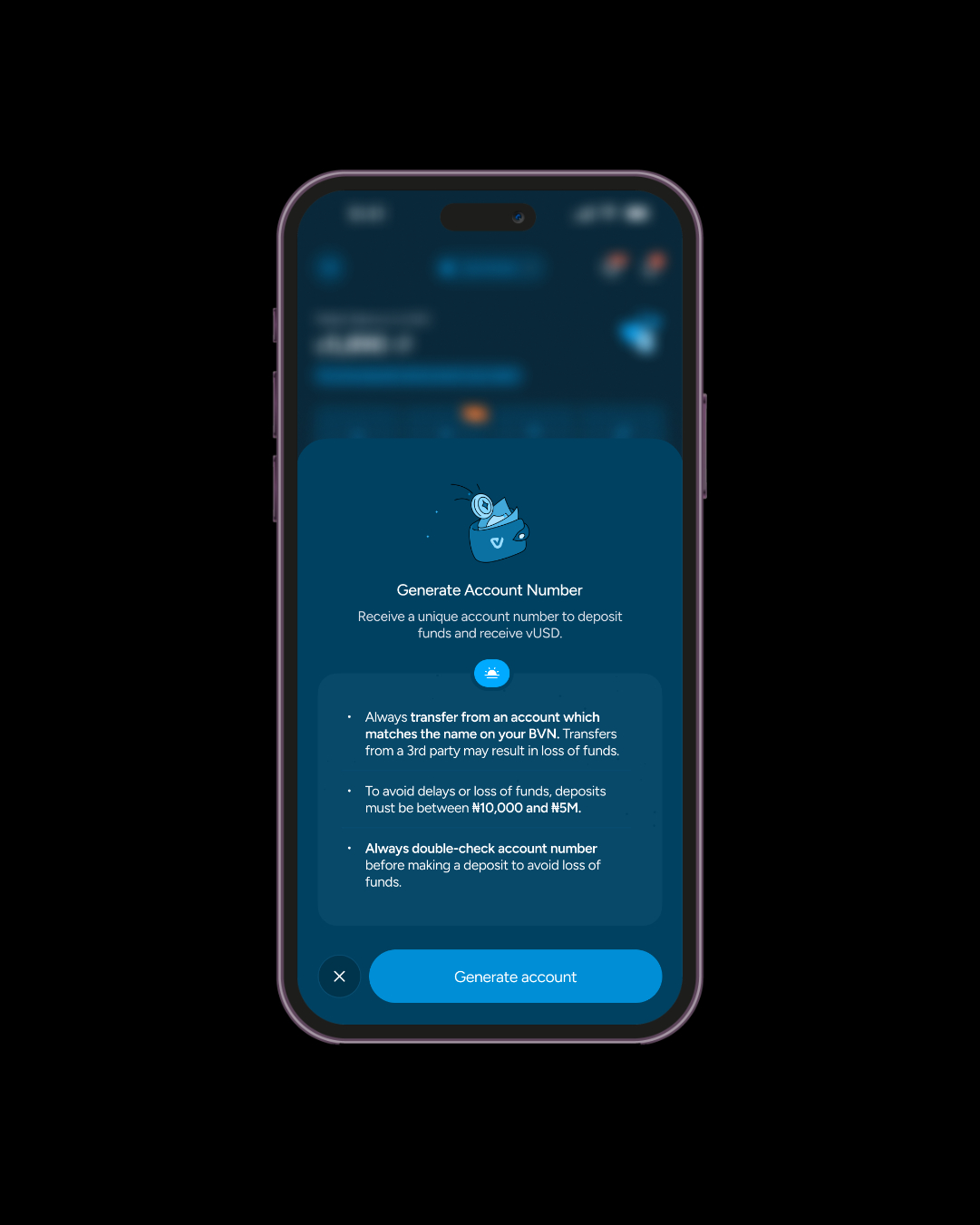
Remember:
Transfer your desired amount to your Vent account number. vUSD will be credited into your wallet at the current rates. Return to your Vent homepage to view your updated balance. You can also check your transaction details.
Once you have vUSD in your Vent wallet, you can manage your funds directly from the app.
You can:
Your funds stay within your control.
With Vent, you don’t have to choose between accessing your money quickly and keeping your funds stored safely. You can choose between EasyPay and SafeWallet depending on what you need.
Got funds you don’t need to spend immediately? SafeWallet helps you store them as vUSD, giving you a more stable way to manage your balance and keep your funds ready for when you need them. It’s perfect for moments when you want to save, hold value, and avoid the stress of crypto price changes.
Need your crypto converted to cash quickly? EasyPay is built for that. With EasyPay, you can convert your crypto and receive cash directly, making it easier to pay bills, handle expenses, or access your money when you need it.
Think of SafeWallet as your place to store your funds and EasyPay as your quick route to cash. Whether you’re saving for later or need money right now, Vent gives you the flexibility to manage your funds your way.
Open your Vent app, tap Top Up, select bank transfer, generate your account number, and complete your deposit.
Your deposit is converted into vUSD and added to your Vent wallet.
vUSD is a digital balance within Vent designed to help you store value more simply.
Yes. Your vUSD balance is available in your Vent wallet whenever you need it.
vUSD gives you a more stable way to manage your funds without being exposed to regular crypto price movements.
Managing your funds should not feel complicated. With Vent’s new Naira-to-vUSD feature, you can top up funds, store value, and manage your balance from one simple app. Whether you’re saving, receiving payments, or exploring crypto, Vent gives you the tools to stay in control.
Update your Vent app and start storing your funds as vUSD today. 🚀