Vent Blog
Learn, stay informed & chill

Learn, stay informed & chill
Learn, stay informed & chill
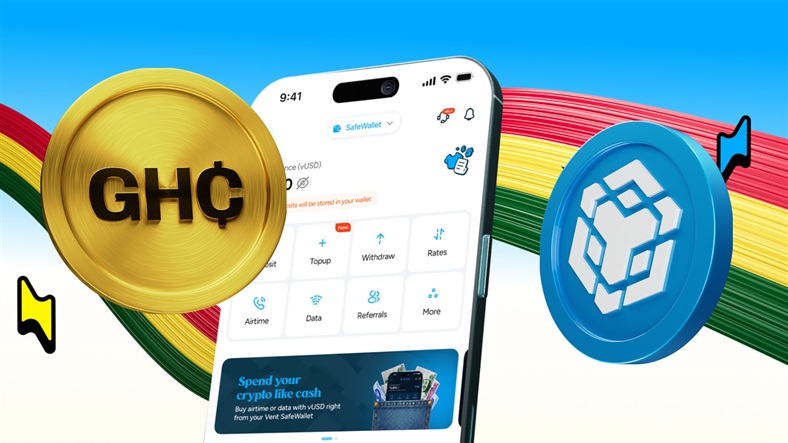
BNB is one of the most used cryptocurrencies among people who interact with Binance and the wider BNB Chain ecosystem. For many crypto enthusiasts in Ghana, BNB is not just an asset they hold. It is the token they use to pay network fees, move funds, access decentralised applications, and participate in different crypto activities. But there comes a time when digital assets need to become local currency.
Maybe you want to withdraw trading profits, use part of your crypto portfolio for expenses, or convert funds after completing a transaction. That is where swapping BNB to Ghanaian Cedis becomes important. Instead of keeping your BNB only inside the crypto ecosystem, you can convert its value into local currency and use it when you need it.
Unlike some cryptocurrencies that are mainly held as investments, BNB is a utility token with practical uses within the Binance ecosystem. BNB is commonly used for paying transaction fees, transferring assets, and interacting with applications built on the BNB Chain.
For active crypto traders and blockchain enthusiasts, holding BNB often means having access to a wider range of crypto activities. However, the usefulness of BNB should not stop inside the crypto ecosystem. When you need local currency, you need a simple way to convert it.
Follow these steps to convert your BNB to cedis:
Install the Vent app on your device and begin the registration process.
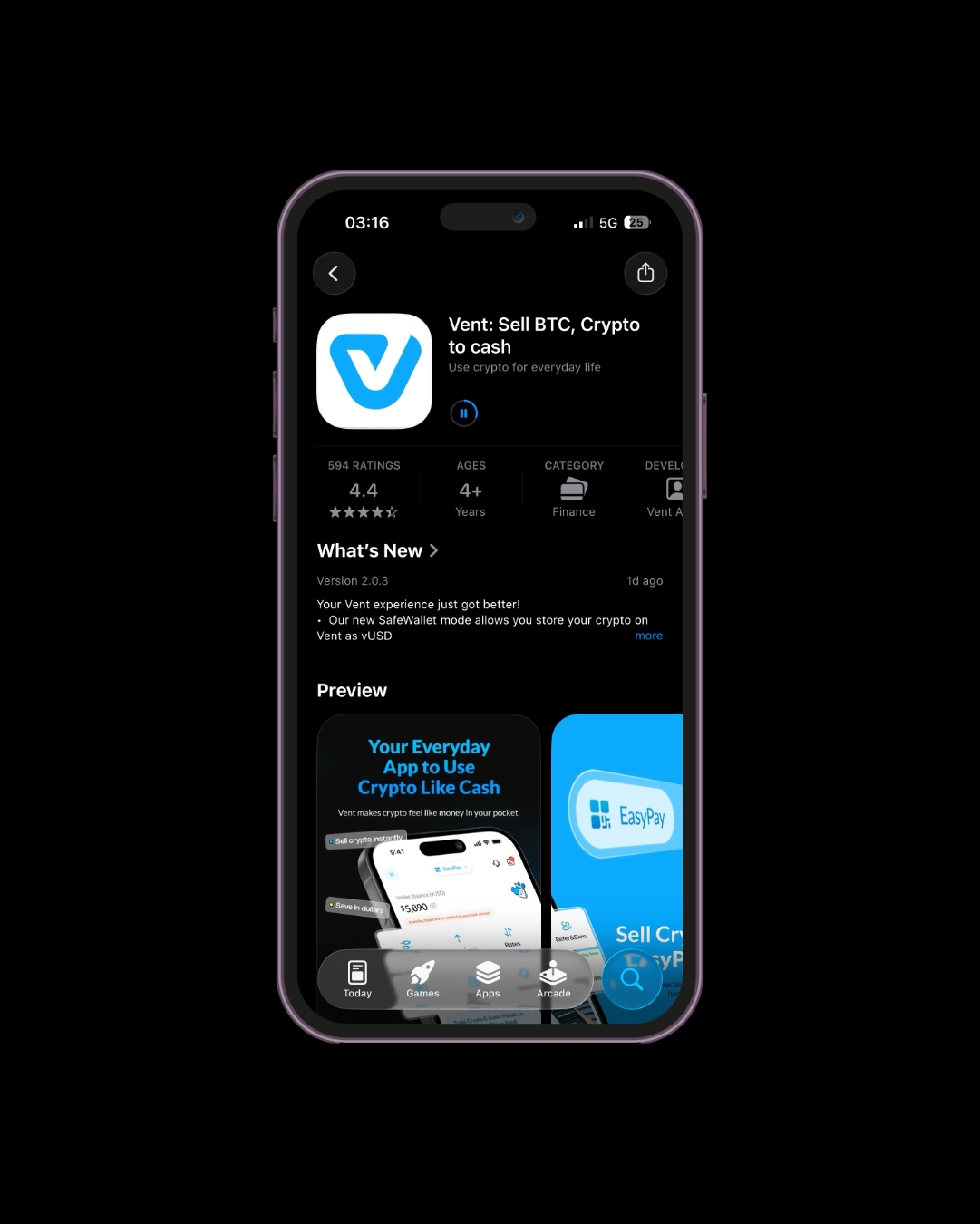
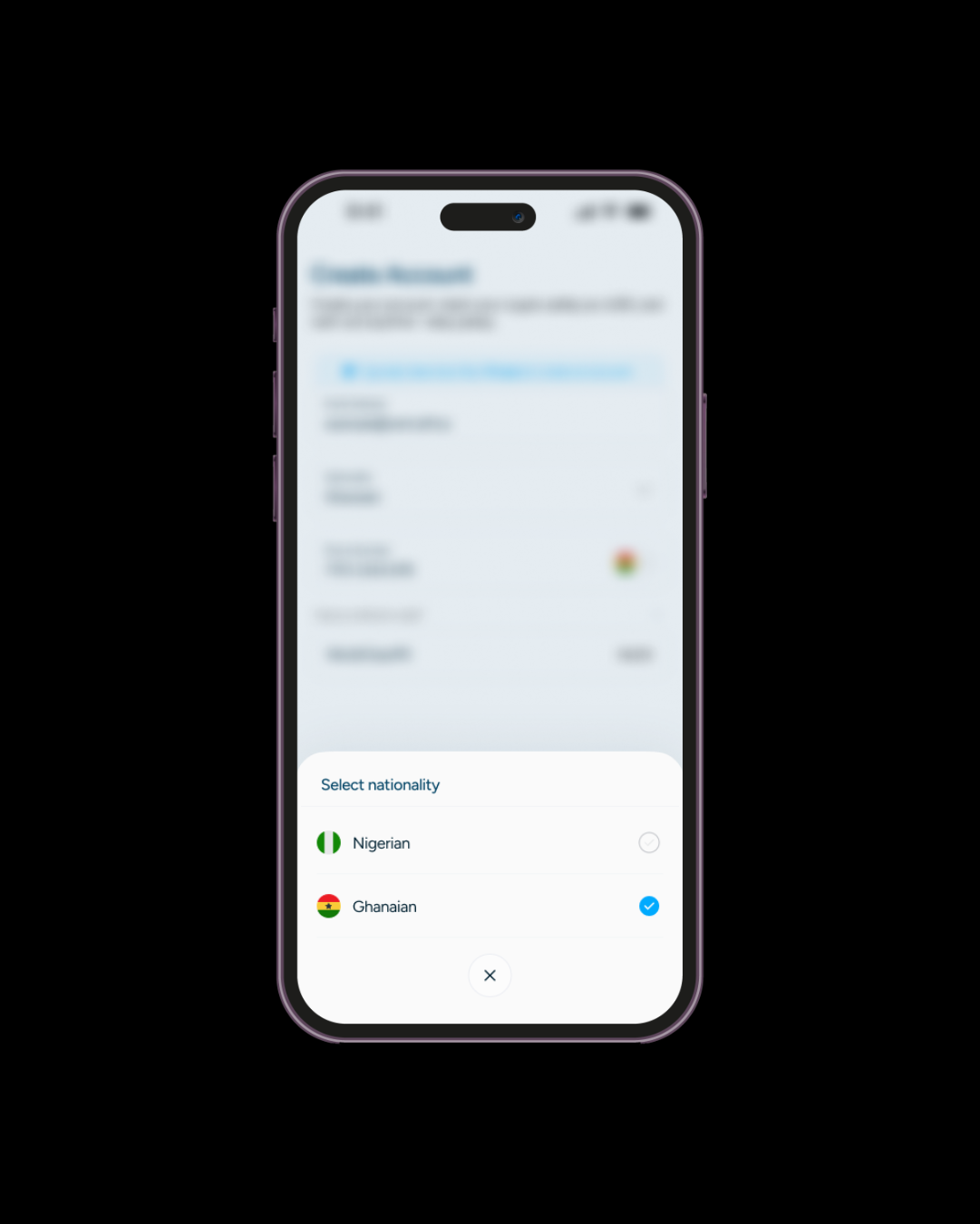
During setup, select Ghana so you can use the services available to customers in Ghana.
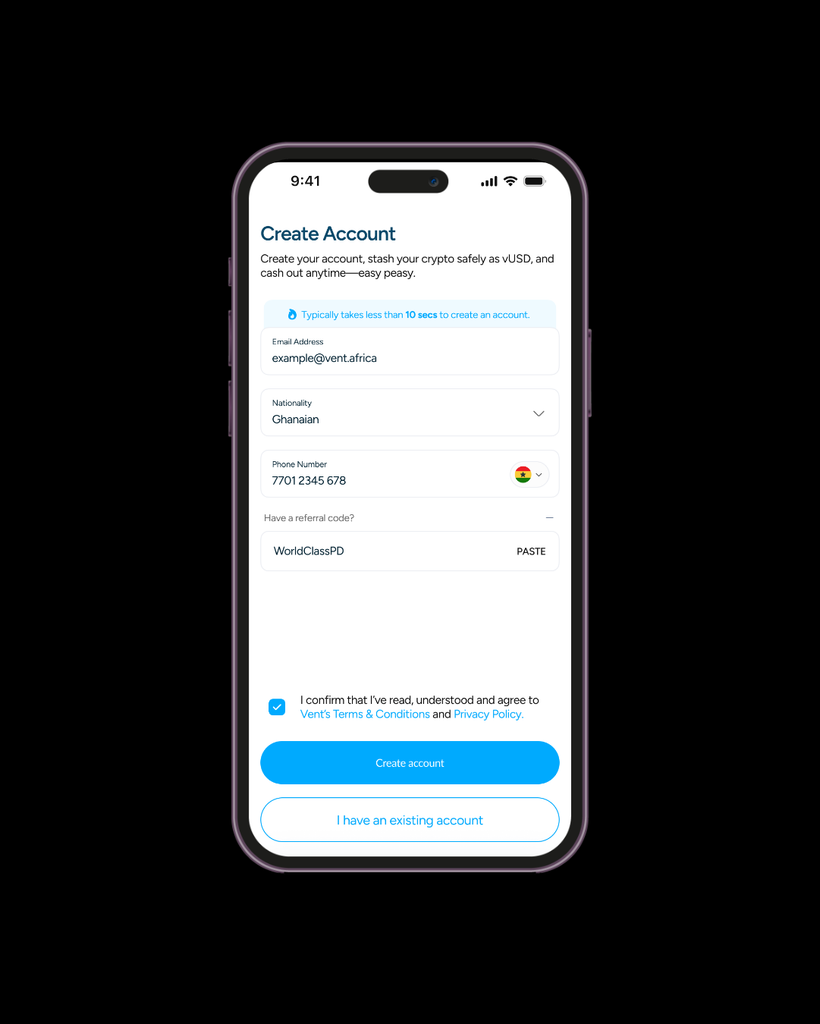
Enter your email address and phone number to create your account. You’ll receive an OTP by email to confirm your address.
You’ll need to complete Vent’s two-stage verification before accessing Ghanaian services.
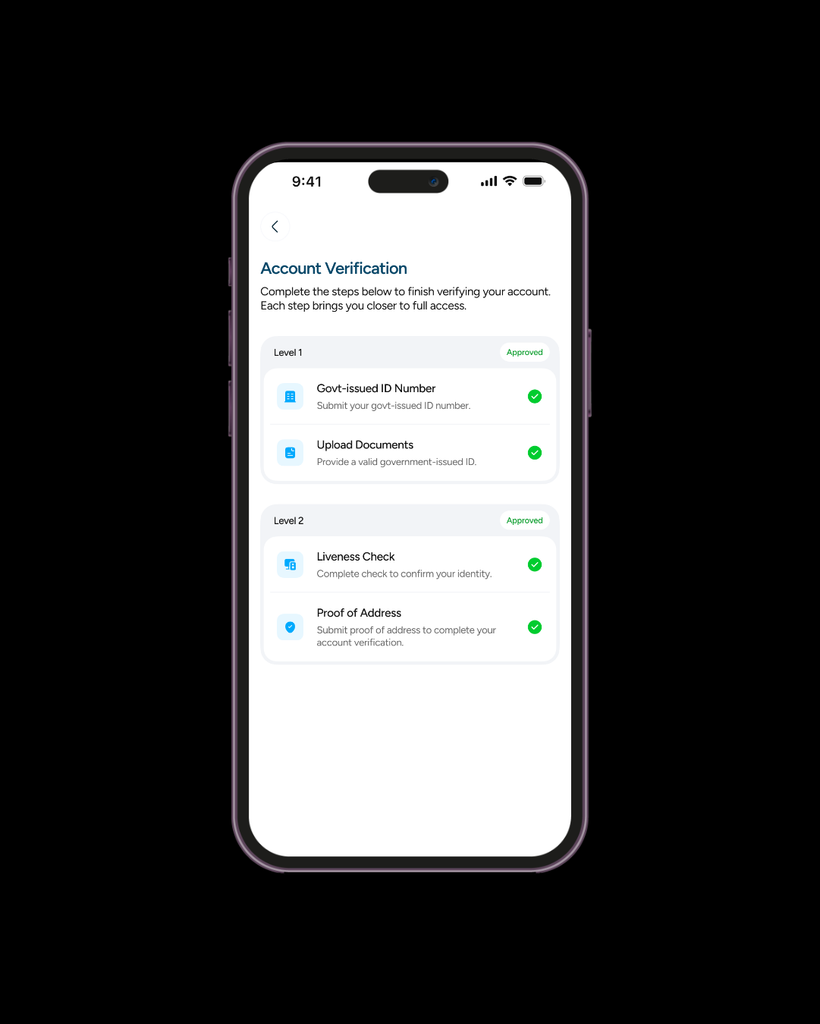
Enter your government-issued ID number and upload photos of a valid government-issued identification document.
Follow the prompt to complete a liveness check, then submit a valid proof of address. After your verification has been approved, your Ghana services will be available.
Head to your dashboard and switch to EasyPay to begin your BNB conversion.
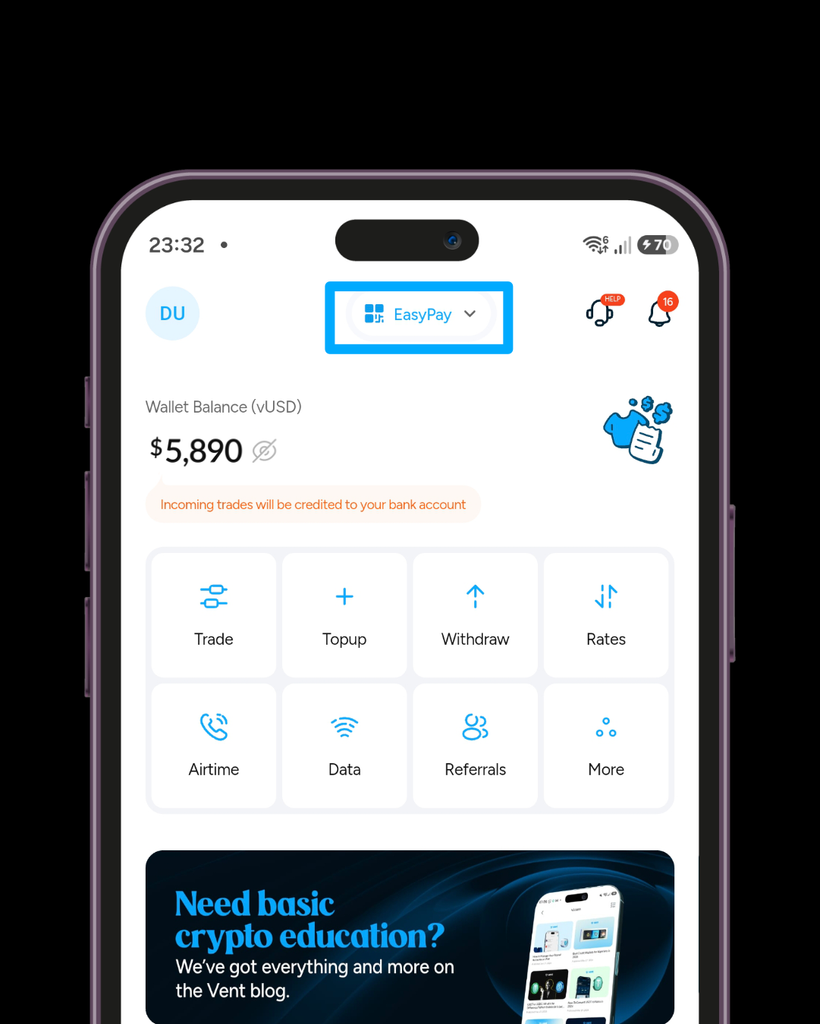
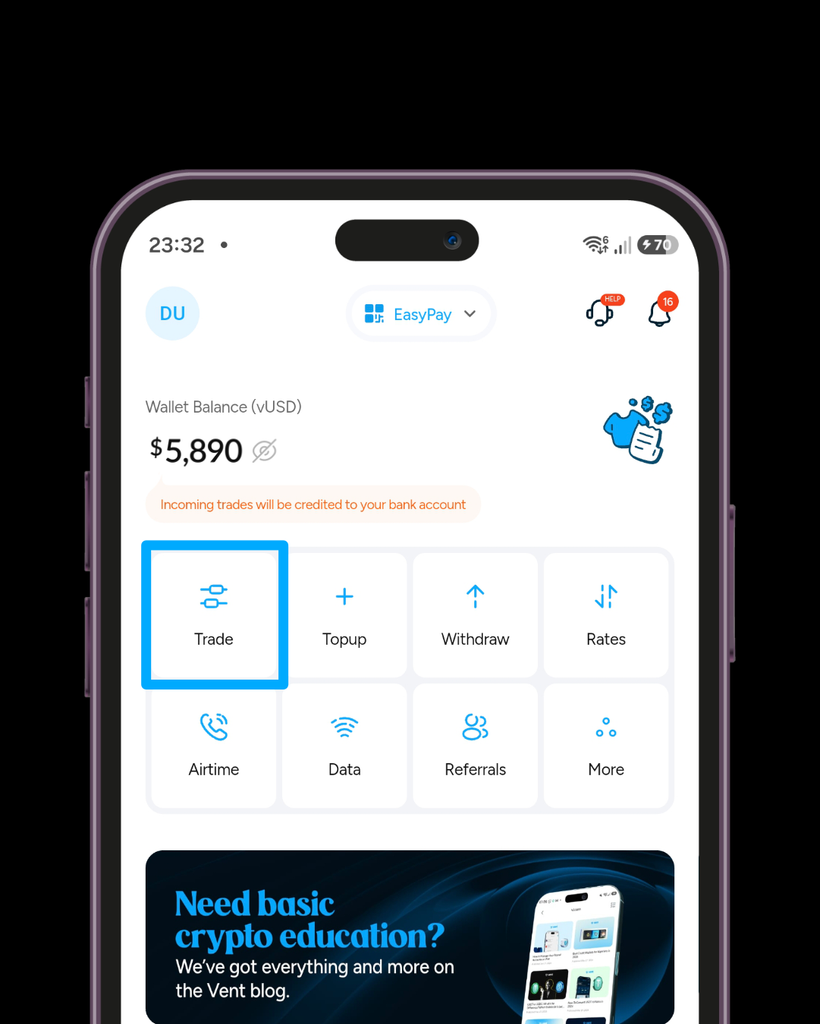
On the EasyPay page, select Trade.
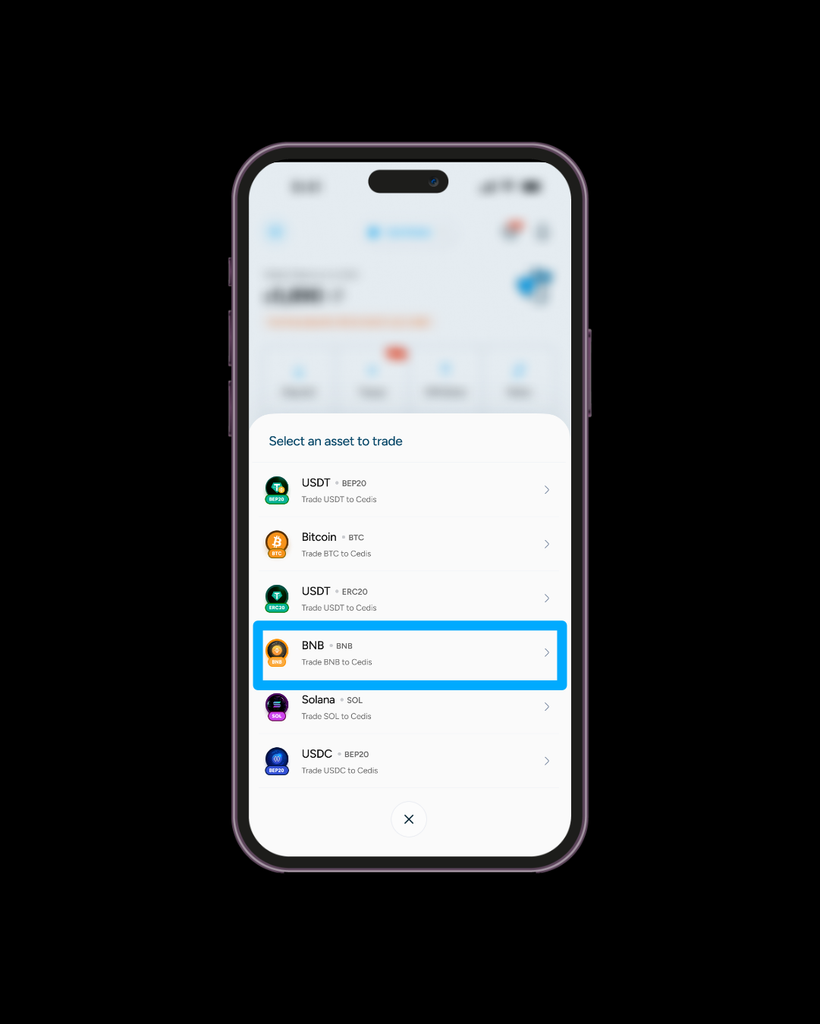
From the list of supported assets, choose BNB.
A warning will appear on your screen. Take a moment to review the instructions, then tap “I understand” to move forward.
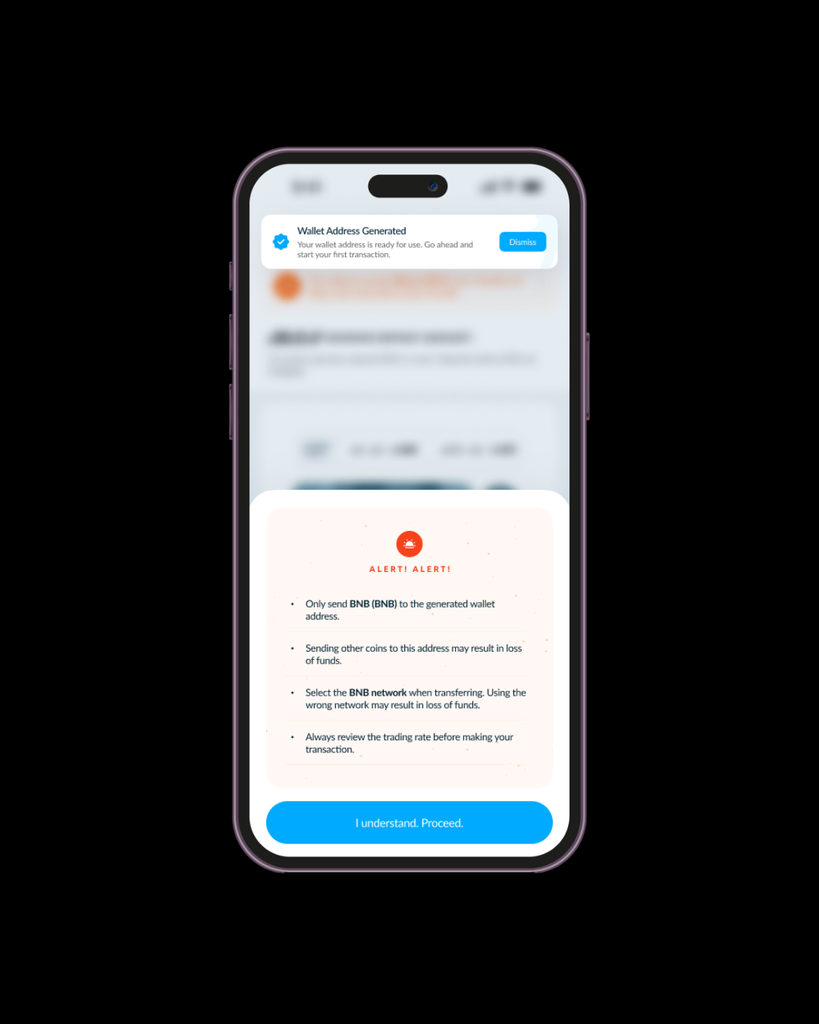
Vent will display a wallet address for the transaction. Copy the address and send your BNB to it.
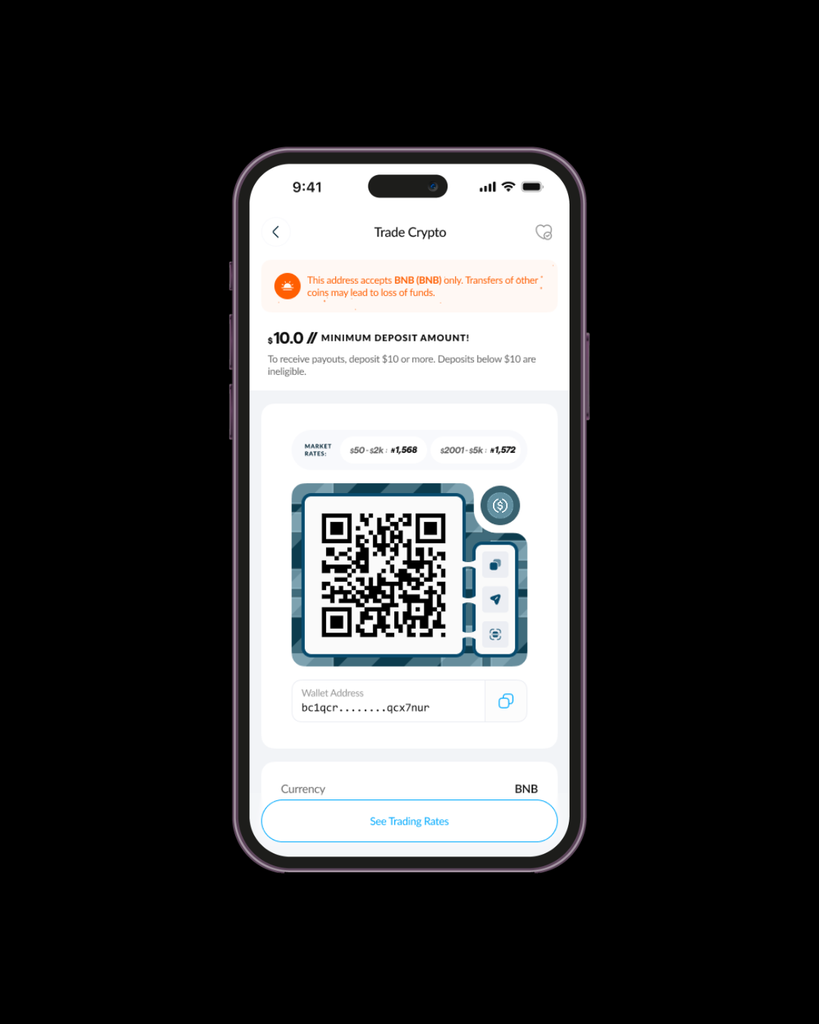
Your trade must meet the $10 minimum. Before sending, check the wallet address and make sure you’re using the correct network.
Once the transaction is received, your Ghanaian cedis will be paid out instantly.
Wondering why Vent is a favorite? Here’s why:
Vent EasyPay helps you convert BNB into Ghanaian Cedis instantly, giving you access to your money when you need it. No delays.
Getting the best value for your BNB matters. Vent provides the best rates in the market to help you get better value when converting your crypto.
High or hidden charges can reduce your payout. Vent doesn’t charge any fees for crypto-to-cash conversion.
Vent uses verification processes and secure transaction flows to help protect your account and make managing crypto easier.
Not every BNB holder wants to convert everything. With SafeWallet, you can store some of your value as vUSD and decide what happens next.
Yes. Vent EasyPay allows you to easily and quickly convert BNB into Ghanaian Cedis at the best rates. No fees charged.
No. Bitcoin is mainly used as a digital store of value, while BNB is a utility token that supports activities within the Binance ecosystem.
Yes. SafeWallet allows you to store crypto as vUSD and manage your balance within Vent.
BNB connects millions of people to the Binance ecosystem, but its value should not be limited to crypto platforms. When you need local currency, swapping BNB gives you more flexibility over how you use your money. With Vent, you can convert BNB to Ghanaian Cedis through EasyPay, store value with SafeWallet, and manage your crypto your way.
Download Vent today and get started.