Vent Blog
Learn, stay informed & chill

Learn, stay informed & chill
Learn, stay informed & chill

If your iCloud region is set to the US, you might have noticed something strange. You search for Vent on the App Store, and it’s nowhere to be found. So you try different keywords and refresh. Still nothing. That’s because the Vent app is currently only available in specific regions of the App Store. So if your iCloud is set to a different region, like the US, it may not show up, and it can feel like you’re stuck. But you’re not. You can still easily enjoy the mobile Vent app experience on your phone through our dashboard.vent.africa.
But if you’ve used web apps on your browser before, you know that although they work great, they’re pretty stressful to use. Imagine having to go back to your browser to type the link or search through your tabs every time you want to use an app. It just doesn’t compare to having an app installed on your phone.
Well, we’ve got a fix for that! All you need to do is add the Vent web app to your home screen, and it works just like a regular app downloaded from the App Store. Amazing right?
Here’s how to set it up.
Follow the steps below
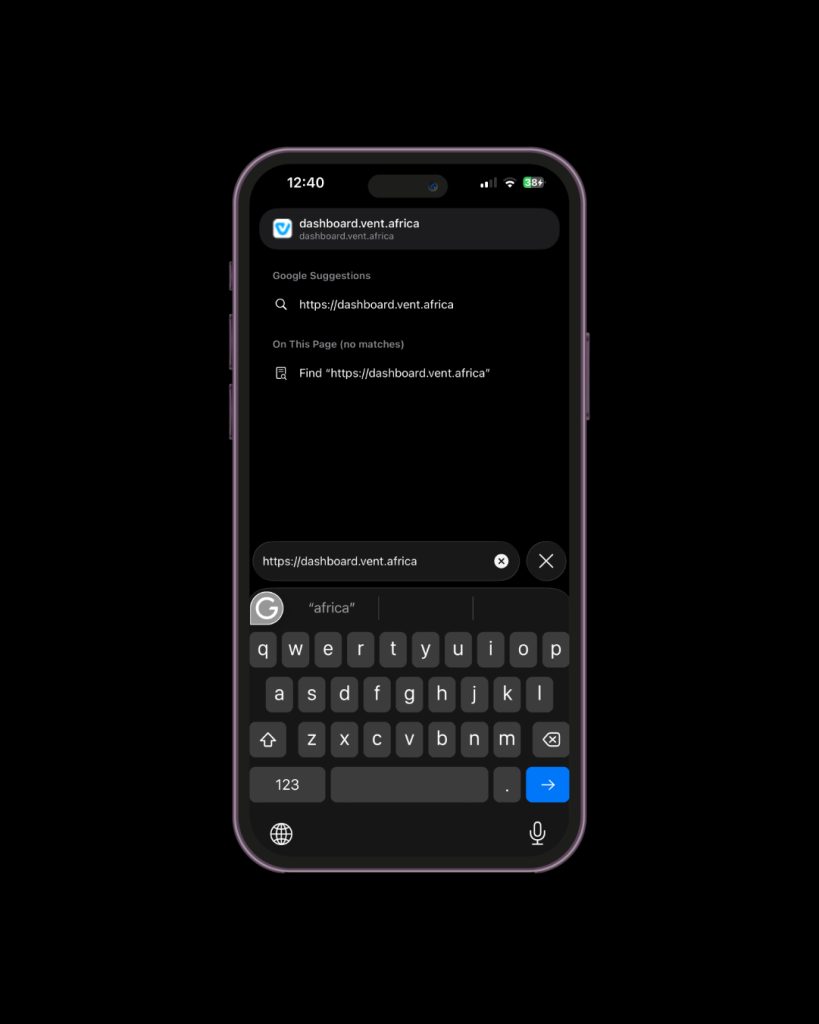
Open your browser (like Safari or Chrome) and visit dashboard.vent.africa
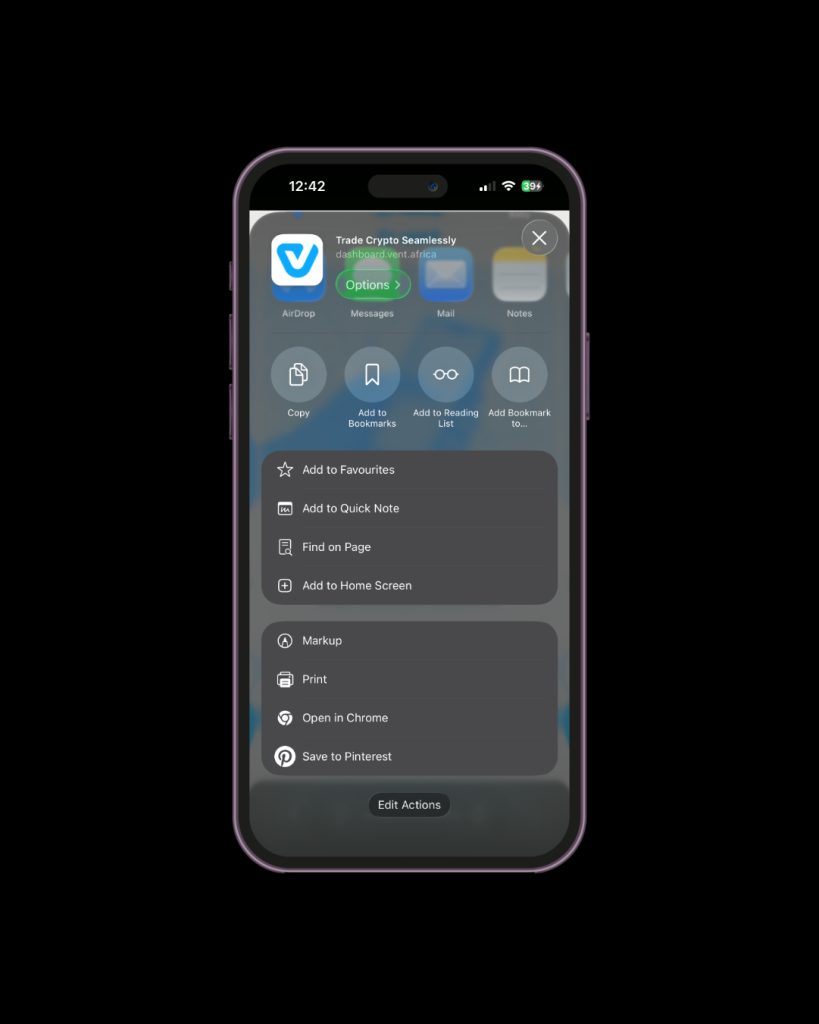
Tap the “Share” button.
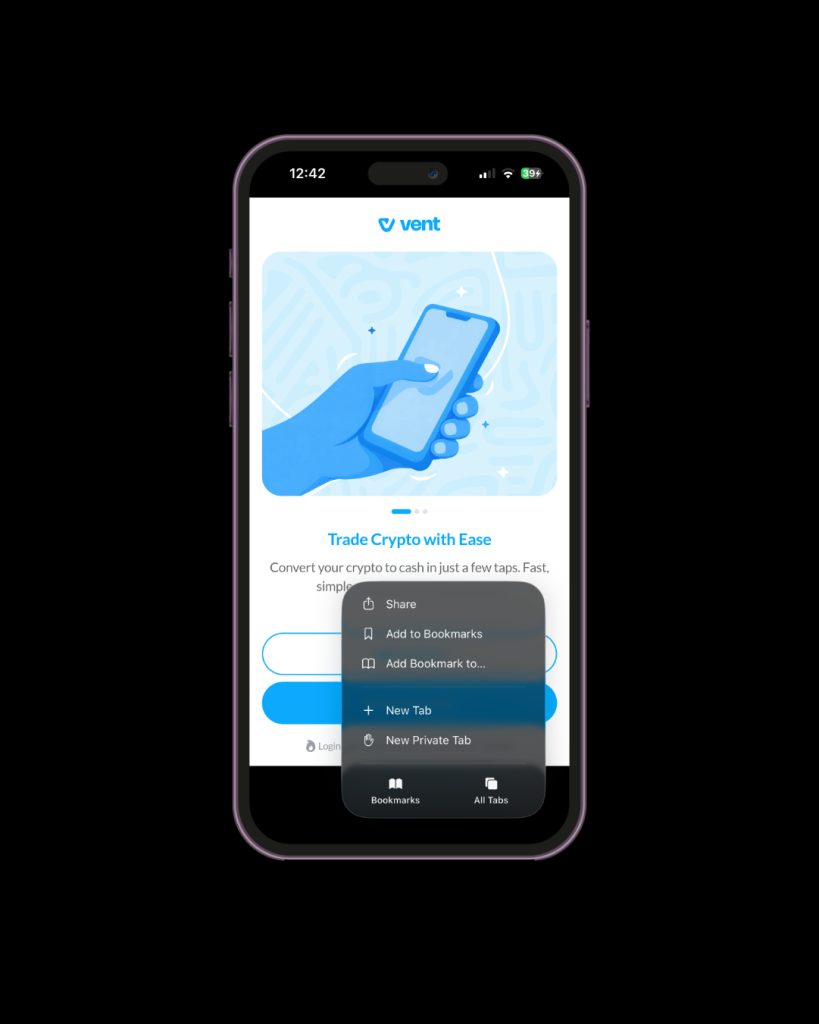
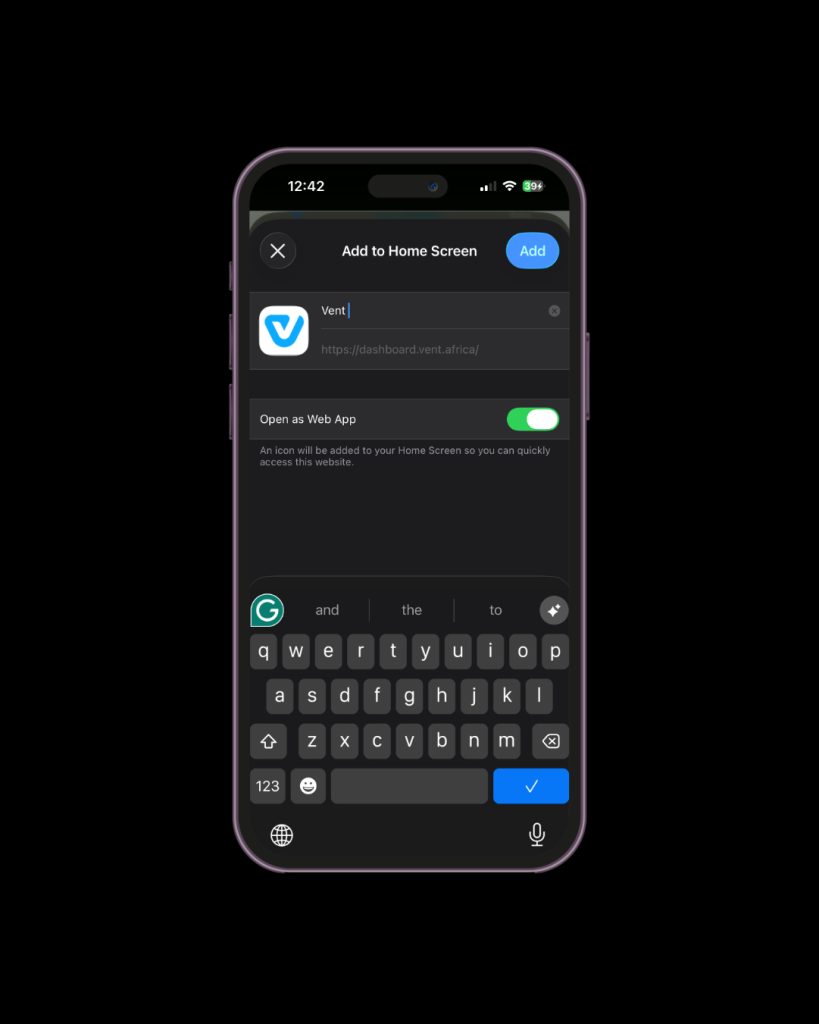
Scroll through the options and tap “Add to Home Screen”.
Tap “Add” in the top right corner.
Go to your Home Screen and tap the Vent icon to open it.
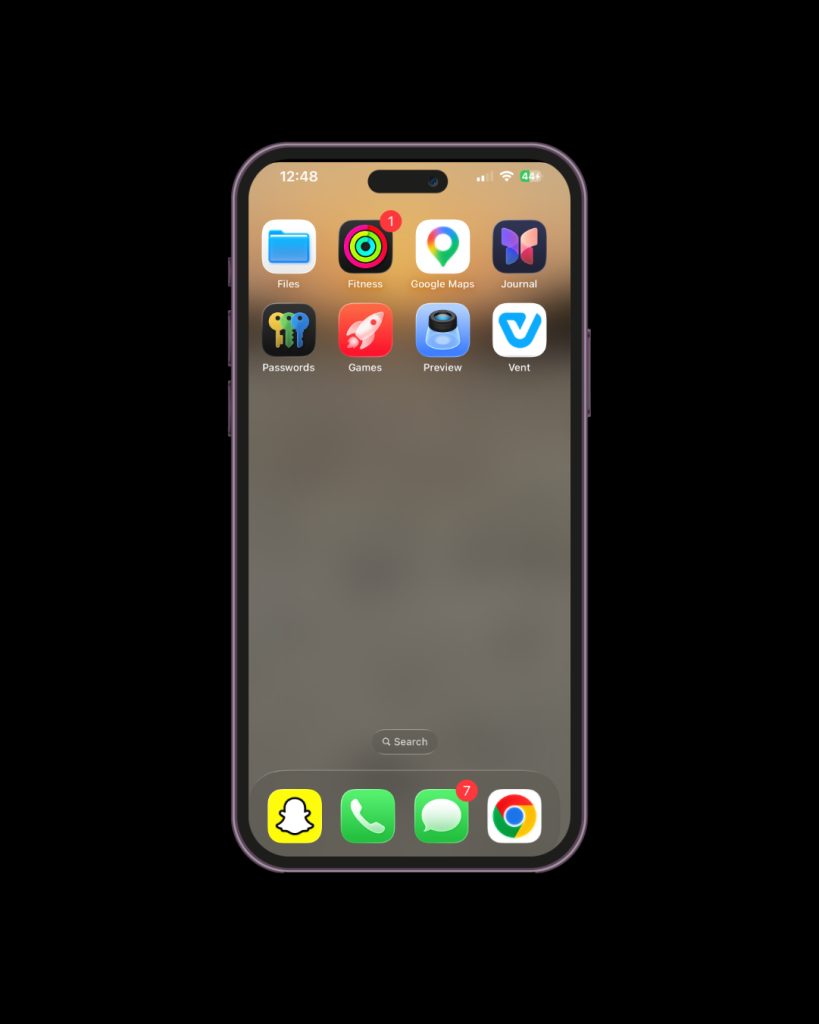
Once you add Vent to your home screen, it works like a regular app. You can open it, log in, and complete your transactions without having to open your browser each time.
Enjoy the full mobile app experience on the web app