Vent Blog
Learn, stay informed & chill

Learn, stay informed & chill
Learn, stay informed & chill
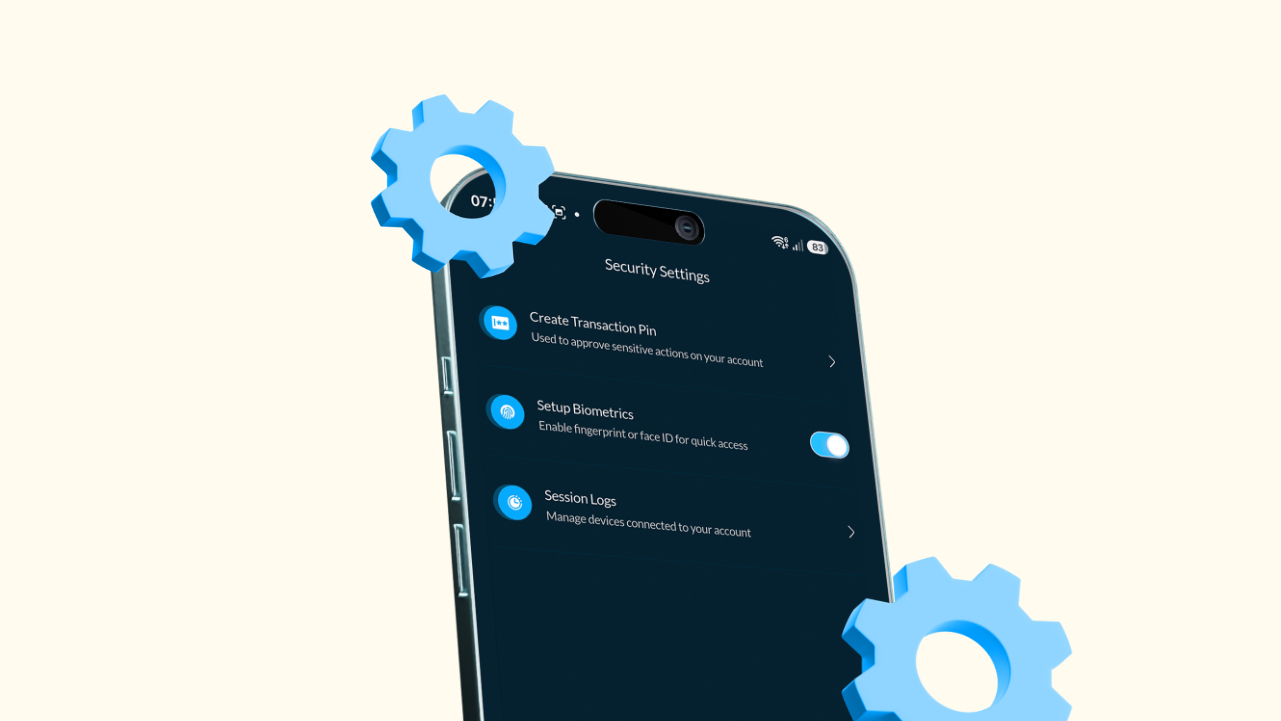
Your crypto account is not the place for “I’ll fix it later.” Because let’s be honest, most people don’t think about account security until something strange happens. Maybe someone tries logging into your account unexpectedly, your phone goes missing, or maybe you suddenly realise your password is still the same thing you’ve used since 2018.
That’s why Vent gives you several security features to help protect your account and your funds. From changing your password to enabling Face ID or fingerprint login, you can manage everything directly inside the app without stress. Here’s how to manage your security settings on Vent.
To access your security settings:
Open the Vent app and log into your account.
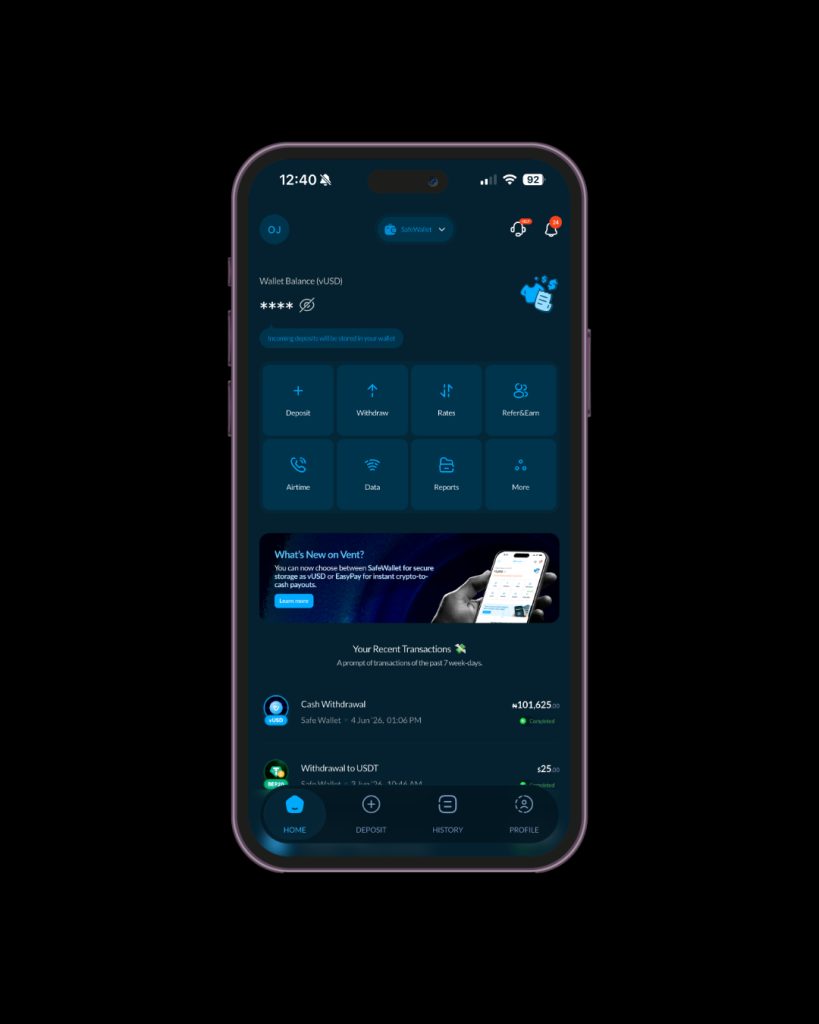
Go to your Profile page.
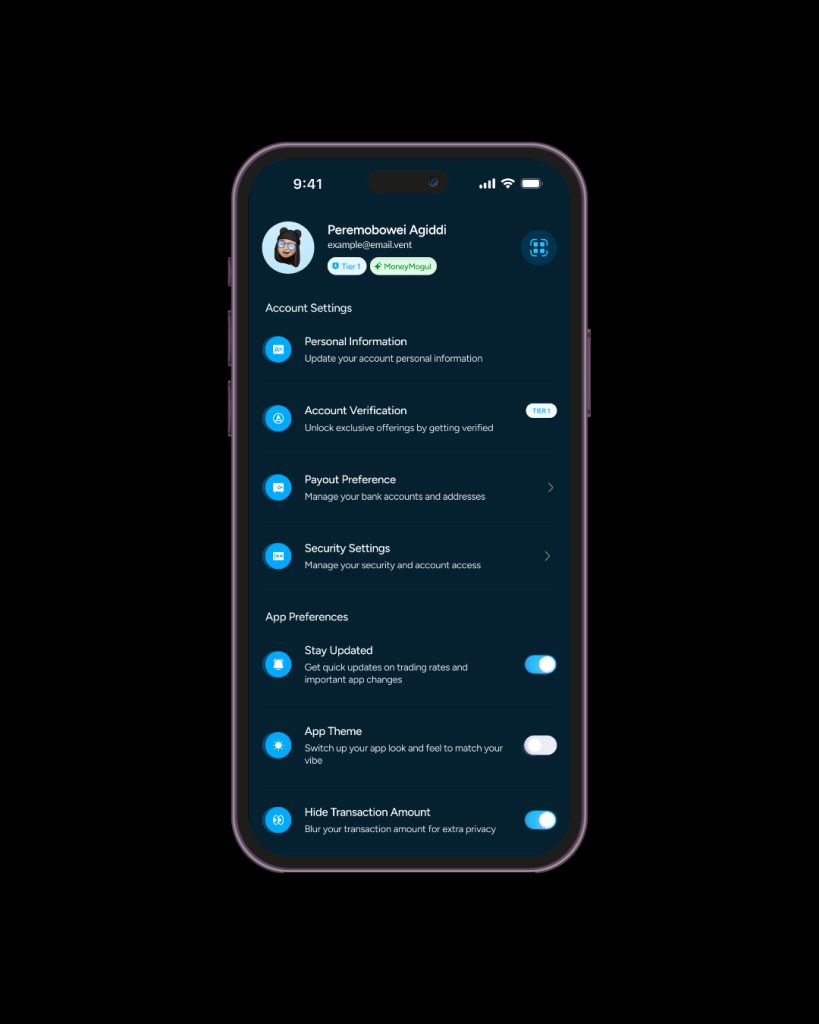
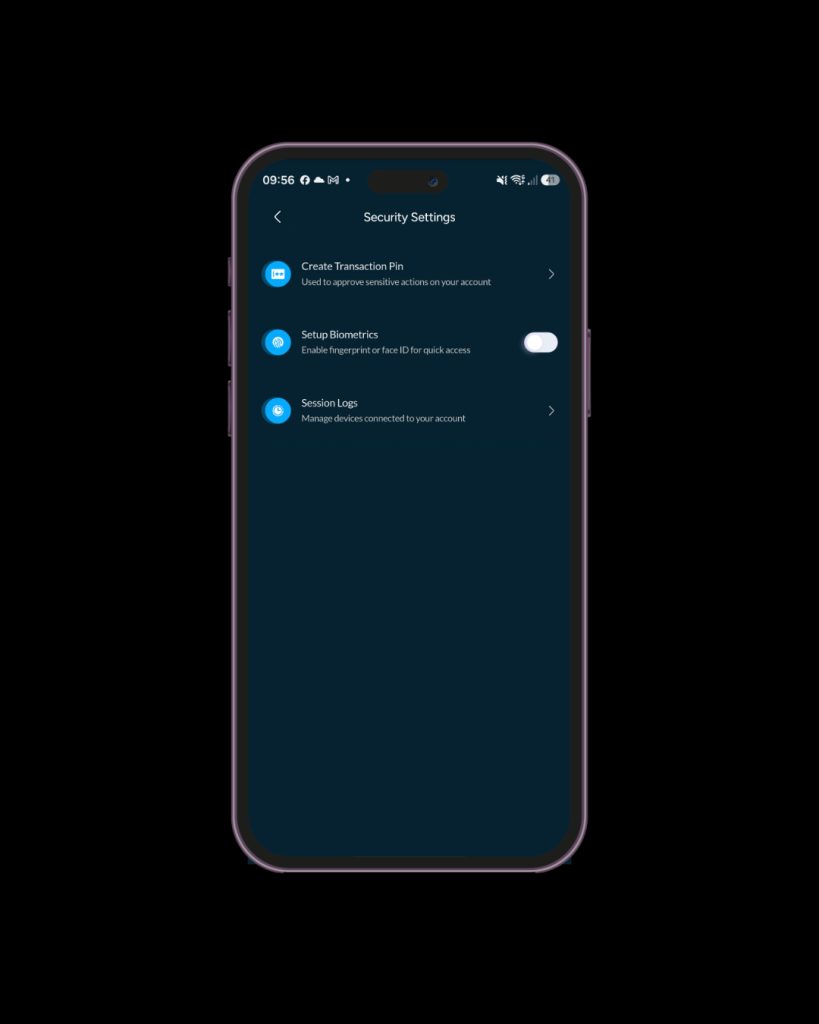
Click on “Security Settings”.
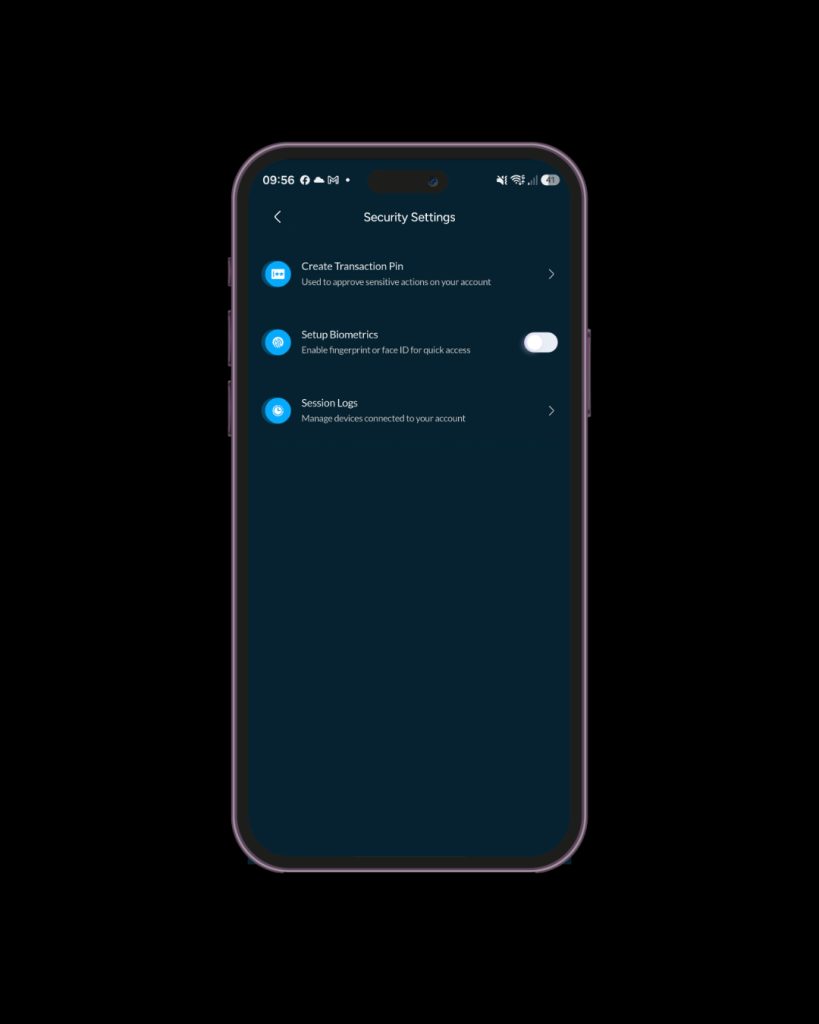
Here, you’ll find options to:
If you feel your transaction pin is too weak or you simply want extra peace of mind, changing it takes less than a minute.
Under “Security Settings,” tap “Change Transaction Pin.”
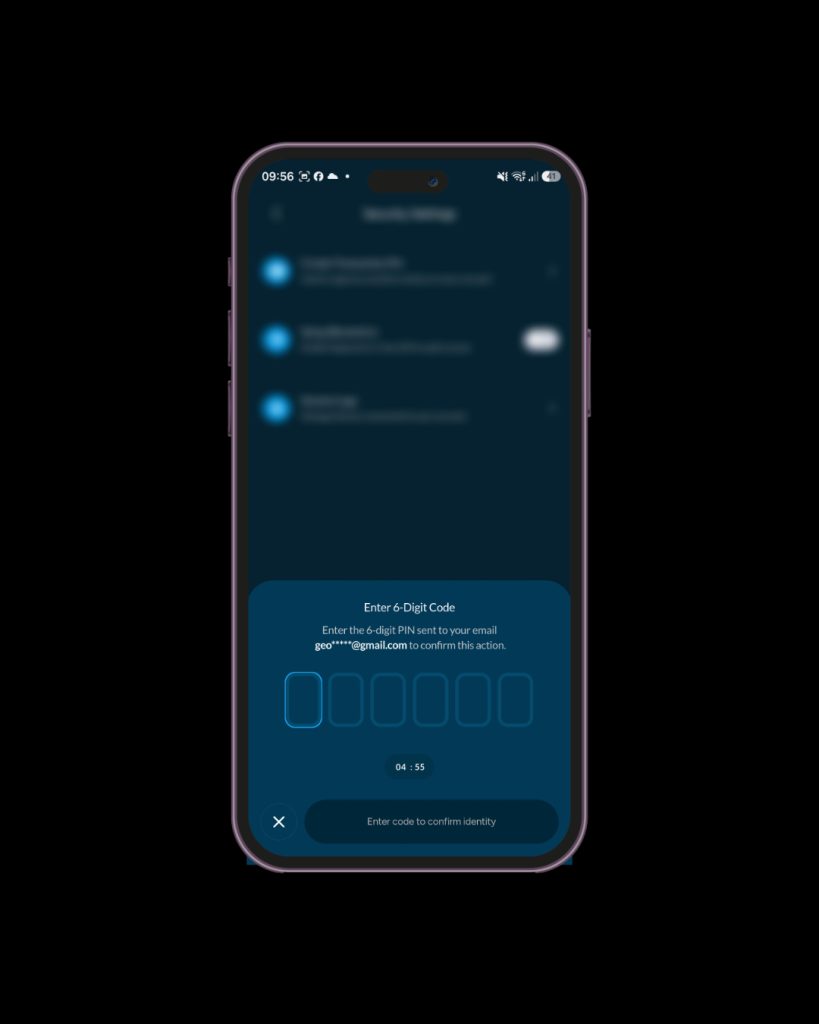
Enter the verification code sent to your email.
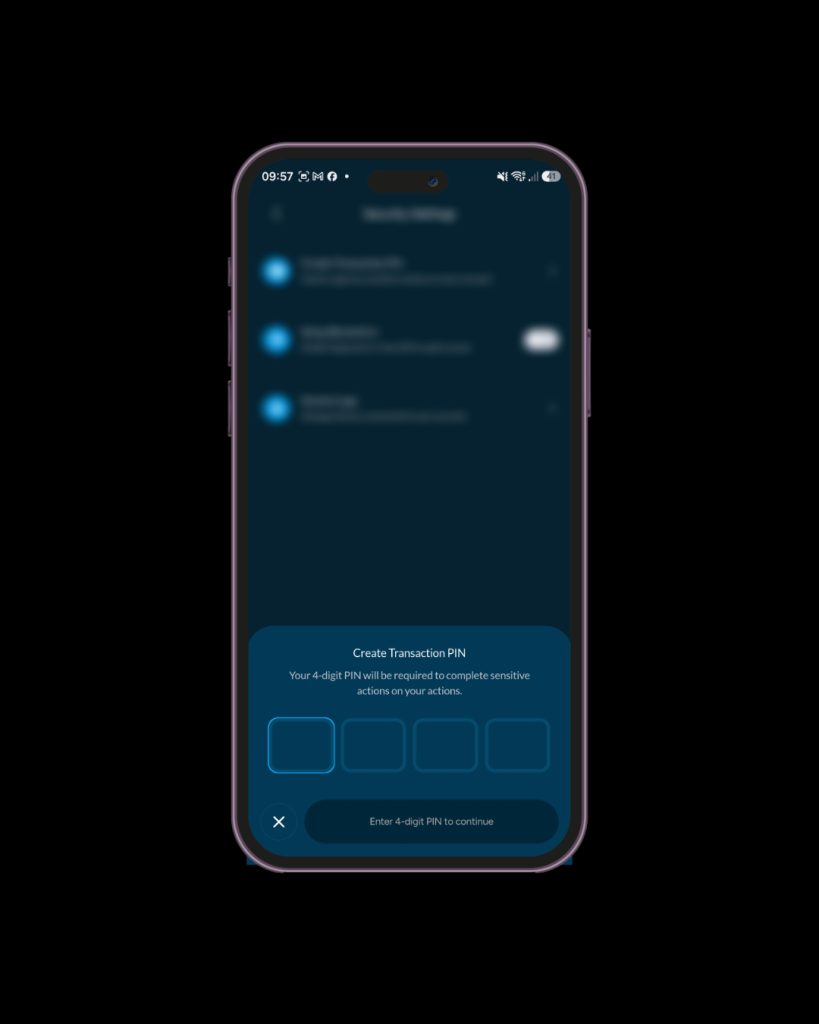
Type in your new pin and click on “Proceed”.
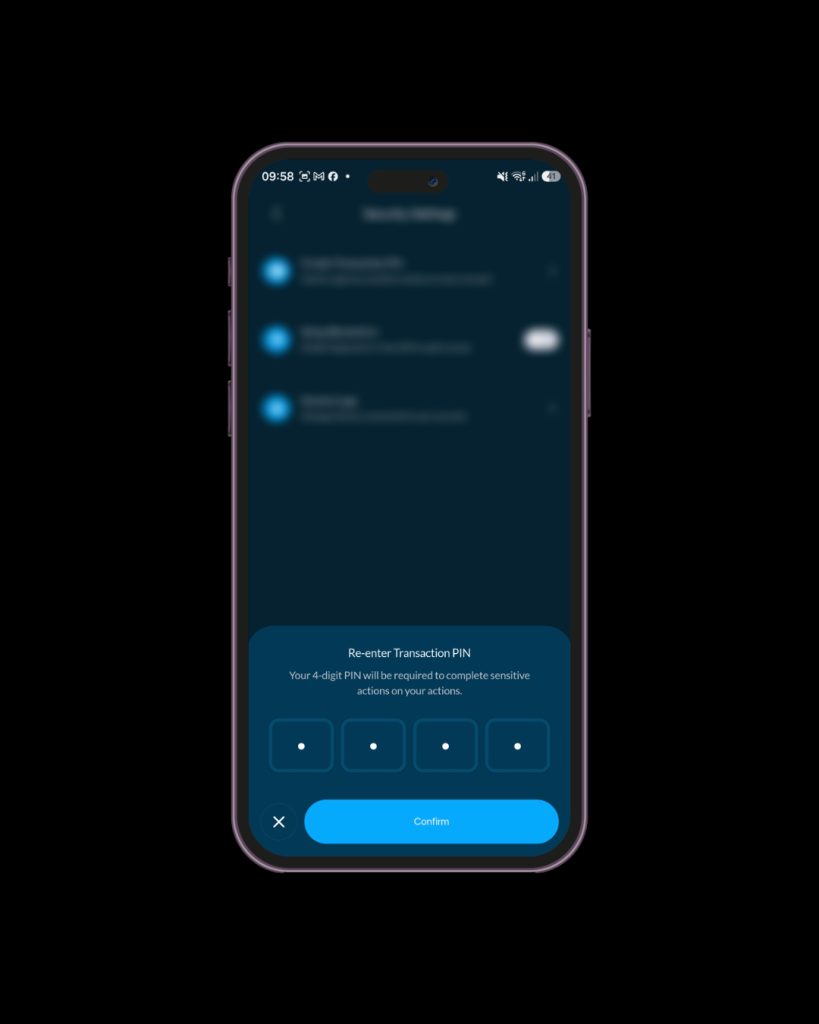
Re-enter the new pin and tap “Confirm”.
Quick Tip: Avoid using obvious transaction pins like:
A strong transaction pin should be difficult to guess but easy for you to remember.
If you don’t like typing passwords every time, biometrics makes things easier. You can either use your Face ID or Fingerprint login, depending on your device.
Under “Security Settings,” you’ll find “Enable biometrics.”
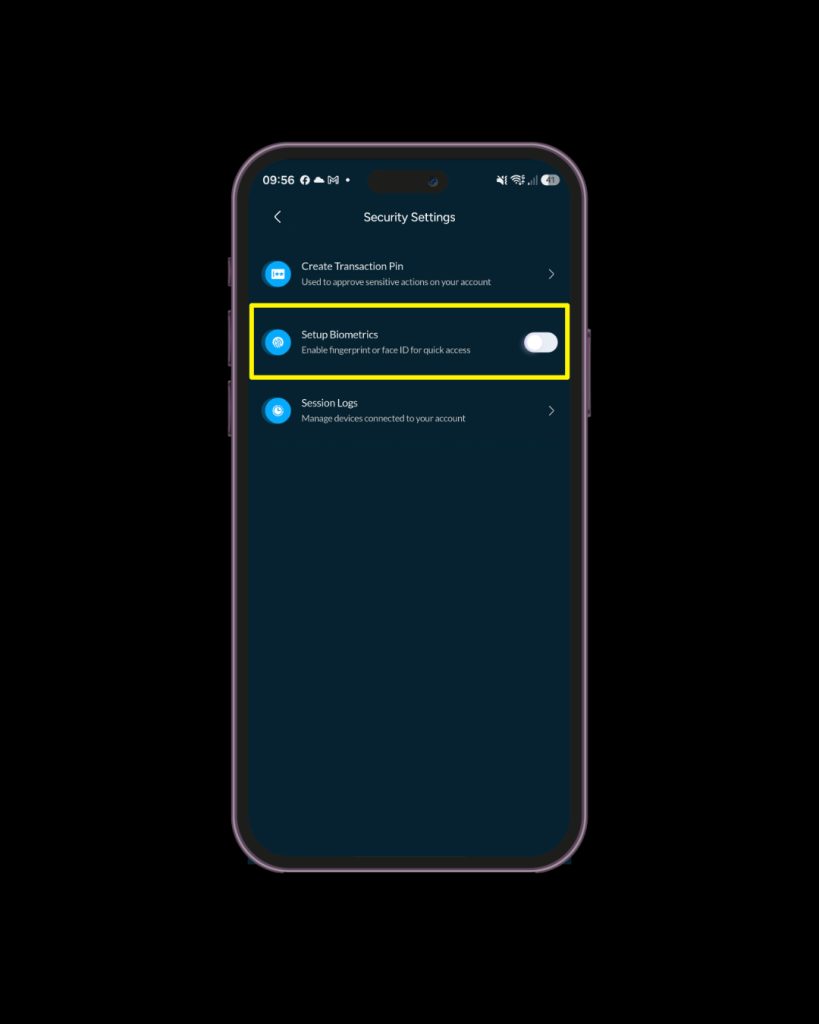
Toggle the button on to set up biometrics and confirm your Face ID or fingerprint setup on your device.
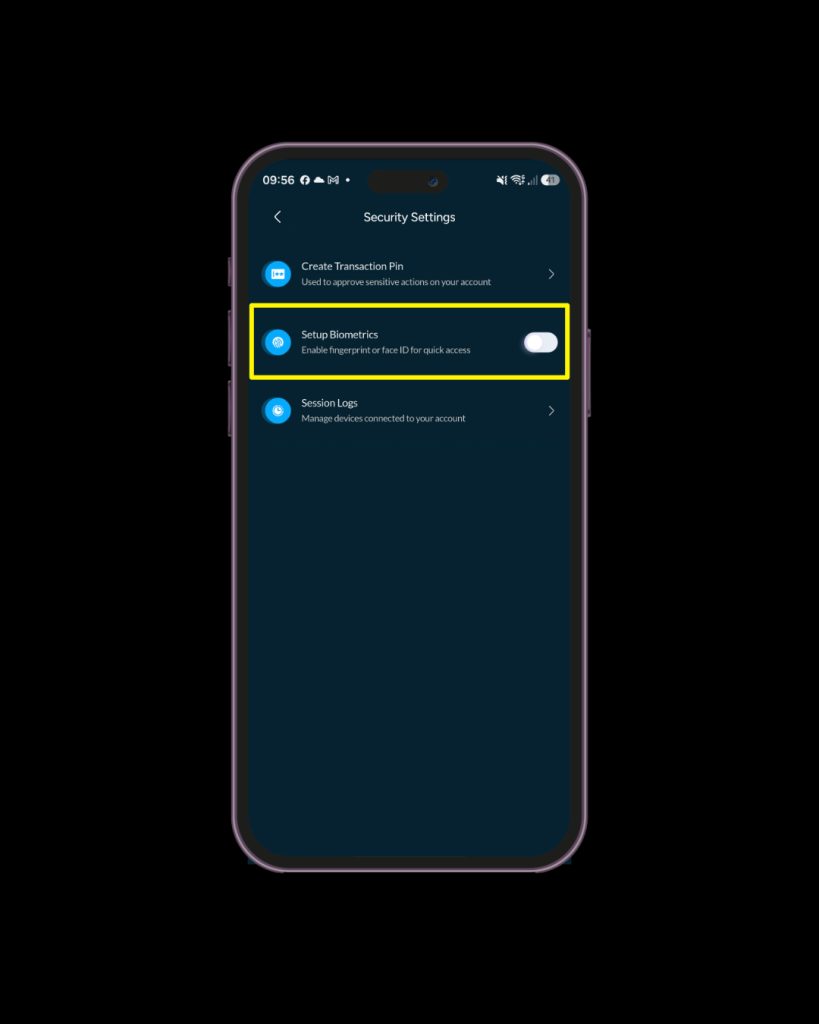
Once enabled, you can log into Vent using biometrics instead of manually entering your password every time.
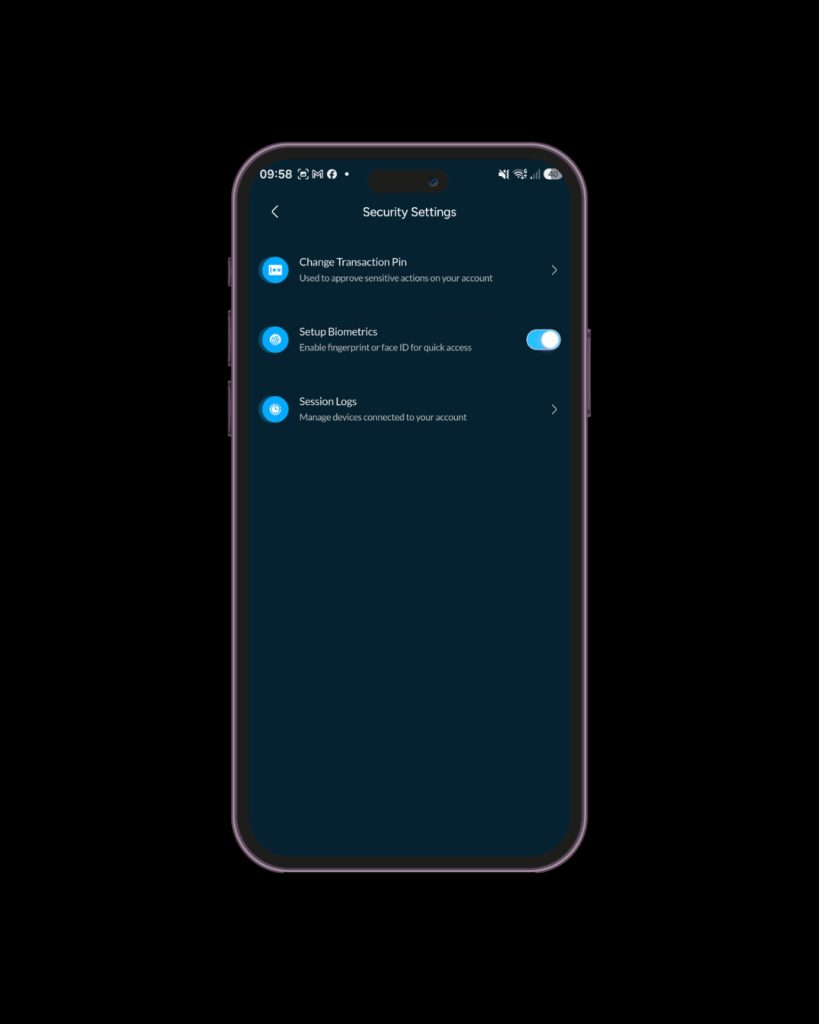
You can also toggle this feature on or off whenever you want.
Vent also gives you additional tools to help keep your account safe and private.
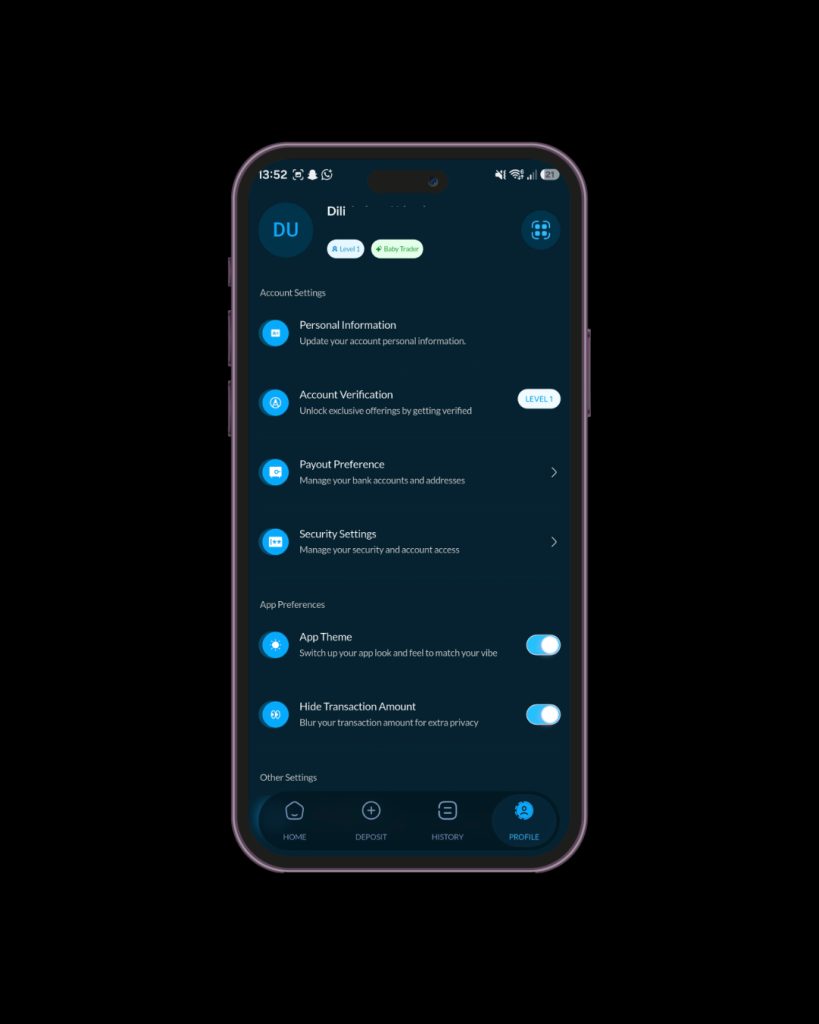
You can hide your balances and transaction amounts directly inside the app if you don’t want people peeping at your screen in public.
Click on “Profile”
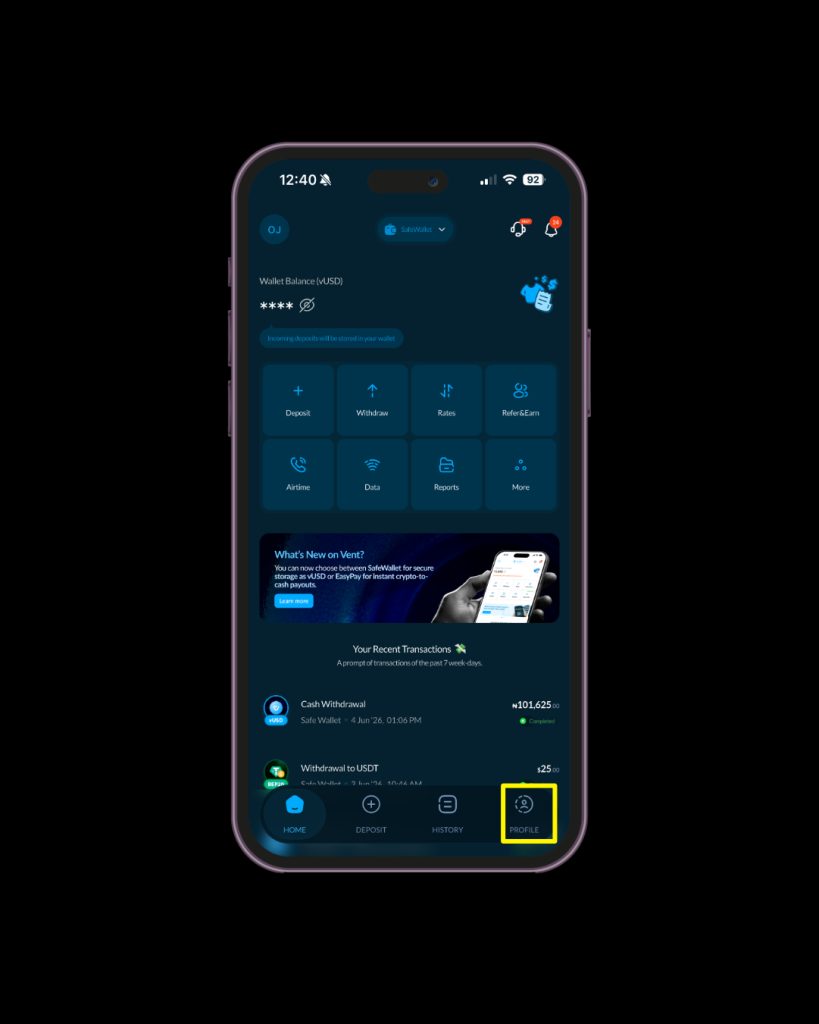
Go to “App Preferences”
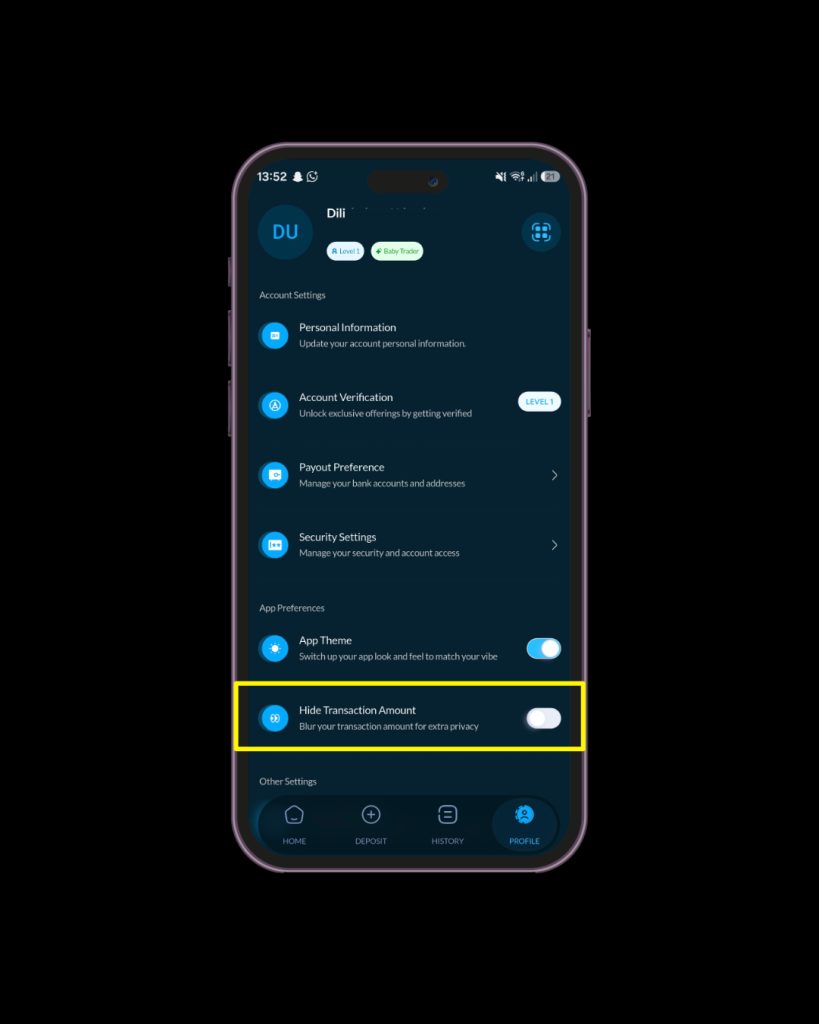
Under App Preferences, click on Hide “Transaction Amount”
The “Session Activities” section shows important account activity like logins. This helps you quickly spot anything unusual. If you notice anything unusual, you can always sign out of all logged in devices immediately.
You’ll also receive notifications for important account activities and security updates.
Beyond the app settings, here are a few habits that help protect your account:
Crypto security is mostly about small smart habits. Need more tips on how to keep your crypto safe? Check out our blogpost on crypto security in 2026.
Managing your security settings is one of the easiest ways to protect your funds and avoid unnecessary problems later. With Vent, you can update your password, reset your PIN, enable biometrics, and monitor account activity all in one place. Simple tools, better protection, and more peace of mind.
Download Vent and update your security settings today.